# Render view with distortion in ParaView
**URL:** https://discourse.paraview.org/t/render-view-with-distortion-in-paraview/5645
**Category:** ParaView Support
**Created:** [October 23, 2020, 10:28pm UTC](https://discourse.paraview.org/t/render-view-with-distortion-in-paraview/5645 "2020-10-23T22:28:53Z")
**Posts on this page:** 6
**Page:** 1
### Author:  [@Sebastian\_Balk](https://discourse.paraview.org/u/Sebastian_Balk)
#### Post date: [October 23, 2020, 10:28pm UTC](https://discourse.paraview.org/t/render-view-with-distortion-in-paraview/5645/1 "2020-10-23T22:28:53Z")
Hello,
I’ve currently installed Salome Meca 9.3.0 with ParaView 5.6.0 on Window 10. When I’m open ParaView the hole render view is distorted permanently. Has anybody an idea how I can fix that?
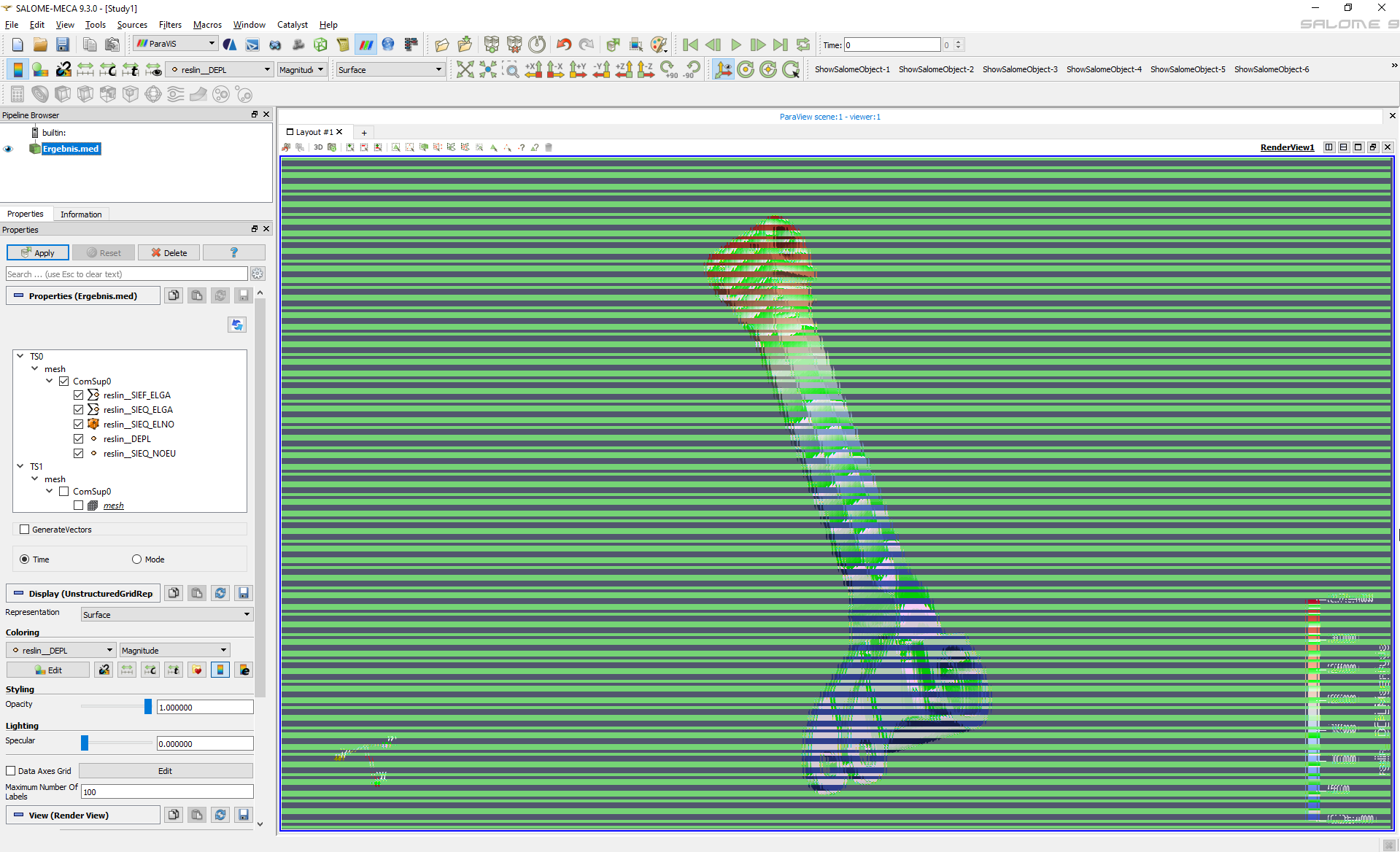
I have a NIVIDIA Quadro T2000 graphic card with the latest driver release 27.21.14.5167.
Thank you so much for your help!
---
### Author:  [@wascott](https://discourse.paraview.org/u/wascott)
#### Post date: [October 25, 2020, 9:06pm UTC](https://discourse.paraview.org/t/render-view-with-distortion-in-paraview/5645/2 "2020-10-25T21:06:53Z")
Hi Sebastian,
Welcome to the ParaView community!
I think I have seen this before, but am not sure. Try updating ParaView to the latest/ greatest release, which is 5.8.1. You can do this at [paraview.org](http://paraview.org).
Alan
---
### Author:  [@mwestphal](https://discourse.paraview.org/u/mwestphal)
#### Post date: [October 26, 2020, 10:12am UTC](https://discourse.paraview.org/t/render-view-with-distortion-in-paraview/5645/3 "2020-10-26T10:12:23Z")
Also you may want to try with the actual ParaView 5.6.0 instead of Salome.
---
### Author:  [@Sebastian\_Balk](https://discourse.paraview.org/u/Sebastian_Balk)
#### Post date: [October 27, 2020, 8:09pm UTC](https://discourse.paraview.org/t/render-view-with-distortion-in-paraview/5645/4 "2020-10-27T20:09:18Z")
Hi Walter,
thank you for your reply. I’ve just realised, that SALOME 9.3.0 uses ParaViS 9.3.0, a module which represents the integration of ParaView inside SALOME.
I’ve also tried to use the standalone ParaView version with rmed. support which I’ve downloaded [here](https://code-aster-windows.com/2017/06/18/paraview-med-for-windows-to-open-code_aster-results/), but I had the same issue.
Using the normal ParaView software is not possible, because they don’t support rmed-Files.
Any other ideas?
Thank you!
---
### Author:  [@Sebastian\_Balk](https://discourse.paraview.org/u/Sebastian_Balk)
#### Post date: [October 27, 2020, 8:33pm UTC](https://discourse.paraview.org/t/render-view-with-distortion-in-paraview/5645/5 "2020-10-27T20:33:14Z")
Hi Mathieu,
running ParaView 5.6.0 as a standalone tool, works fine. But unfortunately it is not solution for me, because I want to post-process rmed-files which I’ve generated with code-aster in SALOME.
Any other ideas?
Thank you!
---
### Author:  [@Sebastian\_Balk](https://discourse.paraview.org/u/Sebastian_Balk)
#### Post date: [October 27, 2020, 8:55pm UTC](https://discourse.paraview.org/t/render-view-with-distortion-in-paraview/5645/6 "2020-10-27T20:55:24Z")
Ok this was easy, I found this [thread](https://discourse.paraview.org/t/paraview-visualization-distorted-after-apply/3248) with a similar topic, which provided me the solution.
This solution worked for me:
1. Open NVIDIA control panel
2. Go to “manage 3D settings”
3. From there, go to “program settings”
4. Select SALOME executable as the program to customize.
5. On point 2., select the preferred graphics processor for the program, which is your NVIDIA card.
