# Representation of the glyph scale
**URL:** https://discourse.paraview.org/t/representation-of-the-glyph-scale/3963
**Category:** ParaView Support
**Created:** [April 3, 2020, 4:54pm UTC](https://discourse.paraview.org/t/representation-of-the-glyph-scale/3963 "2020-04-03T16:54:07Z")
**Posts on this page:** 7
**Page:** 1
### Author:  [@nayla\_salvador](https://discourse.paraview.org/u/nayla_salvador)
#### Post date: [April 3, 2020, 4:54pm UTC](https://discourse.paraview.org/t/representation-of-the-glyph-scale/3963/1 "2020-04-03T16:54:07Z")
Hello,
I would like to know if there is the option of leaving my glyphs colored so that their intensity is shown.
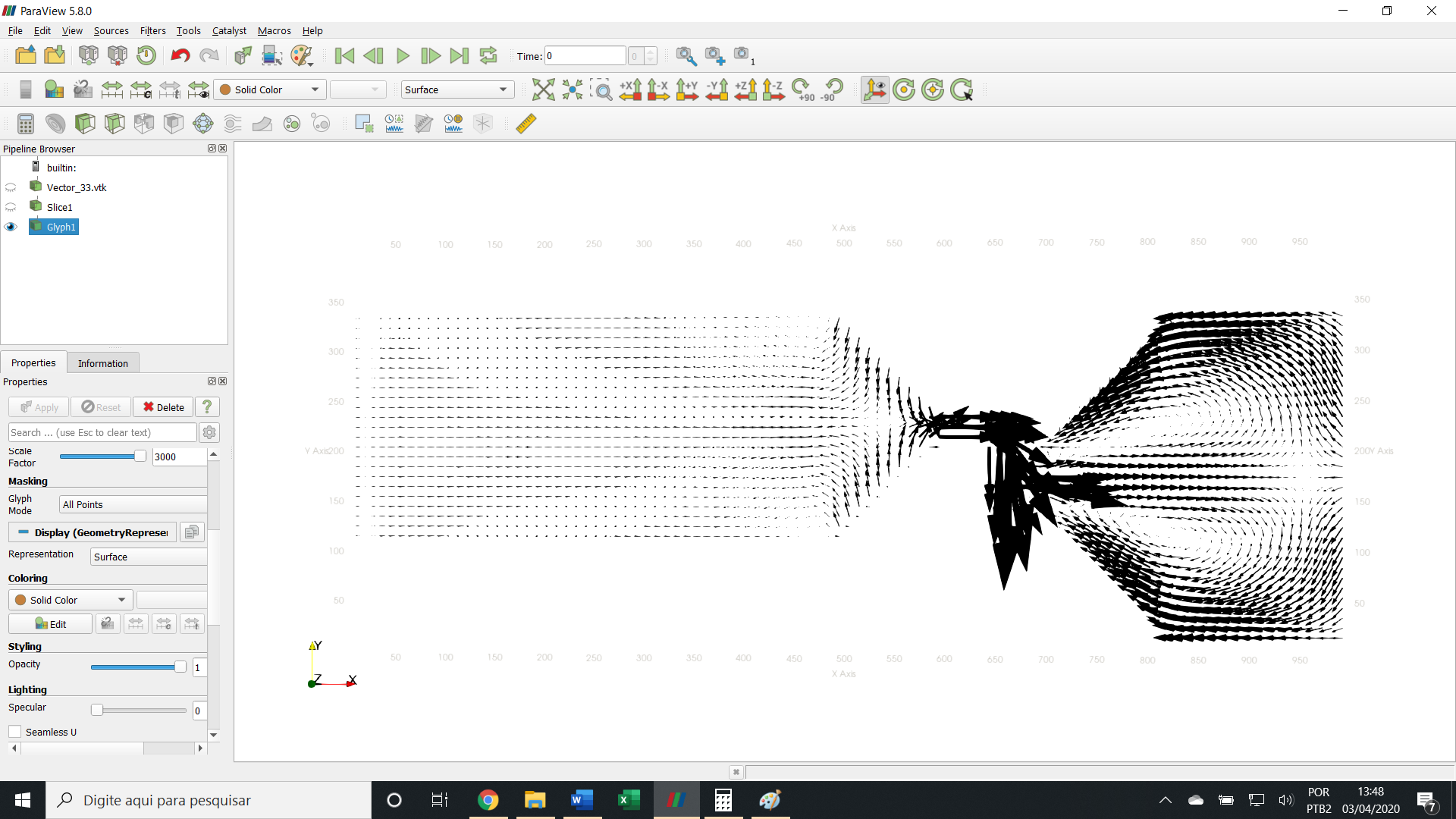
Another option I would like to know (which would be more useful for my study) is if paraview can insert a caption, as if it were a scale of just one glyph saying how many m / s would be a glyph of that size.
For example, 1 cm equals 1 m / s
thanks
---
### Author:  [@wascott](https://discourse.paraview.org/u/wascott)
#### Post date: [April 3, 2020, 5:17pm UTC](https://discourse.paraview.org/t/representation-of-the-glyph-scale/3963/2 "2020-04-03T17:17:33Z")
Change “Solid Color” to the variable of interest?
Sources/ Text?
All of these are covered in the tutorials under the Help Menu.
---
### Author:  [@nayla\_salvador](https://discourse.paraview.org/u/nayla_salvador)
#### Post date: [April 3, 2020, 6:32pm UTC](https://discourse.paraview.org/t/representation-of-the-glyph-scale/3963/3 "2020-04-03T18:32:46Z")
Only the Solid Color option appears
---
### Author:  [@cory.quammen](https://discourse.paraview.org/u/cory.quammen)
#### Post date: [April 3, 2020, 9:23pm UTC](https://discourse.paraview.org/t/representation-of-the-glyph-scale/3963/4 "2020-04-03T21:23:42Z")
You are likely running into this: [https://gitlab.kitware.com/paraview/paraview/-/issues/18662](https://gitlab.kitware.com/paraview/paraview/-/issues/18662) (I need to fix it).
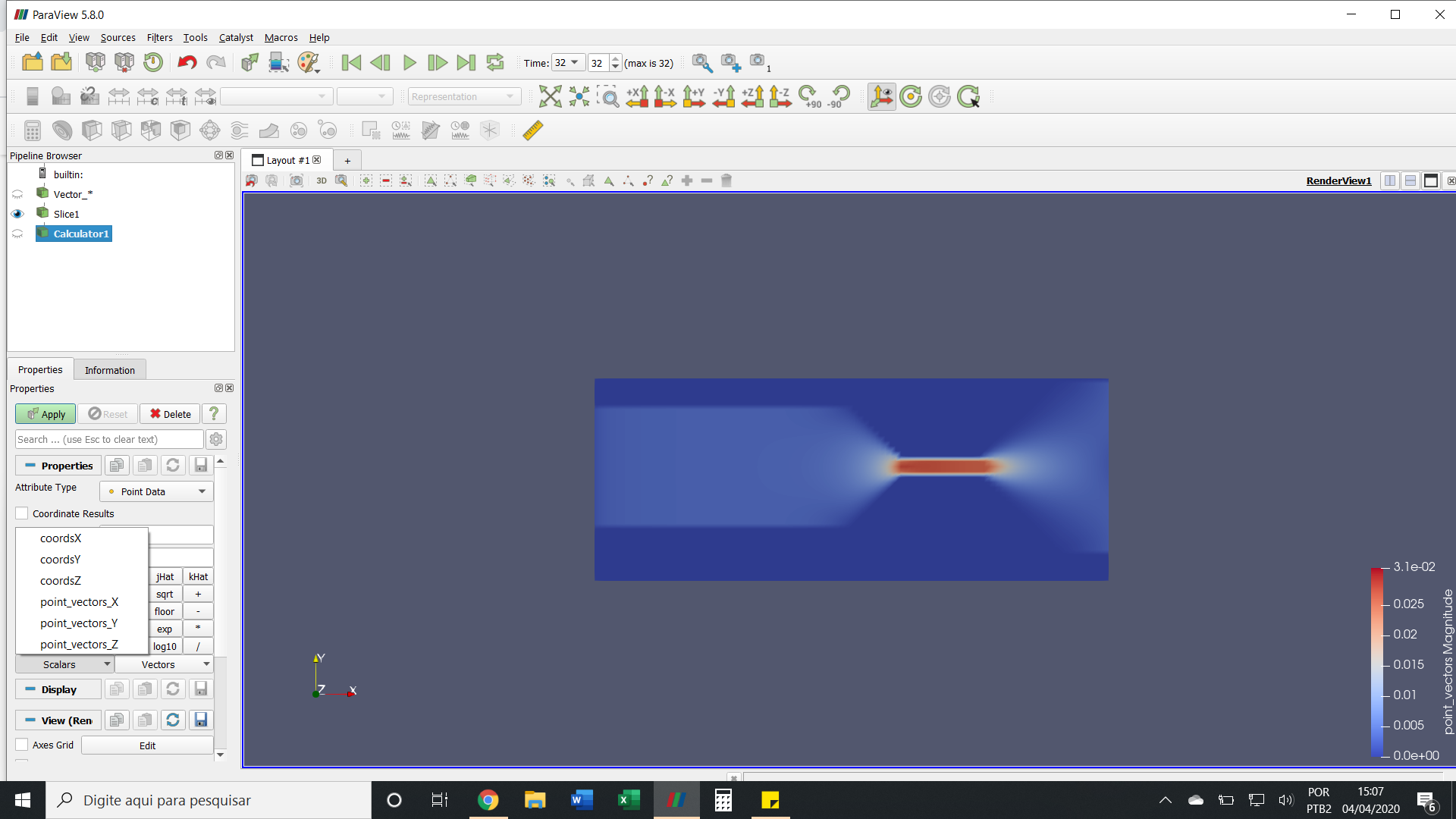
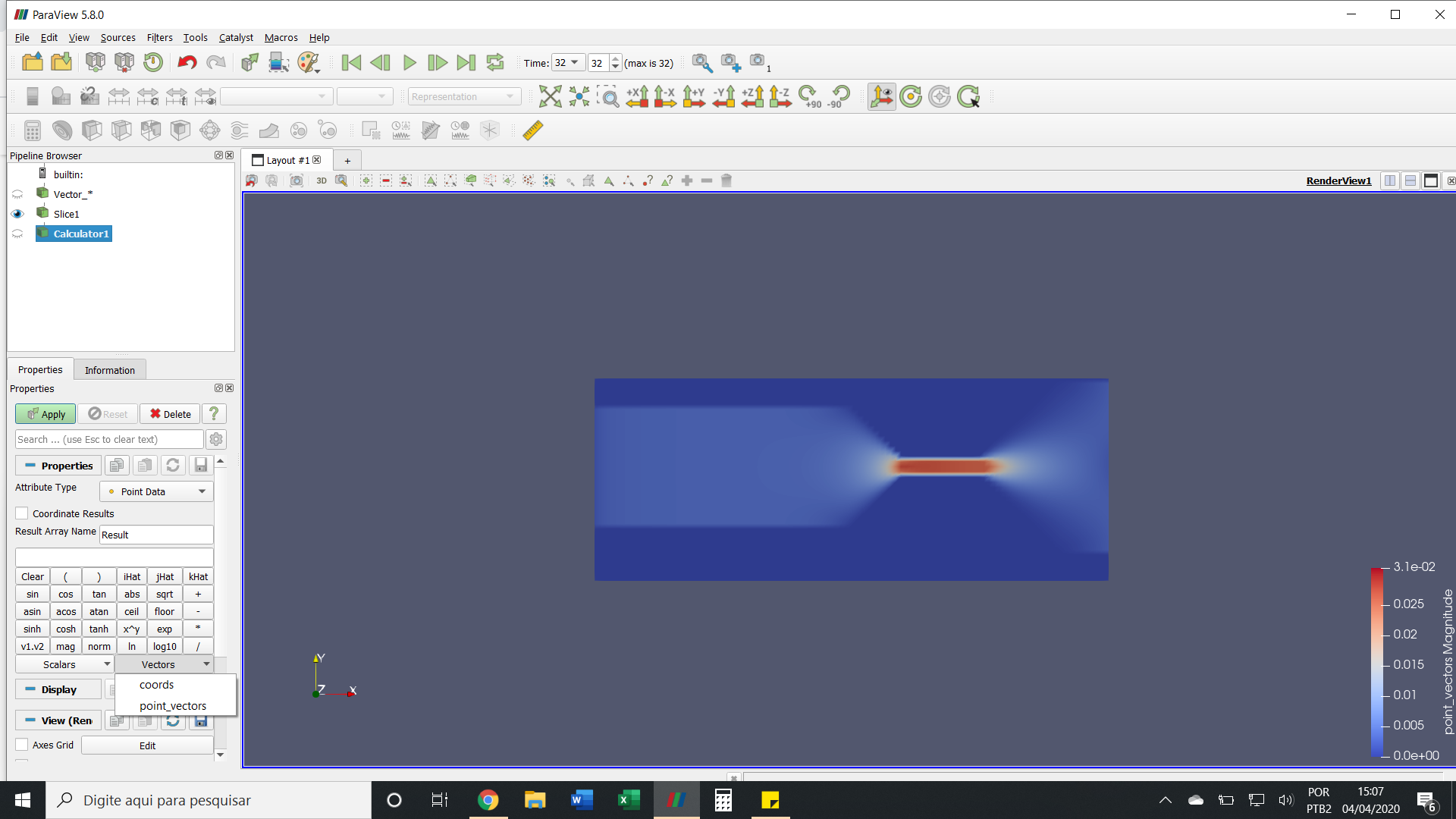
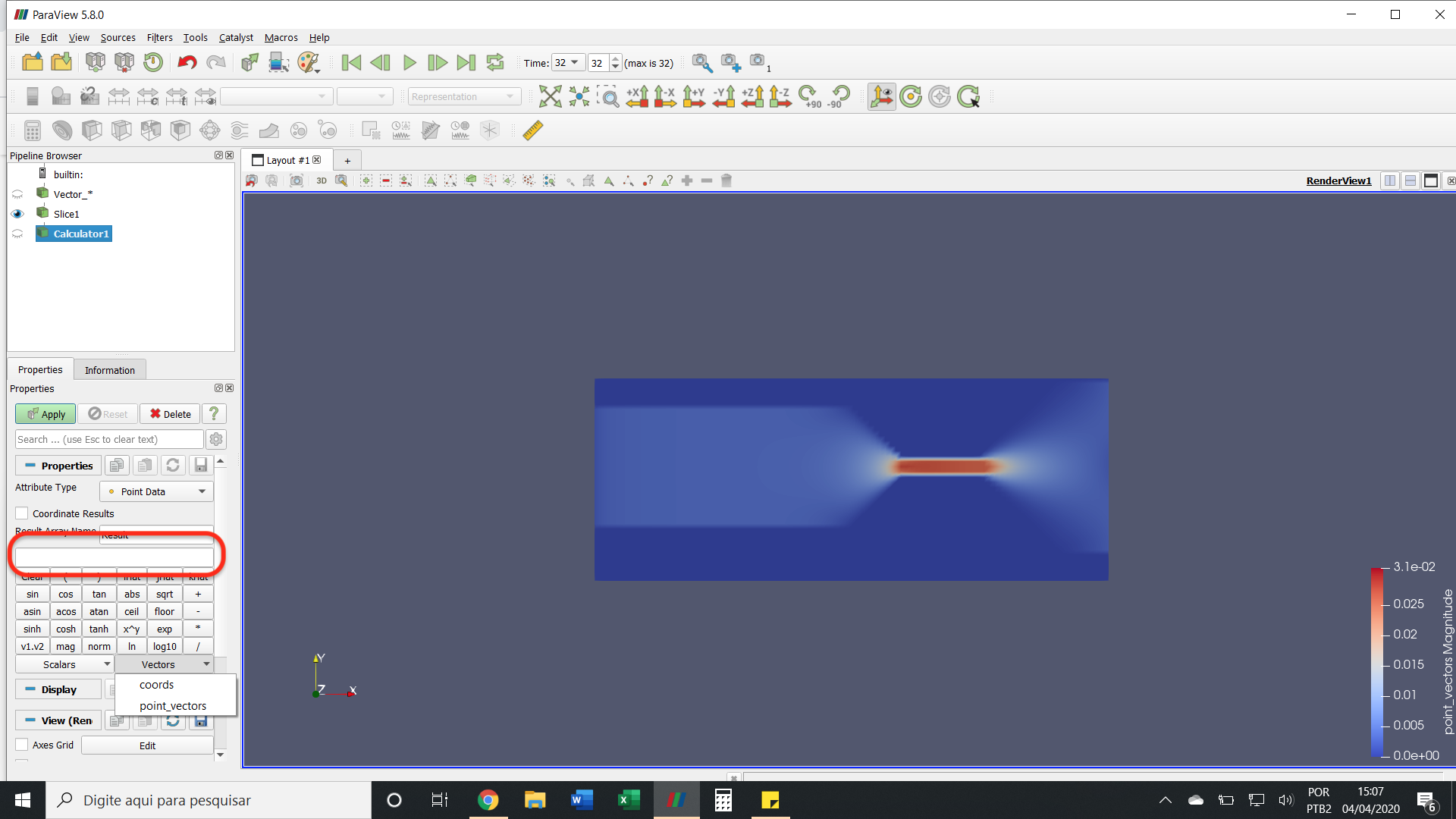
As a workaround, you can have add a **Calculator** filter after your **Slice** filter. Set the expression to the name of the vector field variable. Now add the **Glyph** filter, and set the orientation array to the original vector array. You should now be able to color by the variable named “Result”, which is a copy of your input vector field.
---
### Author:  [@nayla\_salvador](https://discourse.paraview.org/u/nayla_salvador)
#### Post date: [April 4, 2020, 6:08pm UTC](https://discourse.paraview.org/t/representation-of-the-glyph-scale/3963/5 "2020-04-04T18:08:04Z")
> [@cory.quammen](#):
>
> Set the expression to the name of the vector field variable
Hello Cory,
I didn’t understand about “Set the expression to the name of the vector field variable”. Can you give me an example?
---
### Author:  [@cory.quammen](https://discourse.paraview.org/u/cory.quammen)
#### Post date: [April 5, 2020, 3:29pm UTC](https://discourse.paraview.org/t/representation-of-the-glyph-scale/3963/6 "2020-04-05T15:29:38Z")
Enter `point_vectors` in the text box circled below:
---
### Author:  [@nayla\_salvador](https://discourse.paraview.org/u/nayla_salvador)
#### Post date: [April 5, 2020, 7:17pm UTC](https://discourse.paraview.org/t/representation-of-the-glyph-scale/3963/7 "2020-04-05T19:17:54Z")
Very good!
Thank you, Cory