# Saving high quality image
**URL:** https://discourse.paraview.org/t/saving-high-quality-image/12023
**Category:** ParaView Support
**Created:** [May 4, 2023, 7:56pm UTC](https://discourse.paraview.org/t/saving-high-quality-image/12023 "2023-05-04T19:56:03Z")
**Posts on this page:** 12
**Page:** 1
### Author:  [@kokebdese](https://discourse.paraview.org/u/kokebdese)
#### Post date: [May 4, 2023, 7:56pm UTC](https://discourse.paraview.org/t/saving-high-quality-image/12023/1 "2023-05-04T19:56:03Z")
Hi
How can I save high quality (\>300dpi) image in paraview?
---
### Author:  [@mwestphal](https://discourse.paraview.org/u/mwestphal)
#### Post date: [May 5, 2023, 5:56am UTC](https://discourse.paraview.org/t/saving-high-quality-image/12023/2 "2023-05-05T05:56:14Z")
Hi @kokebdese
Just increase the resolution in the screenshot window.
Best,
---
### Author:  [@danlipsa](https://discourse.paraview.org/u/danlipsa)
#### Post date: [May 9, 2023, 5:01pm UTC](https://discourse.paraview.org/t/saving-high-quality-image/12023/3 "2023-05-09T17:01:38Z")
In File \> Save Screenshot, after you choose the file name, you can use the Screenshot Options dialog to increase the image resolution, even beyond the screen resolution.
---
### Author:  [@kokebdese](https://discourse.paraview.org/u/kokebdese)
#### Post date: [May 10, 2023, 9:41pm UTC](https://discourse.paraview.org/t/saving-high-quality-image/12023/4 "2023-05-10T21:41:32Z")
@mwestphal @danlipsa
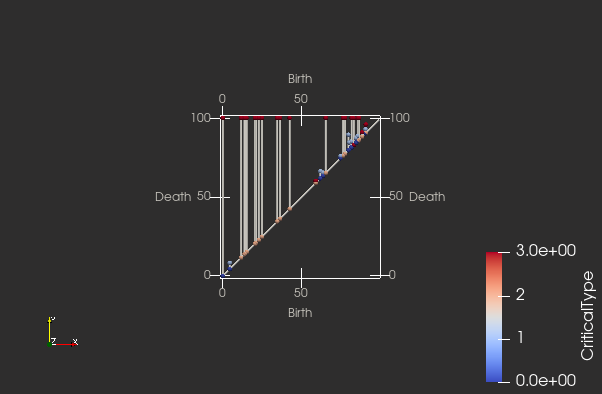
I appreciate your answers, nevertheless, how can I save a section of screen which contain the object (item) without including all screen. Eg. Here I only wanted to save the PD, but all screen is included. Thanks
---
### Author:  [@mwestphal](https://discourse.paraview.org/u/mwestphal)
#### Post date: [May 11, 2023, 7:39am UTC](https://discourse.paraview.org/t/saving-high-quality-image/12023/5 "2023-05-11T07:39:11Z")
Just zoom on it ? You can use zoom to data.
---
### Author:  [@SebastianSalazar42](https://discourse.paraview.org/u/SebastianSalazar42)
#### Post date: [May 12, 2023, 3:48am UTC](https://discourse.paraview.org/t/saving-high-quality-image/12023/6 "2023-05-12T03:48:32Z")
You can also turn off the colored scale and the axis reference from the screen (if you want to).
---
### Author:  [@kokebdese](https://discourse.paraview.org/u/kokebdese)
#### Post date: [May 12, 2023, 8:38am UTC](https://discourse.paraview.org/t/saving-high-quality-image/12023/7 "2023-05-12T08:38:26Z")
@SebastianSalazar42
Nice, how? 🙏
---
### Author:  [@SebastianSalazar42](https://discourse.paraview.org/u/SebastianSalazar42)
#### Post date: [May 13, 2023, 6:22pm UTC](https://discourse.paraview.org/t/saving-high-quality-image/12023/8 "2023-05-13T18:22:08Z")
turn off colored scale: In “Active Variable Controls” Toolbar, clic on “Toggle Color Legend Visibility” to turn on/off the colored scale. To activate “Active Variable Controls” Toolbar, go to View \> Toolbars \> The first one should be active.
turn off axes reference: In properties window, go down and find “Orientation Axis”. Uncheck “Orientation Axes Visibility” to disable it.
---
### Author:  [@kokebdese](https://discourse.paraview.org/u/kokebdese)
#### Post date: [May 16, 2023, 6:48am UTC](https://discourse.paraview.org/t/saving-high-quality-image/12023/9 "2023-05-16T06:48:16Z")
> [@SebastianSalazar42](#):
>
> Active Variable Controls”
@SebastianSalazar42 : Thank you so much!
---
### Author:  [@kokebdese](https://discourse.paraview.org/u/kokebdese)
#### Post date: [May 16, 2023, 6:59am UTC](https://discourse.paraview.org/t/saving-high-quality-image/12023/10 "2023-05-16T06:59:20Z")
@SebastianSalazar42
Hi,
May I save the file by making the background as none? I don’t want a white or any other colour in the background. Thanks
---
### Author:  [@SebastianSalazar42](https://discourse.paraview.org/u/SebastianSalazar42)
#### Post date: [May 16, 2023, 7:06am UTC](https://discourse.paraview.org/t/saving-high-quality-image/12023/11 "2023-05-16T07:06:12Z")
-To remove the background from the image, you need to enable the “Transparent Background” option. The option’s location may vary depending on the version of ParaView you are using, but it’s typically found in the “Advanced Properties” section or in a separate tab called “Advanced.” Check the “Transparent Background” option. This will make the background of the image transparent. Adjust any other desired settings, such as the image size or quality. Once you have configured the settings, click the “Save” button to save the image with the specified filename and format.
(The option to save an image with a transparent background is not available in ParaView 4.4.0. This feature was introduced in a later version of ParaView.)
Another option is that u simply save the screenshot with white background (or green) and then you remove it with Photoshop (usually will take you like 5 minutes or less). Finally save it as png.
---
### Author:  [@kokebdese](https://discourse.paraview.org/u/kokebdese)
#### Post date: [May 16, 2023, 7:20am UTC](https://discourse.paraview.org/t/saving-high-quality-image/12023/12 "2023-05-16T07:20:29Z")
@SebastianSalazar42
Nice! I got it! Thank you!