# ScreenShots interpolations
**URL:** https://discourse.paraview.org/t/screenshots-interpolations/6594
**Category:** ParaView Support
**Created:** [March 3, 2021, 11:08am UTC](https://discourse.paraview.org/t/screenshots-interpolations/6594 "2021-03-03T11:08:26Z")
**Posts on this page:** 5
**Page:** 1
### Author:  [@Corentin](https://discourse.paraview.org/u/Corentin)
#### Post date: [March 3, 2021, 11:08am UTC](https://discourse.paraview.org/t/screenshots-interpolations/6594/1 "2021-03-03T11:08:26Z")
Hello,
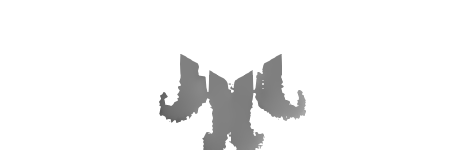
I do screenshots of slices in Grayscale in Paraview. I set up a transparent background, and when I read my images (with Matlab for example), I see that the pixels surrounding my object are interpolated between the gray value of my object and the “0” of the background, which distort my results.
Do you know how I could disable such an interpolation ? I already tried to disable the light tool kit, but it’s not sufficient.
Thank you very much for your answer,
regards,
Corentin Calbrix
---
### Author:  [@mwestphal](https://discourse.paraview.org/u/mwestphal)
#### Post date: [March 3, 2021, 12:45pm UTC](https://discourse.paraview.org/t/screenshots-interpolations/6594/2 "2021-03-03T12:45:31Z")
PointDataToCellData ?
Please share a screenshot.
---
### Author:  [@Corentin](https://discourse.paraview.org/u/Corentin)
#### Post date: [March 3, 2021, 3:21pm UTC](https://discourse.paraview.org/t/screenshots-interpolations/6594/3 "2021-03-03T15:21:49Z")
Hi,
Thanks for the response. My datas are already in CellData when I make my slices. Here is a screenshot where you can see the interpolations between my objects and the background. My gray datas should be around 128, and are interpolated at around 50.
---
### Author:  [@Kenneth\_Moreland](https://discourse.paraview.org/u/Kenneth_Moreland)
#### Post date: [March 3, 2021, 4:54pm UTC](https://discourse.paraview.org/t/screenshots-interpolations/6594/4 "2021-03-03T16:54:16Z")
My guess is that you are seeing effects from antialiasing in the rendering. You can try turning off the FXAA feature.
Go to ParaView settings, click on the `Render View` tab, and turn off the `Use FXAA` feature.
---
### Author:  [@Corentin](https://discourse.paraview.org/u/Corentin)
#### Post date: [March 4, 2021, 9:58am UTC](https://discourse.paraview.org/t/screenshots-interpolations/6594/5 "2021-03-04T09:58:55Z")
thank you very much !! It works perfectly now, I do not have any interpolations anymore.