# Selecting Cells on Patch Surface
**URL:** https://discourse.paraview.org/t/selecting-cells-on-patch-surface/4365
**Category:** ParaView Support
**Created:** [May 19, 2020, 3:54am UTC](https://discourse.paraview.org/t/selecting-cells-on-patch-surface/4365 "2020-05-19T03:54:50Z")
**Posts on this page:** 15
**Page:** 1
### Author:  [@carl](https://discourse.paraview.org/u/carl)
#### Post date: [May 19, 2020, 3:54am UTC](https://discourse.paraview.org/t/selecting-cells-on-patch-surface/4365/1 "2020-05-19T03:54:50Z")
Hi,
I have created a pipe line to define some cell clusters. (pipe line in image)
I want to remove any cell clusters where a cluster member is on a selected patch (the patch is shown as a pink wire frame in the image). Meaning that the regionID=0 (navey blue “L” shaped region) should be removed from the selected data.
I am trying to obtain a list of all cells on the patch, then I could obtain the region IDs present and remove these from my analysis. However, I can’t work out how to obtain all cells on a patch, I’ve not found an Extract XXXX filter that does this. Note this is imported as a multi-block domain, and then merged during my pipeline.
I’m sure there are other ways to do this but can’t work them out. eg. obtain lists of all cell ID numbers on the surface, then scan all clusters, and if an ID matches remove the cluster. Again I’m stuck in how to obtain a list of the cell IDS.
I’m happy for any answer to be filter based or use python scripting.

---
### Author:  [@mwestphal](https://discourse.paraview.org/u/mwestphal)
#### Post date: [May 19, 2020, 3:56am UTC](https://discourse.paraview.org/t/selecting-cells-on-patch-surface/4365/2 "2020-05-19T03:56:36Z")
Sound like you should be able to select the cells you want to remove or keep in Edit -\> FindData.
Once they are selected, Extract Selection should de the job.
---
### Author:  [@carl](https://discourse.paraview.org/u/carl)
#### Post date: [May 19, 2020, 4:34pm UTC](https://discourse.paraview.org/t/selecting-cells-on-patch-surface/4365/3 "2020-05-19T16:34:06Z")
Mathieu,
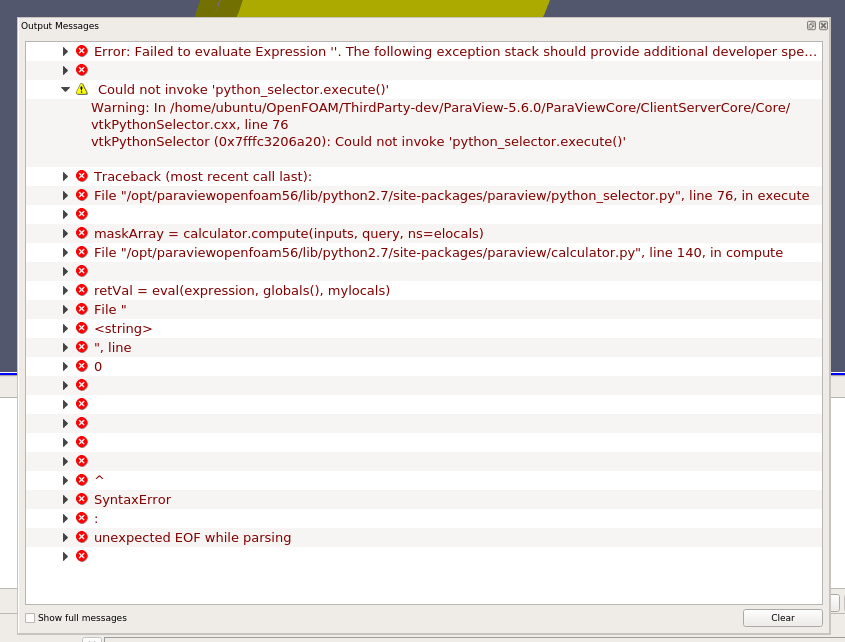
Thanks for the help, what you propose should work, however when I try and select the cells with Find Data I get an error. This is for a simple case where i import my multi-block data and then try to select the cells on the Block ID associated with my patch (Block ID = 7).
What am I doing something wrong?

---
### Author:  [@mwestphal](https://discourse.paraview.org/u/mwestphal)
#### Post date: [May 20, 2020, 4:38am UTC](https://discourse.paraview.org/t/selecting-cells-on-patch-surface/4365/4 "2020-05-20T04:38:10Z")
Please use ParaView from : [https://www.paraview.org/download/](https://www.paraview.org/download/)
And share a dataset to reproduce the issue please.
---
### Author:  [@carl](https://discourse.paraview.org/u/carl)
#### Post date: [May 20, 2020, 6:17pm UTC](https://discourse.paraview.org/t/selecting-cells-on-patch-surface/4365/5 "2020-05-20T18:17:04Z")
Mathieu,
I tried to install paraview on ubuntu run on windows. I get some graphics driver errors which I’ve not been able to solve.
Therefore I tried installing paraview on windows. Eventually I will want to run it on Linux, but at the point I need to do this I should have more support to resolve the driver/environment variable issues i’m having.
I’m having some issues with the windows installation. I had assumed that scripts which worked on the linux (paraFoam) would also work on the windows install, but i’m having problems.
a) a script (“TEST.py”) ran on the linux install now gives the error on the windows install:
SyntaxError: invalid syntax
> > > File “”, line 152
> > > spreadSheetView1.BlockSize = 1024L
> > > ^
> > > SyntaxError: invalid syntax
b) If I reduce the “TEST.py” script to just importing the data (lines 1-23). When I view the imported data in the GUI the screen turns to this as soon as I hit the view (eye icon). Making it impossible to use any of the menus. I get exactly the same result no matter what size I set the view to (renderView1.ViewSize = [800, 400])
> Blockquote
> \*\*I’ve got the windows graphics issue resolved with an update of the graphics card driver \*\*
> **[Weird display resolution](https://discourse.paraview.org/t/weird-display-resolution/3035)**
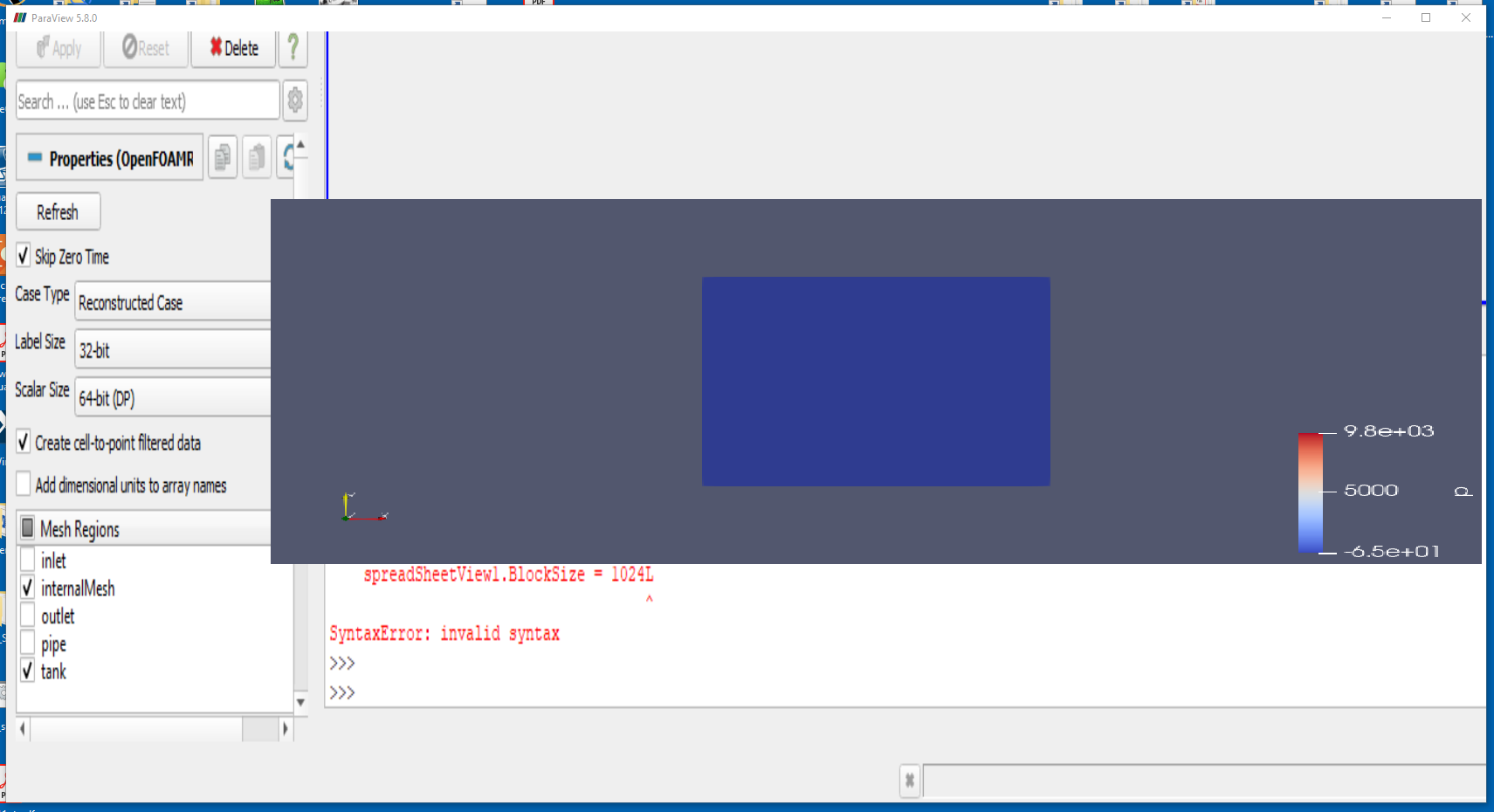
On the positive side it seems that the python selection module is not importing correctly. Its just hard for me to visually confirm my script is working with the GUI issue.
---
### Author:  [@carl](https://discourse.paraview.org/u/carl)
#### Post date: [May 20, 2020, 6:23pm UTC](https://discourse.paraview.org/t/selecting-cells-on-patch-surface/4365/6 "2020-05-20T18:23:38Z")
Here is the data and the script I’ve been using
[Data.zip](https://discourse.paraview.org/uploads/short-url/4uK0MBR3iwyZbQaUFy0u2Xh31Qq.zip) (1.9 MB)
[TEST.py](https://discourse.paraview.org/uploads/short-url/7XMARwrpeTPMn4wETNLWTIe6jEc.py) (4.7 KB)
---
### Author:  [@mwestphal](https://discourse.paraview.org/u/mwestphal)
#### Post date: [May 21, 2020, 2:25am UTC](https://discourse.paraview.org/t/selecting-cells-on-patch-surface/4365/7 "2020-05-21T02:25:41Z")
Classic intel driver bug.
[https://gitlab.kitware.com/paraview/paraview/-/issues/19364](https://gitlab.kitware.com/paraview/paraview/-/issues/19364)
Four solutions :
- Use another GPU (eg: nvidia instead of intel)
- Downgrade your intel driver before 26.20.100.6708
- Upgrage your intel driver after 26.20.100.7528
- use mesa instead : [How to run ParaView (including the binary release) using Mesa on Windows](https://discourse.paraview.org/t/how-to-run-paraview-including-the-binary-release-using-mesa-on-windows/4321/2)
---
### Author:  [@carl](https://discourse.paraview.org/u/carl)
#### Post date: [May 21, 2020, 3:13am UTC](https://discourse.paraview.org/t/selecting-cells-on-patch-surface/4365/8 "2020-05-21T03:13:44Z")
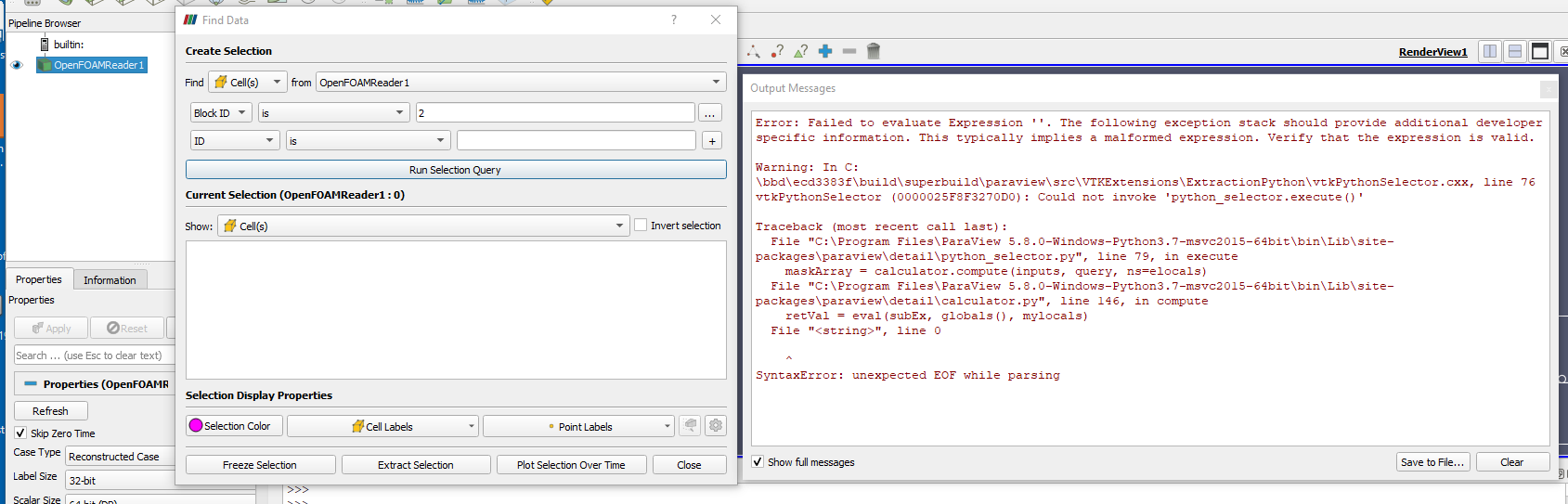
Now on the latest windows release i get this error:
```
File "C:\Program Files\ParaView 5.8.0-Windows-Python3.7-msvc2015-64bit\bin\Lib\site-packages\paraview\detail\python_selector.py", line 79, in execute
maskArray = calculator.compute(inputs, query, ns=elocals)
File "C:\Program Files\ParaView 5.8.0-Windows-Python3.7-msvc2015-64bit\bin\Lib\site-packages\paraview\detail\calculator.py", line 146, in compute
retVal = eval(subEx, globals(), mylocals)
File "", line 0
^
SyntaxError: unexpected EOF while parsing
```
---
### Author:  [@mwestphal](https://discourse.paraview.org/u/mwestphal)
#### Post date: [May 21, 2020, 3:34am UTC](https://discourse.paraview.org/t/selecting-cells-on-patch-surface/4365/9 "2020-05-21T03:34:52Z")
Your query is not complete, however it looks like the block selection is not working anyway.
You should be able to work around it using a connectivity filter though.
---
### Author:  [@mwestphal](https://discourse.paraview.org/u/mwestphal)
#### Post date: [May 21, 2020, 3:40am UTC](https://discourse.paraview.org/t/selecting-cells-on-patch-surface/4365/10 "2020-05-21T03:40:29Z")
[https://gitlab.kitware.com/paraview/paraview/-/issues/19944](https://gitlab.kitware.com/paraview/paraview/-/issues/19944)
---
### Author:  [@carl](https://discourse.paraview.org/u/carl)
#### Post date: [May 21, 2020, 3:53am UTC](https://discourse.paraview.org/t/selecting-cells-on-patch-surface/4365/11 "2020-05-21T03:53:04Z")
Mathieu,
Thanks for digging into this.
Its not clear to me how I can work around this with the connectivity filter. My data is multi-block. Once merged I can select the connectivity filter. However I’m not able to select the Block ID. Do you have any further pointers on how to get around this with the connectivity filter?
---
### Author:  [@mwestphal](https://discourse.paraview.org/u/mwestphal)
#### Post date: [May 21, 2020, 3:57am UTC](https://discourse.paraview.org/t/selecting-cells-on-patch-surface/4365/12 "2020-05-21T03:57:09Z")
- Open your file and select the options, apply
- MergeBlocks, uncheck MergePoints, apply
- Connectivity, Appy
- Select using the “RegionID” array in the find data dialog
---
### Author:  [@mwestphal](https://discourse.paraview.org/u/mwestphal)
#### Post date: [May 21, 2020, 3:59am UTC](https://discourse.paraview.org/t/selecting-cells-on-patch-surface/4365/13 "2020-05-21T03:59:38Z")
Another work around is to use the MultiBlockInspector directly :
- View -\> MultiBlockInspector
- Click on the block you want to extract
Another workaround is to use the select block feature :
- Click on the select block button : 
- Click on the block you want to select in the render view
---
### Author:  [@carl](https://discourse.paraview.org/u/carl)
#### Post date: [May 25, 2020, 4:00am UTC](https://discourse.paraview.org/t/selecting-cells-on-patch-surface/4365/14 "2020-05-25T04:00:18Z")
Does anyone have any idea how to extract the 3D cells forming the patch surface? I can get the 2D cells, but not the 3D on a surface.
Alternatively, how do I obtain a the 3D cell, which a specified 2D cell is part of?
---
### Author:  [@mwestphal](https://discourse.paraview.org/u/mwestphal)
#### Post date: [May 25, 2020, 4:10am UTC](https://discourse.paraview.org/t/selecting-cells-on-patch-surface/4365/15 "2020-05-25T04:10:33Z")
There is no direct way to do that, but if you know where your surface is, you can just use Select Cells on.