# Slow down animation
**URL:** https://discourse.paraview.org/t/slow-down-animation/15990
**Category:** ParaView Support
**Created:** [January 16, 2025, 11:59am UTC](https://discourse.paraview.org/t/slow-down-animation/15990 "2025-01-16T11:59:16Z")
**Posts on this page:** 10
**Page:** 1
### Author:  [@Il\_Briga](https://discourse.paraview.org/u/Il_Briga)
#### Post date: [January 16, 2025, 11:59am UTC](https://discourse.paraview.org/t/slow-down-animation/15990/1 "2025-01-16T11:59:16Z")
Hi there.
This is a truly silly question but, very my bad, i was unable to find a solution.
I have a simulation with three time step saved: 0.08, 0.083 and 0.086. I want to save a simple animation which shows the three results separately with a time delay among them of, let’s say, 5 seconds.
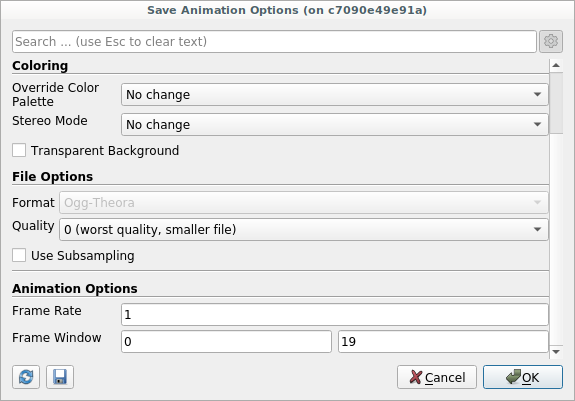
If i simply apply “Save Animation” a video is effectively saved, it lasts simply 3 seconds and it displays the three velocity fields with a time interval of **1 seconds** : There is a way to increase the time delay between one frame and the other?
As far as i know i cannot set a FPS lower than 1. Here the screenshot of my saving options:
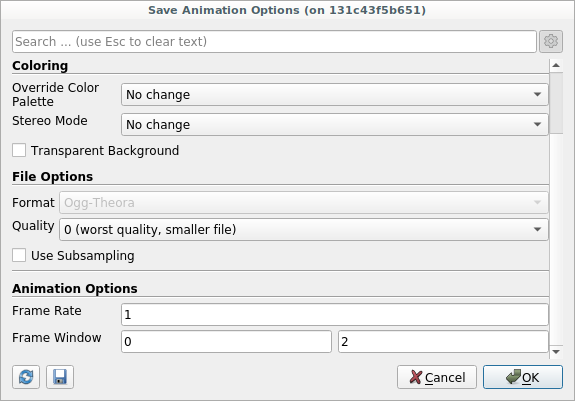
I repeat myself. Is it a very stupid question but i am totally a newbie in this type of things 😅!
---
### Author:  [@mwestphal](https://discourse.paraview.org/u/mwestphal)
#### Post date: [January 16, 2025, 12:23pm UTC](https://discourse.paraview.org/t/slow-down-animation/15990/2 "2025-01-16T12:23:38Z")
You should be able to manually set the number of frames in the animation manager.
- Uncheck your time source
- Set the number of frames to a bigger number, lets say 500
- Save animation, set Frame Rate to 10
hth,
---
### Author:  [@Il\_Briga](https://discourse.paraview.org/u/Il_Briga)
#### Post date: [January 16, 2025, 12:50pm UTC](https://discourse.paraview.org/t/slow-down-animation/15990/3 "2025-01-16T12:50:27Z")
I did as you suggested (hopefully right). But now a new problem arises. I want to plot this chart: in black i have my time variant velocity values along a line; in red the experimental data (constant). Time annotation is fundamental to clarify each time step is considered.
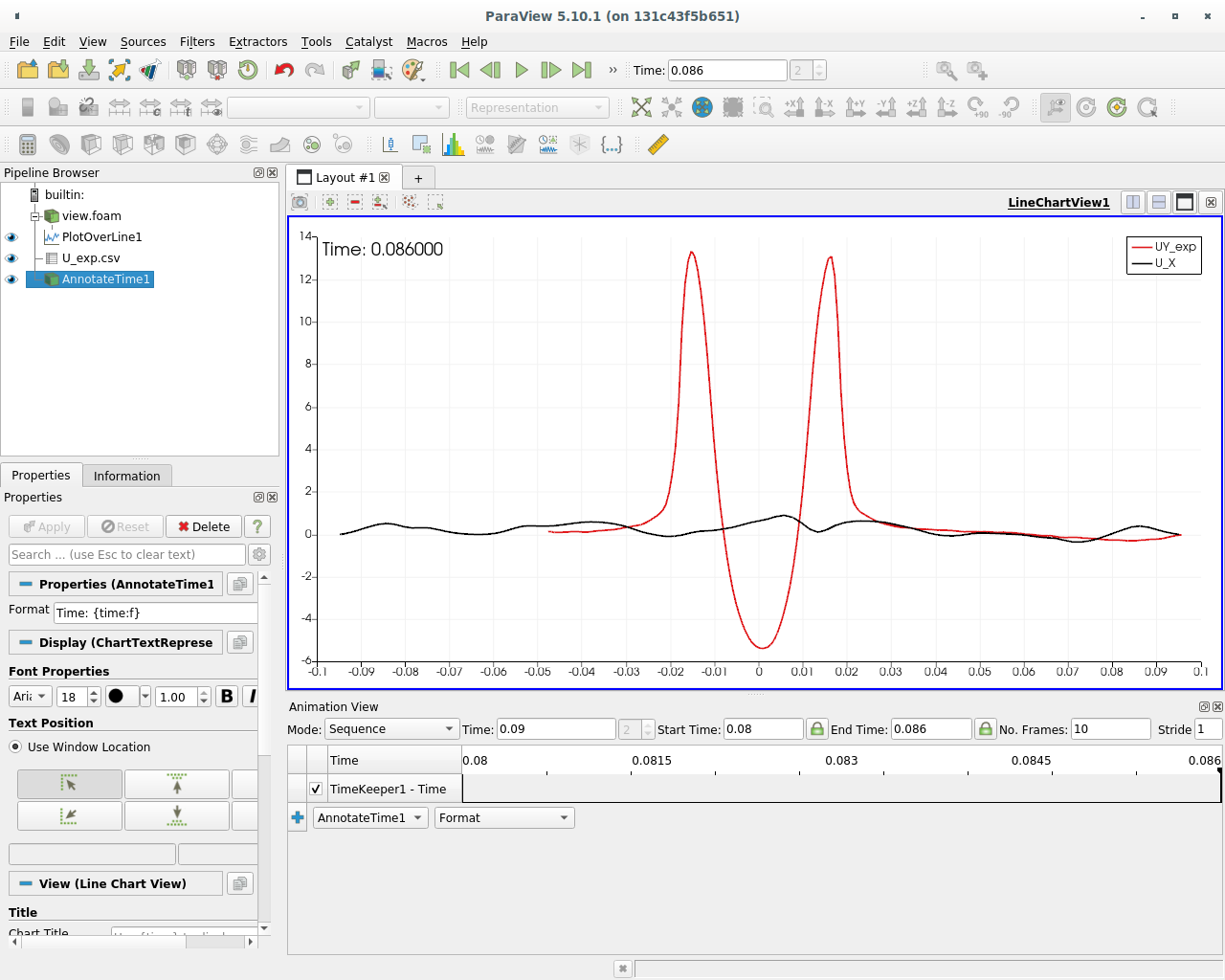
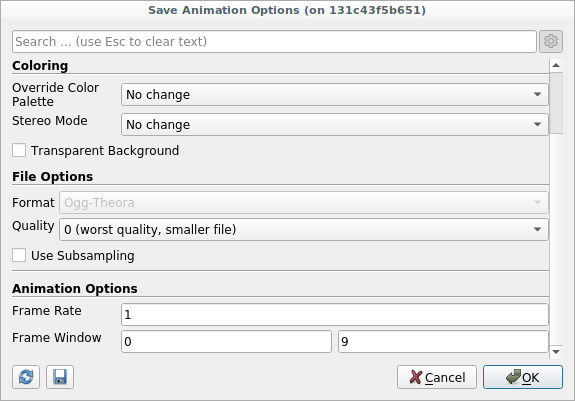
The result however is not exactly what i desire:
- The annotated time changes among one frame and the other (i.e i want it constant among frames, indicating properly the referred time i.e 0.08, 0.086 and 0.089 in my case)
- The graphs changes at not the corresponding physical time; i.e the annoted time is wrongly early with respect the real one.
Thank you so much Mathieu, you are saving my master thesis 😅!
---
### Author:  [@mwestphal](https://discourse.paraview.org/u/mwestphal)
#### Post date: [January 16, 2025, 12:53pm UTC](https://discourse.paraview.org/t/slow-down-animation/15990/4 "2025-01-16T12:53:43Z")
> [@Il\_Briga](#):
>
> The annotated time changes among one frame and the other
Use AnnotateTimeFilter on the view.foam instead.
---
### Author:  [@Il\_Briga](https://discourse.paraview.org/u/Il_Briga)
#### Post date: [January 17, 2025, 9:53am UTC](https://discourse.paraview.org/t/slow-down-animation/15990/5 "2025-01-17T09:53:53Z")
Hi Mathieu,
I’ve done what you suggested (or so i guess) but i have still the same problems.
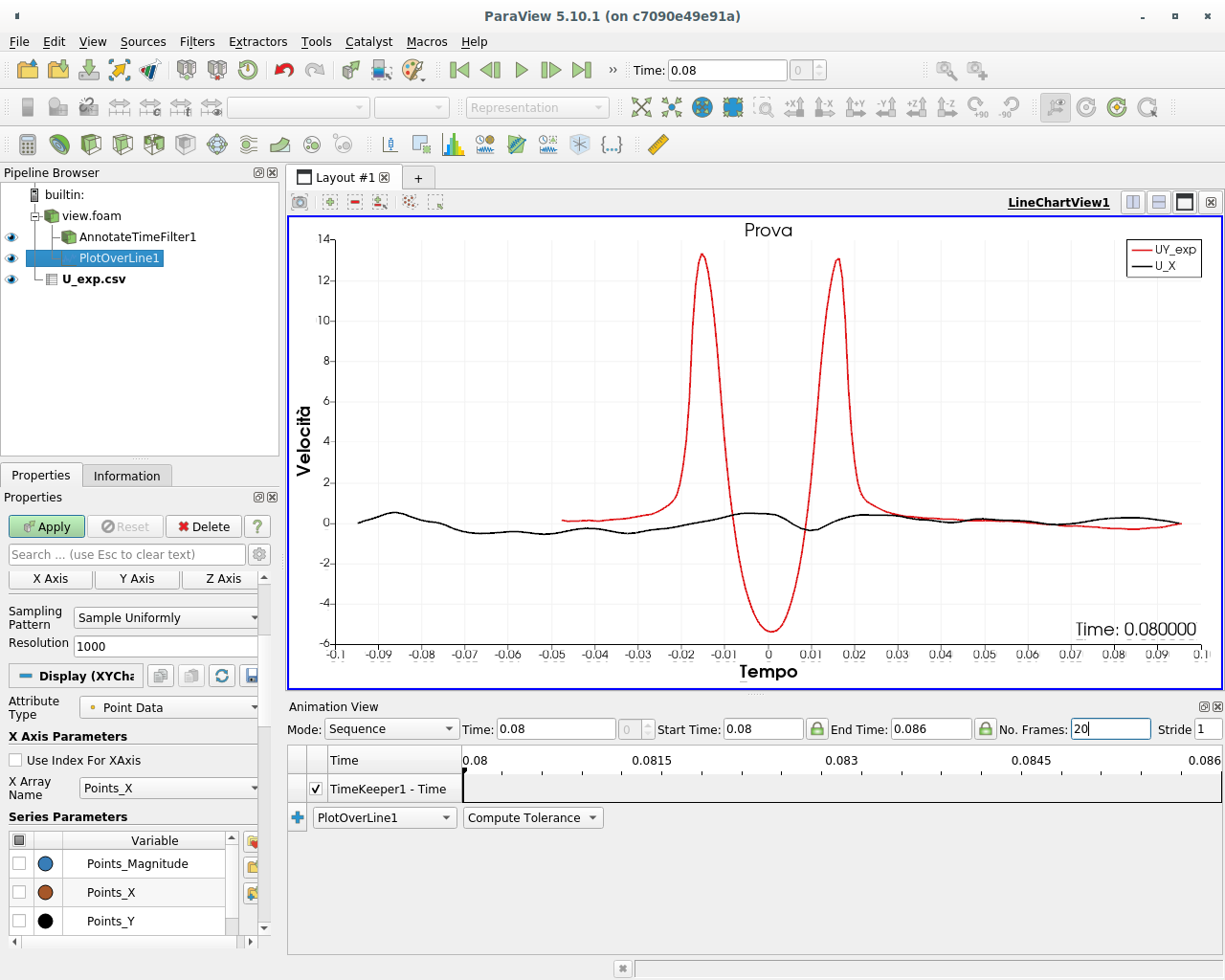
---
### Author:  [@Il\_Briga](https://discourse.paraview.org/u/Il_Briga)
#### Post date: [January 17, 2025, 9:56am UTC](https://discourse.paraview.org/t/slow-down-animation/15990/6 "2025-01-17T09:56:08Z")
To be more clear what I’m looking for is:
“Frame 1: timestep 0.08” → after 5 seconds → “Frame 2: timestep 0.083” → “Frame 3: timestep 0.086” …
Where “Frame x” i mean the red curve along a line at the specific timestep “0.08xx”.
---
### Author:  [@mwestphal](https://discourse.paraview.org/u/mwestphal)
#### Post date: [January 17, 2025, 9:57am UTC](https://discourse.paraview.org/t/slow-down-animation/15990/7 "2025-01-17T09:57:01Z")
Please share data and statefile.
---
### Author:  [@Il\_Briga](https://discourse.paraview.org/u/Il_Briga)
#### Post date: [January 17, 2025, 10:02am UTC](https://discourse.paraview.org/t/slow-down-animation/15990/8 "2025-01-17T10:02:22Z")
Do you mean via wetransfer? Can you recall me your e-mail adress?
---
### Author:  [@mwestphal](https://discourse.paraview.org/u/mwestphal)
#### Post date: [January 17, 2025, 10:07am UTC](https://discourse.paraview.org/t/slow-down-animation/15990/9 "2025-01-17T10:07:27Z")
wetransfer is fine.
[mathieu.westphal@kitware.com](mailto:mathieu.westphal@kitware.com)
---
### Author:  [@Il\_Briga](https://discourse.paraview.org/u/Il_Briga)
#### Post date: [January 23, 2025, 12:29pm UTC](https://discourse.paraview.org/t/slow-down-animation/15990/10 "2025-01-23T12:29:45Z")
Sorry for my late reply Mathieu! It has been a very mess lately!
Shortly i send you my data. You find a “U\_exp.csv” file, in which experimental data are saved. I have to plot and compare the numerical results using “PlotOverLine1” where curves (along Ux, Uy, Uz) are shown, as displayed before. The coordinates of the line are:
Point 1: -0.047781; 0.3357; 4.842877388000488e-08
Point 2: 0.095499; 0.3357; 4.842877388000488e-08
Hope to have been clear enough!