# Strange behavior with comparative view setup
**URL:** https://discourse.paraview.org/t/strange-behavior-with-comparative-view-setup/15226
**Category:** ParaView Support
**Tags:** vtk
**Created:** [August 13, 2024, 8:23pm UTC](https://discourse.paraview.org/t/strange-behavior-with-comparative-view-setup/15226 "2024-08-13T20:23:21Z")
**Posts on this page:** 3
**Page:** 1
### Author:  [@wkitlasten](https://discourse.paraview.org/u/wkitlasten)
#### Post date: [August 13, 2024, 8:23pm UTC](https://discourse.paraview.org/t/strange-behavior-with-comparative-view-setup/15226/1 "2024-08-13T20:23:21Z")
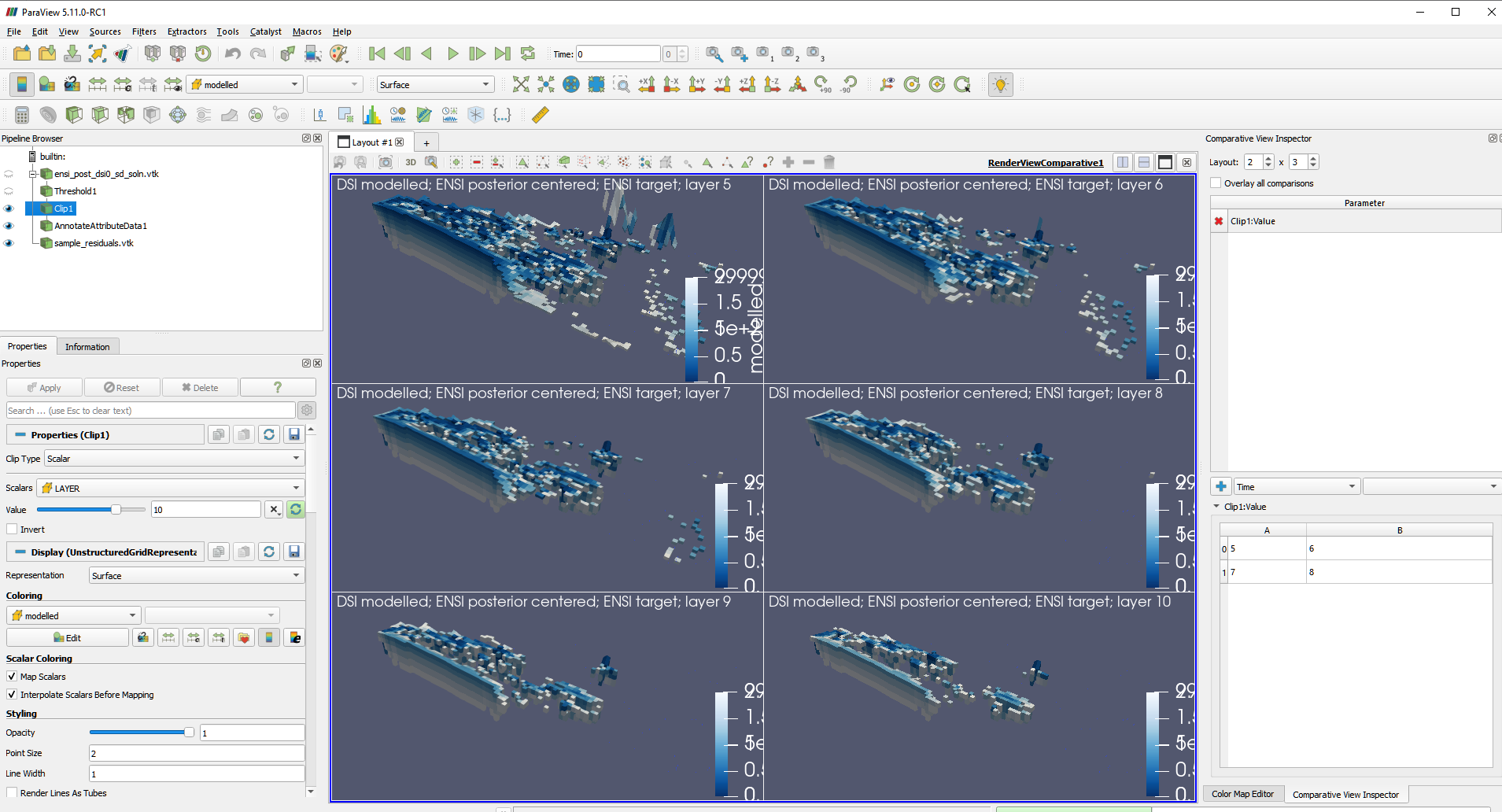
I am fairly new to ParaView and I’m struggling to set up a comparative view. I would like a 2x3 layout showing clip filters for layers 5, 6, 7, 8, 9, and 10.
Issue 1: Only the first panel would change, all other panels were stuck showing the clip for layer 10 no matter what I changed. I saved the state and reopenned it and the 6 panels were different. Puzzling and a bit annoying, but somewhat resolved. Is there a better way to “apply” the changes and refresh the view?
Issue 2: When I reopened the state I only have 4 entries in the bottom panel of the “comparative view inspector”, which is strange since I now have all 6 views (presumably) showing the layer clips I want.
Issue 3: RESOLVED. Just needed to make the changes via the Color Legend Properties menu rather than visually. [I would like all the “color legends” to be identical in all panels, but I can only figure out how to move then individually. Is there a way to sync the color legends between panels?]
Thank you for any insight.
---
### Author:  [@wkitlasten](https://discourse.paraview.org/u/wkitlasten)
#### Post date: [November 1, 2024, 12:01am UTC](https://discourse.paraview.org/t/strange-behavior-with-comparative-view-setup/15226/2 "2024-11-01T00:01:59Z")
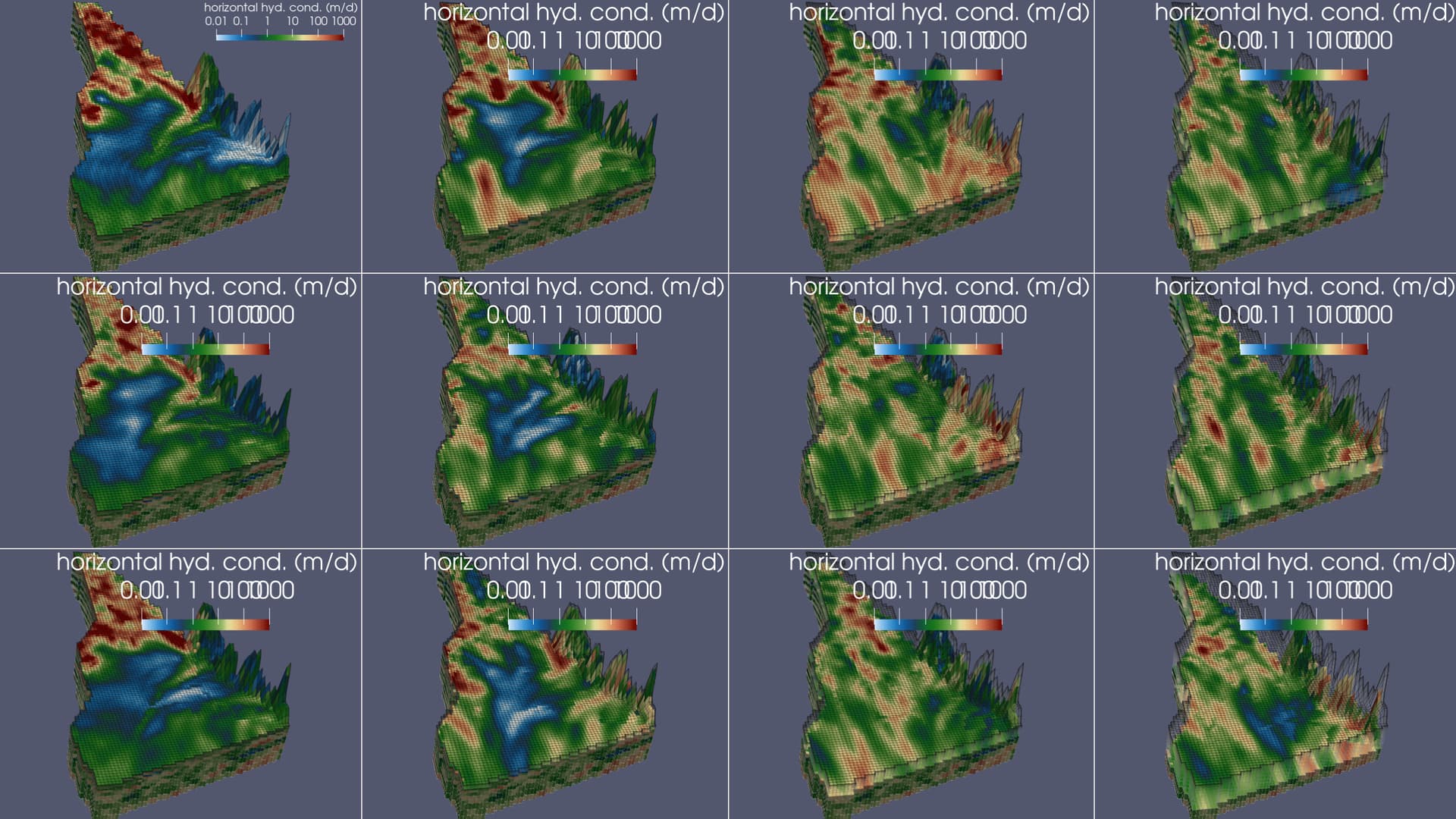
A little bit more on this. I am having trouble getting the fonts to be the same in each panel of the comparative view. All panels are using the same Color Legend, so I expect the values in the Properies window to be applied to all panels. Am I missing a setting or something?
---
### Author:  [@nicolas.vuaille](https://discourse.paraview.org/u/nicolas.vuaille)
#### Post date: [November 5, 2024, 10:42am UTC](https://discourse.paraview.org/t/strange-behavior-with-comparative-view-setup/15226/3 "2024-11-05T10:42:39Z")
> [@wkitlasten](#):
>
> All panels are using the same Color Legend, so I expect the values in the Properies window to be applied to all panels
Indeed, and I have no issue with paraview 5.13.1. Which version are you using ?
> [@wkitlasten](#):
>
> Issue 1: Only the first panel would change
I do not reproduce. Can you detail your step or share a statefile ?
> [@wkitlasten](#):
>
> ssue 2: When I reopened the state I only have 4 entries
I reproduce, it seems to be a “refresh” issue: it seems to be updated after some “clicks in the panel” (not sure how)
May be you can open an issue on our bug tracker ? [https://gitlab.kitware.com/paraview/paraview/-/issues/new](https://gitlab.kitware.com/paraview/paraview/-/issues/new)