# streamline representation not working
**URL:** https://discourse.paraview.org/t/streamline-representation-not-working/9222
**Category:** ParaView Support
**Created:** [March 18, 2022, 6:18pm UTC](https://discourse.paraview.org/t/streamline-representation-not-working/9222 "2022-03-18T18:18:42Z")
**Posts on this page:** 5
**Page:** 1
### Author:  [@Qutadah\_Rababah](https://discourse.paraview.org/u/Qutadah_Rababah)
#### Post date: [March 18, 2022, 6:18pm UTC](https://discourse.paraview.org/t/streamline-representation-not-working/9222/1 "2022-03-18T18:18:42Z")
Hey everyone, I am trying to use streamline representation plugin for my case, I followed the steps from this:
> [@Difficulty with Stream Lines Representation plugin](https://discourse.paraview.org/t/difficulty-with-stream-lines-representation-plugin/3485/5):
>
> Hey Mathieu, I am trying to use the steam lines animation plugin (option #2 in your advice) but am having trouble applying the animated lines to the actual streamlines in the simulation. Instead (as in the image posted) they float outside of the model. Does this make sense?
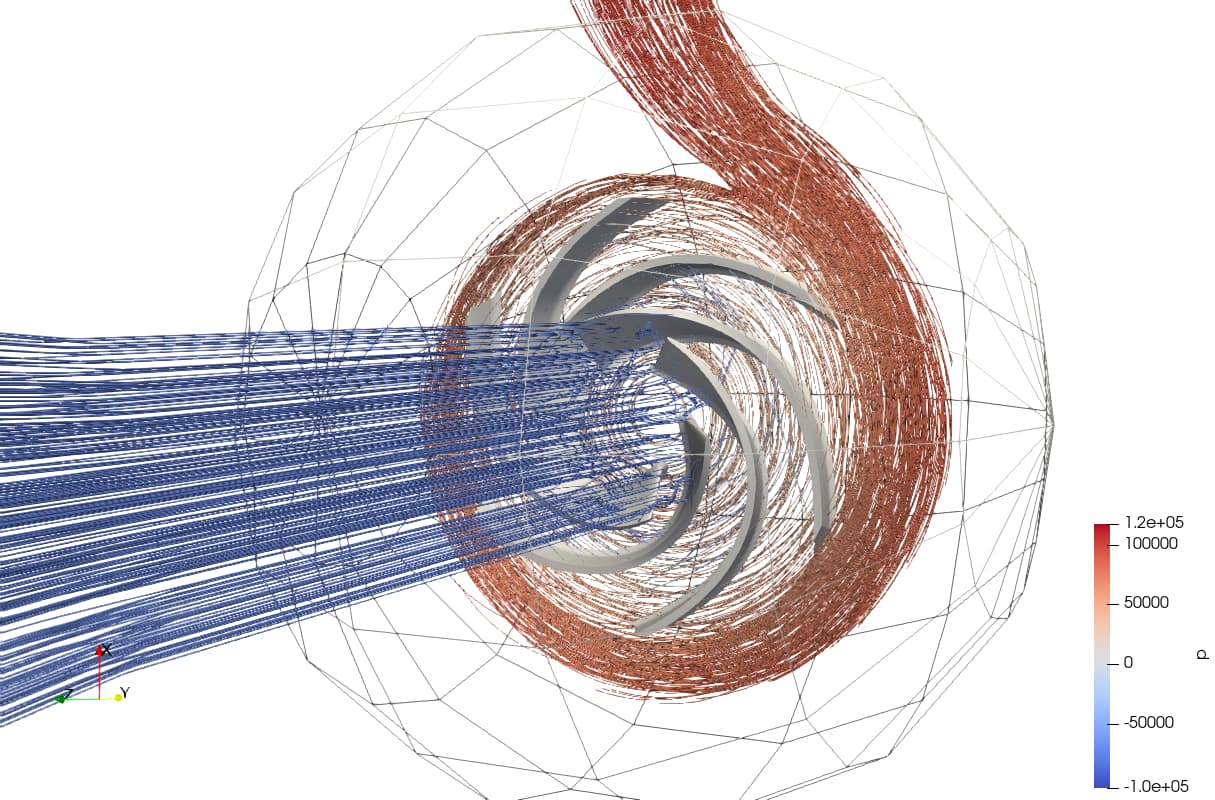
However I only get a black screen… I am modeling two-phase flow in a centrifugal pump btw.
Here is attached photo.

Thanks!
---
### Author:  [@wascott](https://discourse.paraview.org/u/wascott)
#### Post date: [March 18, 2022, 6:59pm UTC](https://discourse.paraview.org/t/streamline-representation-not-working/9222/2 "2022-03-18T18:59:24Z")
First thing to do would be to update ParaView. 5.7.0 is not a young release anymore…
---
### Author:  [@Qutadah\_Rababah](https://discourse.paraview.org/u/Qutadah_Rababah)
#### Post date: [March 18, 2022, 8:09pm UTC](https://discourse.paraview.org/t/streamline-representation-not-working/9222/3 "2022-03-18T20:09:52Z")
I cannot since I am working on a cluster… So I am stuck with this version for now… Any other solution? I will try running it locally but if there is a solution other than this it would be much easier rather than copying files here and there! Thanks!
---
### Author:  [@mwestphal](https://discourse.paraview.org/u/mwestphal)
#### Post date: [March 21, 2022, 6:36am UTC](https://discourse.paraview.org/t/streamline-representation-not-working/9222/4 "2022-03-21T06:36:57Z")
Hi @Qutadah_Rababah ,
It looks like your GPU do not handle the streamlines representation rendering mechanism.
Tbf, this plugin is more a nice trick than an actual in production usage, I’d recommand using the streamlines filters and animations in order to generate images on a cluster.
Best,
---
### Author:  [@Qutadah\_Rababah](https://discourse.paraview.org/u/Qutadah_Rababah)
#### Post date: [March 21, 2022, 3:27pm UTC](https://discourse.paraview.org/t/streamline-representation-not-working/9222/5 "2022-03-21T15:27:36Z")
Hello, I have made it work, this is the pvsm file for it.
I have added some filters (StreamTracer and Tube) and the plugin is deactivated.
Thanks !
[streamlines-foam-vtk-latest.pvsm](https://discourse.paraview.org/uploads/short-url/dmqrWsCTPlRq1AdECYRz1VBa7r3.pvsm) (1.0 MB)