# Support for high DPI displays
**URL:** https://discourse.paraview.org/t/support-for-high-dpi-displays/1558
**Category:** ParaView Support
**Created:** [March 29, 2019, 7:22am UTC](https://discourse.paraview.org/t/support-for-high-dpi-displays/1558 "2019-03-29T07:22:52Z")
**Posts on this page:** 15
**Page:** 1
### Author:  [@timofeymukha](https://discourse.paraview.org/u/timofeymukha)
#### Post date: [March 29, 2019, 7:22am UTC](https://discourse.paraview.org/t/support-for-high-dpi-displays/1558/1 "2019-03-29T07:22:52Z")
I got the chance to test Paraview on a 3840x2160 32" display using a Windows 10 machine. To see things well, I’ve set a 200% upscaling in the Windows display options. Unfortunately, the upscaling does not work well in Paraview, some elements are upscaled, like the text in the top menu, while most others are not. In light of the growing popularity of 4K displays, this is quite unfortunate and should perhaps be prioritized.
---
### Author:  [@steve\_r](https://discourse.paraview.org/u/steve_r)
#### Post date: [December 14, 2020, 12:50pm UTC](https://discourse.paraview.org/t/support-for-high-dpi-displays/1558/2 "2020-12-14T12:50:55Z")
I’d like to add the odd experience I have with each new ParaView release on a modern Windows 10 laptop. It appears that high-DPI screens are not well supported, and there is no obvious setting to adjust for the UI scaling inside ParaView (but there might be a Qt workaround). The only DPI setting is for 2D annotations, but even that seems not working correctly with high-DPI, for example for my screen at 280 dpi.
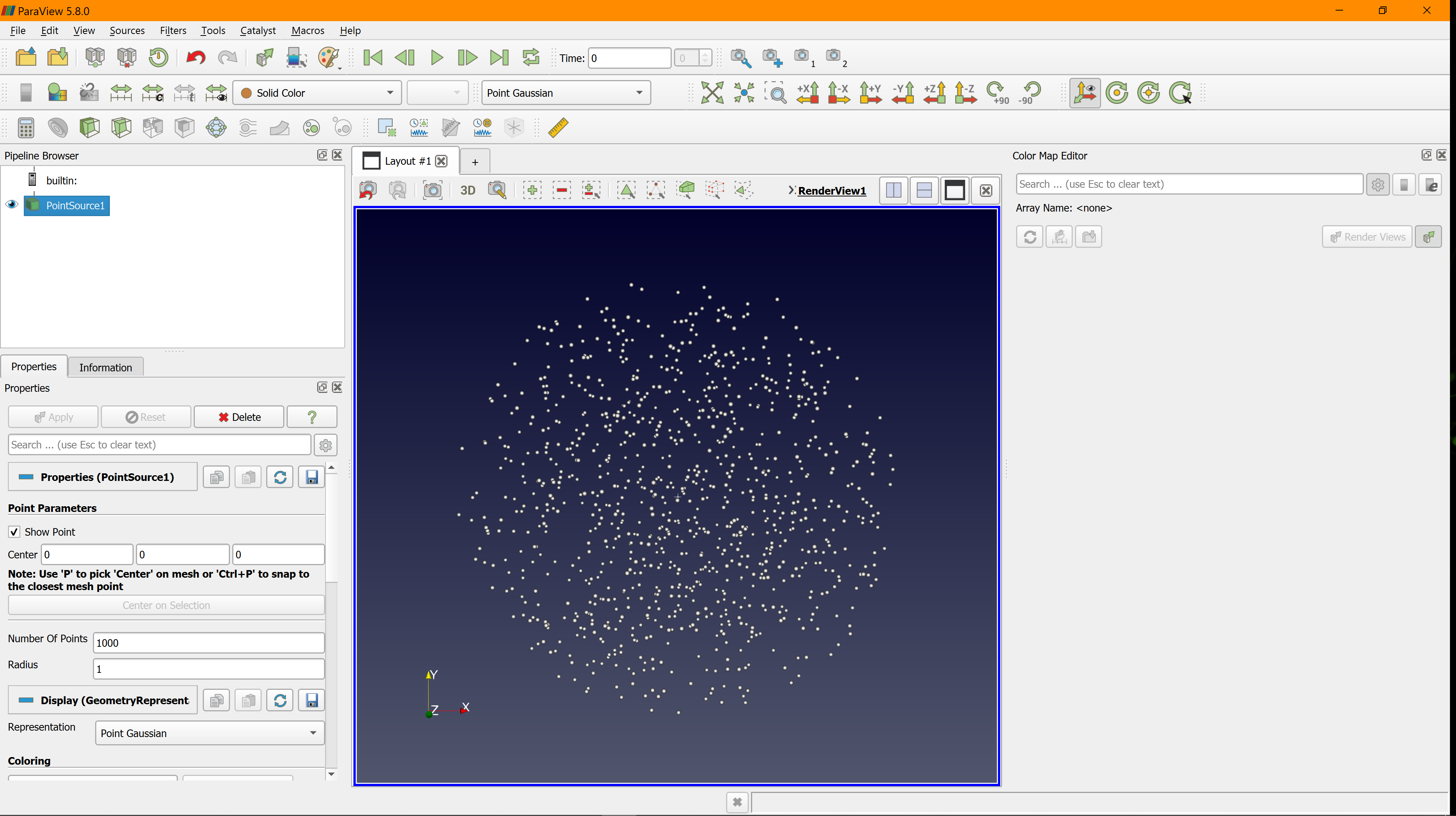
For me, the 5.8.0 release displayed quite Ok:
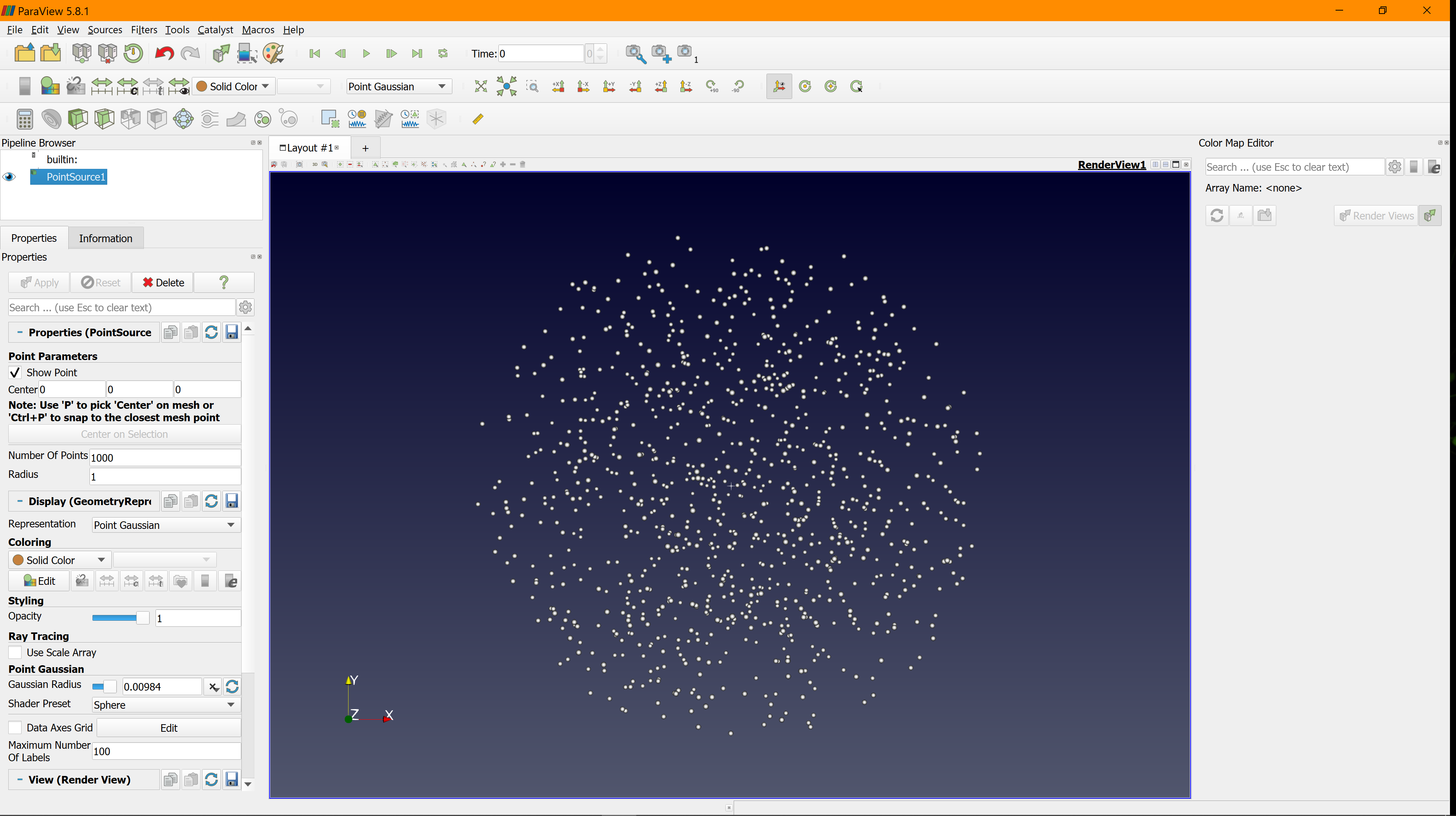
The 5.8.1 release got a little worse - too large in some, and too small in other GUI areas:
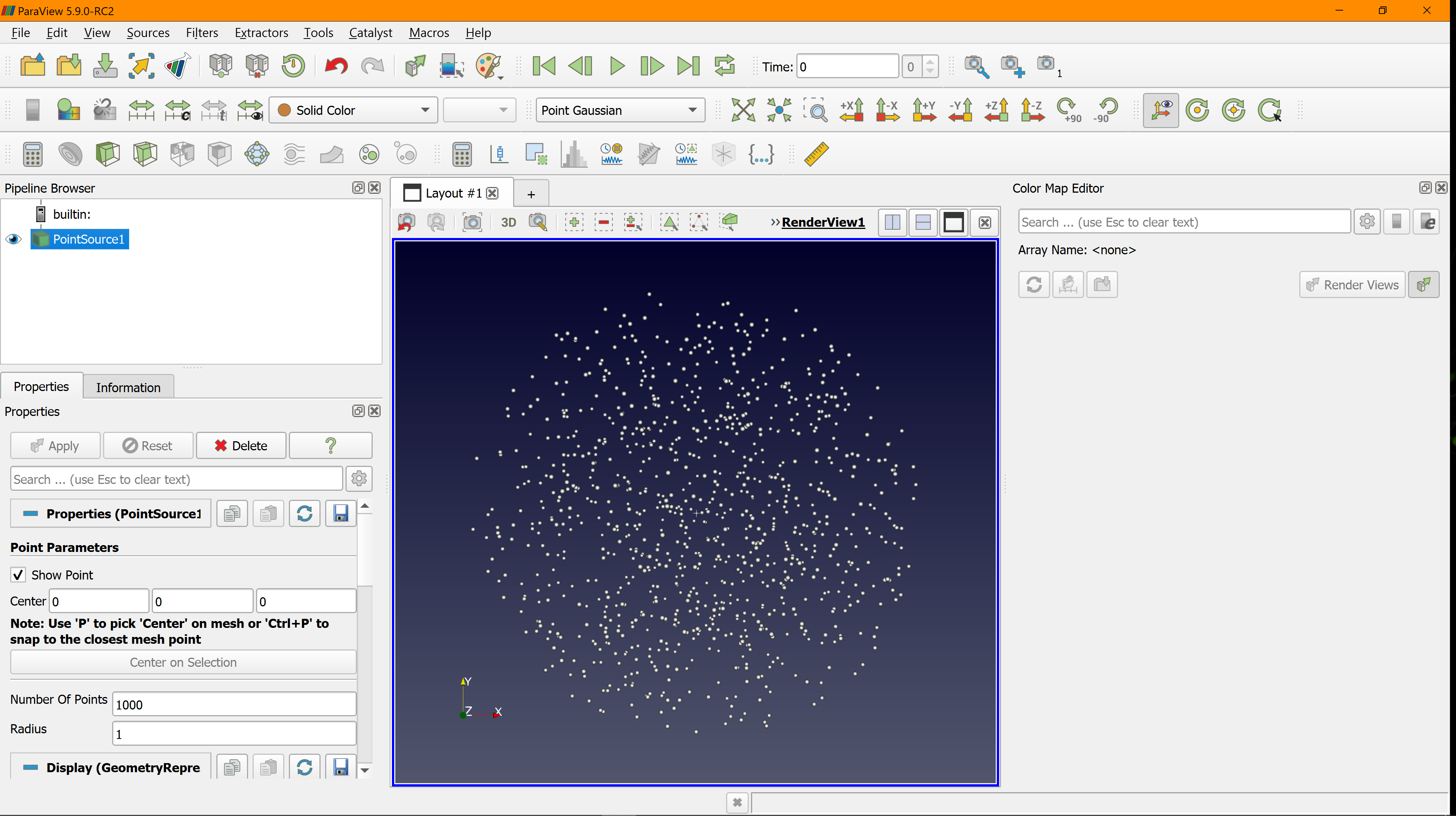
The 5.9.0 RC2 release GUI looks way too big, scaled up everywhere:
There is probably a way to override the DPI scaling using Windows “compatibility” properties, but it would be great if ParaView would solve this once and for all, or provide its own setting to customize the GUI scaling for modern displays.
---
### Author:  [@mwestphal](https://discourse.paraview.org/u/mwestphal)
#### Post date: [December 14, 2020, 1:08pm UTC](https://discourse.paraview.org/t/support-for-high-dpi-displays/1558/3 "2020-12-14T13:08:22Z")
Actually, out HIDPI supoprt is supposed to get better and better. This in strange. What is your resolution and DPI settings in windows ?
FYI @cory.quammen
---
### Author:  [@steve\_r](https://discourse.paraview.org/u/steve_r)
#### Post date: [December 14, 2020, 4:33pm UTC](https://discourse.paraview.org/t/support-for-high-dpi-displays/1558/4 "2020-12-14T16:33:43Z")
Hi, I use the recommended system settings, see screenshot.

---
### Author:  [@steve\_r](https://discourse.paraview.org/u/steve_r)
#### Post date: [December 16, 2020, 3:45pm UTC](https://discourse.paraview.org/t/support-for-high-dpi-displays/1558/5 "2020-12-16T15:45:09Z")
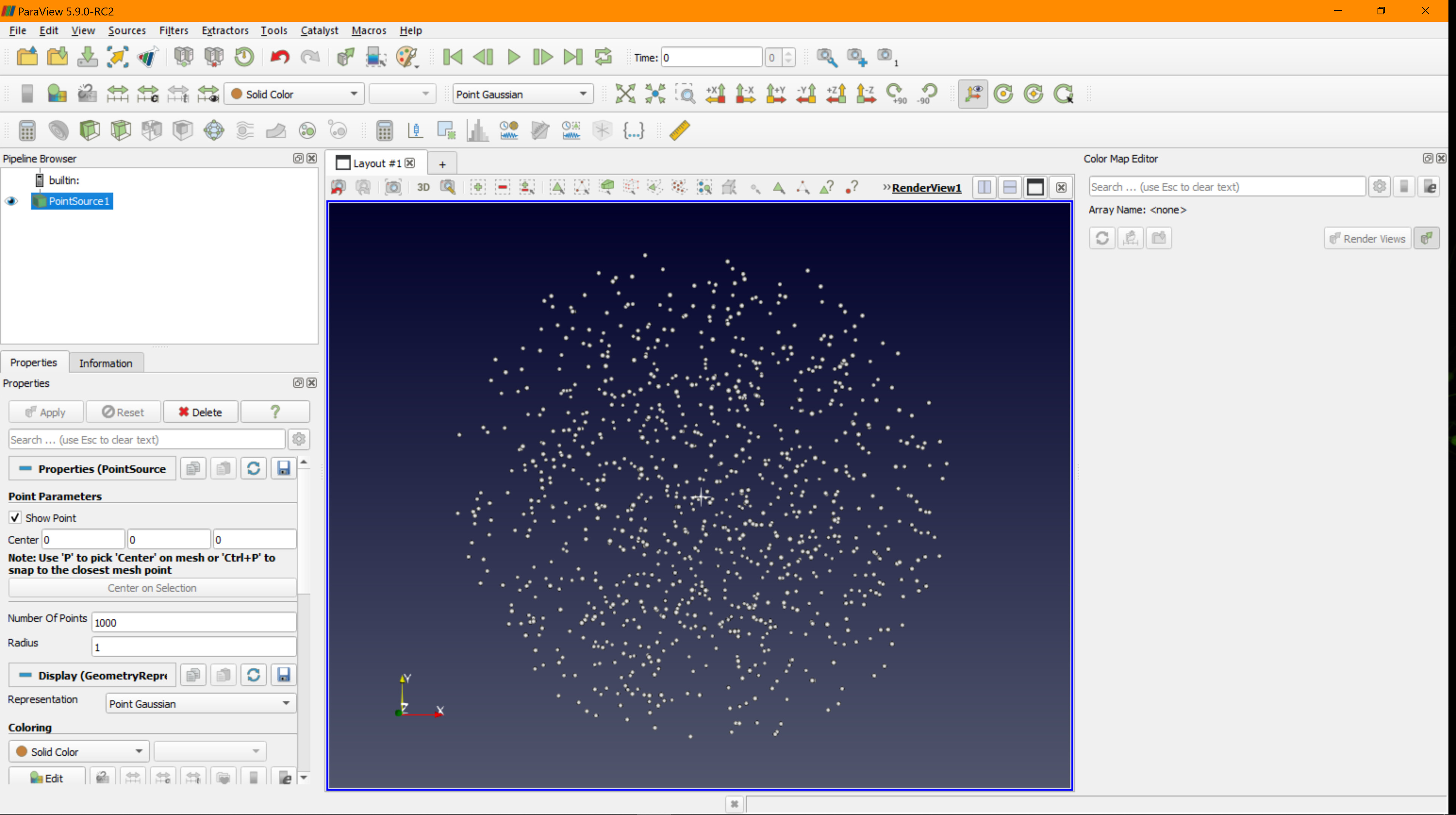
Quick update: I’ve enforced a custom Hi-DPI scaling for ParaView 5.9 to use “system (enhanced)”, which gives overall good appearance (below) similar to 5.8.0 (see above), with the slight disadvantage of blurry fonts in some cases.
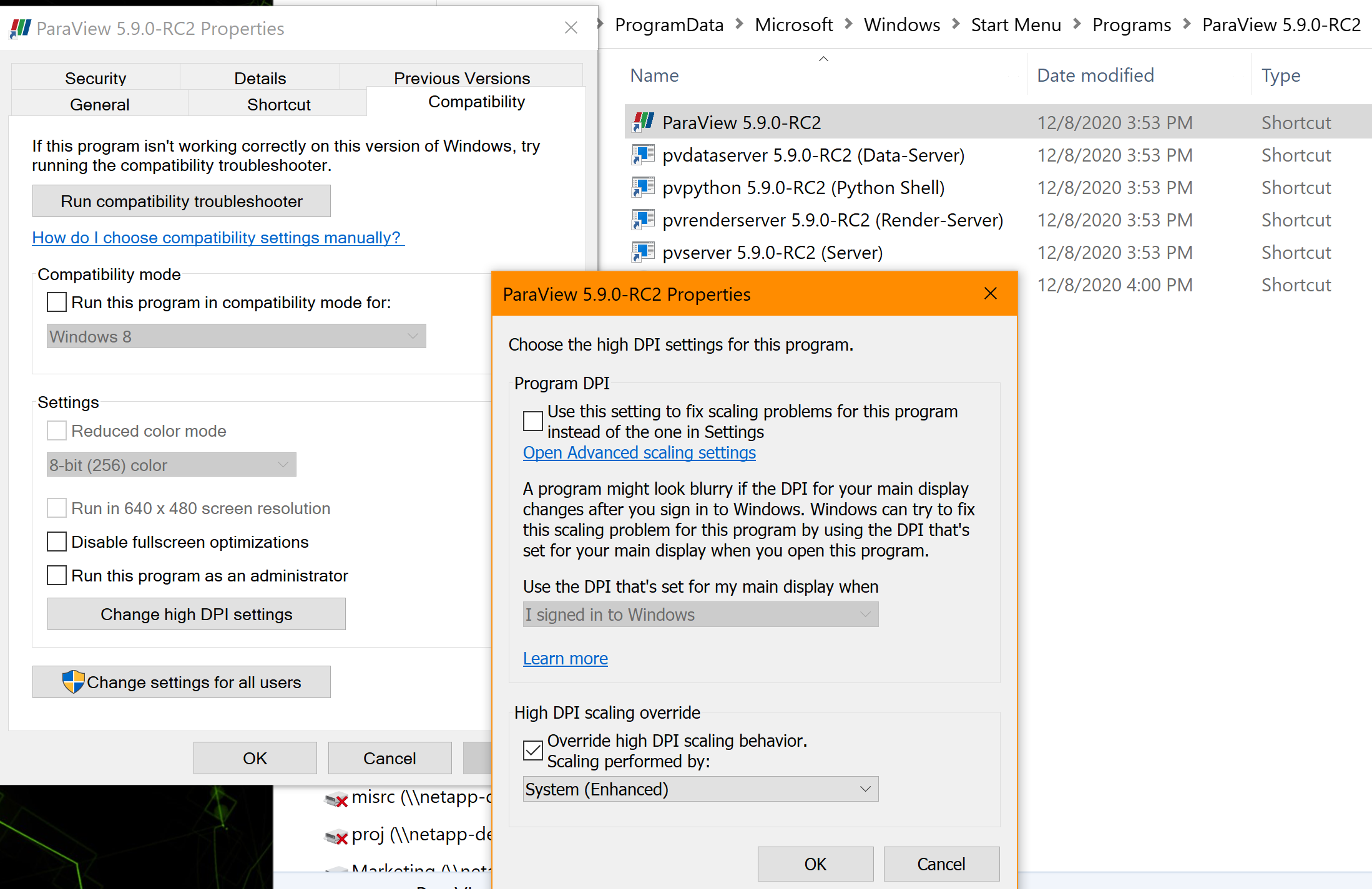
Looks Ok for me as a workaround:
---
### Author:  [@mwestphal](https://discourse.paraview.org/u/mwestphal)
#### Post date: [February 2, 2021, 1:49pm UTC](https://discourse.paraview.org/t/support-for-high-dpi-displays/1558/6 "2021-02-02T13:49:24Z")
I can confirm this and the resolution, this should go into a FAQ topic.
---
### Author:  [@steve\_r](https://discourse.paraview.org/u/steve_r)
#### Post date: [February 3, 2021, 12:28pm UTC](https://discourse.paraview.org/t/support-for-high-dpi-displays/1558/7 "2021-02-03T12:28:07Z")
Hi Mathieu, just to let you know, I’ve checked again with he final release of ParaView 5.9.0, and that looks Ok without any overrides on Win 10 with a 4k screen. So there is definitely good progress.
What I still found unreliable is the “DPI” setting in the preferences, which is supposed to control 2D annotation text sizes. It obviously assumes that ParaView is used on a single monitor with fixed DPI. But, I’m constantly working with a second monitor, and move the ParaView window between the screens with different DPI, so that setting would need to be adjusted every time. Ideally, the DPI setting should be replaced by a “Percentage” (like in Win 10 display settings) to respect changing DPI within a session. Not sure if ParaView UI is prepared for such dynamic changes. 🙂
---
### Author:  [@mwestphal](https://discourse.paraview.org/u/mwestphal)
#### Post date: [February 3, 2021, 12:35pm UTC](https://discourse.paraview.org/t/support-for-high-dpi-displays/1558/8 "2021-02-03T12:35:34Z")
Not yet ready for it sure, but getting close to.
---
### Author:  [@steve\_r](https://discourse.paraview.org/u/steve_r)
#### Post date: [February 8, 2021, 2:08pm UTC](https://discourse.paraview.org/t/support-for-high-dpi-displays/1558/9 "2021-02-08T14:08:33Z")
Update (for ParaView 5.9 at least):
Recent Qt versions support a global “scaling factor” environment variable called `QT_SCALE_FACTOR` that works for all Qt applications and scales the UI according to the numeric value given, like
QT\_SCALE\_FACTOR 0.8
shrinking the ParaView UI nicely to about 80% of the original size. That value works best for me, btw.
There is even another per-screen environment setting QT\_SCREEN\_SCALE\_FACTORS that allows to tune scaling for every screen individually. This also works with ParaView 5.9.
Worth to note, that those settings DO NOT affect the ParaView internal DPI setting for its rendering of 2D annotations. This would need to be fixed in ParaView at some point.
---
### Author:  [@streumix](https://discourse.paraview.org/u/streumix)
#### Post date: [December 13, 2021, 10:03am UTC](https://discourse.paraview.org/t/support-for-high-dpi-displays/1558/10 "2021-12-13T10:03:23Z")
Using override “System(Enhanced)” is absolutely not a solution, as it does pixel-level downscaling and ends up in ugly, blurred UI fonts. NoGo!
On my side(Windows 10) with a 4k screen @168dpi, which requires a 150% scaling on this display, Paraview 5.9 as well as 5.10 RC is quite overscaled without furhter actions.
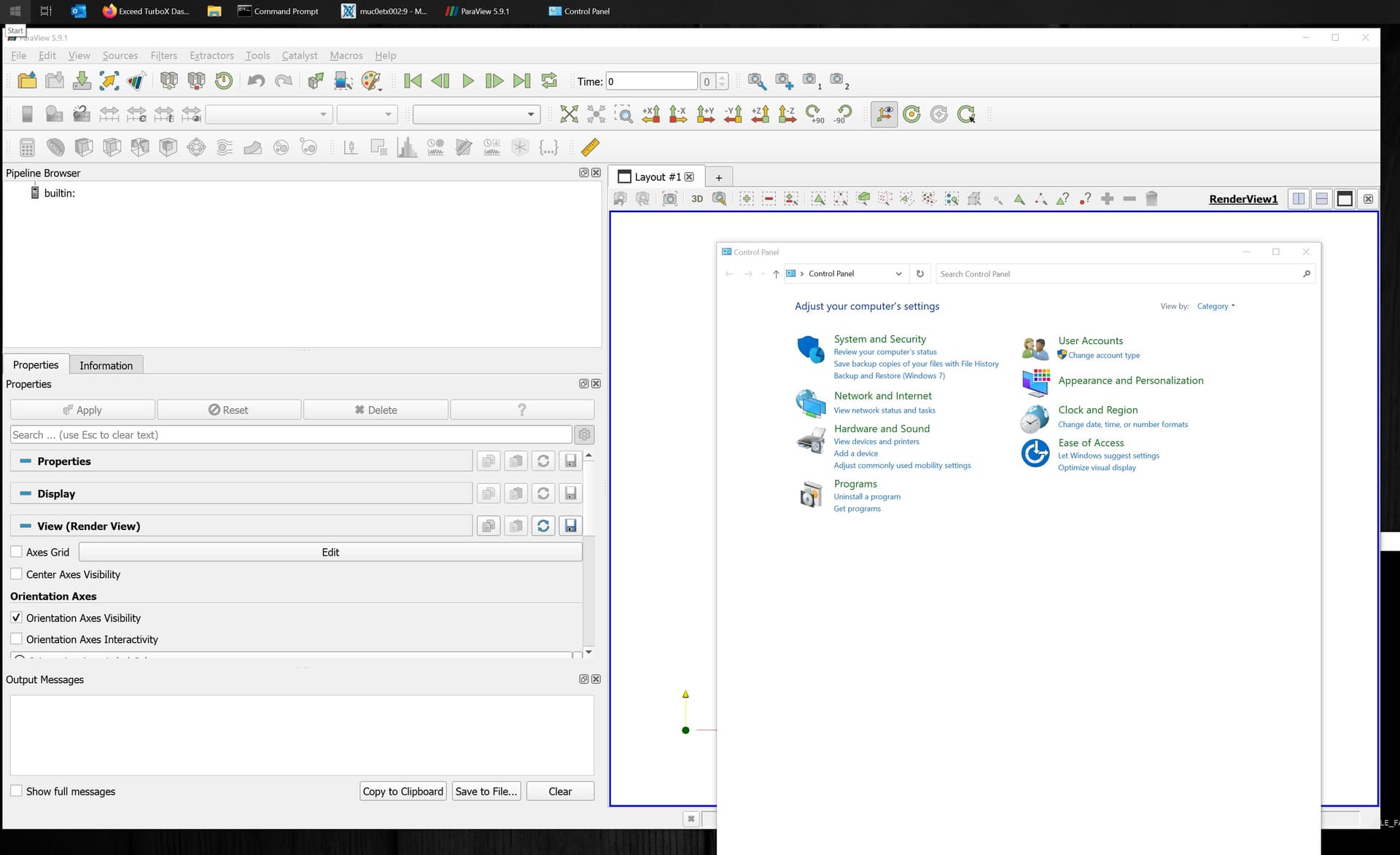
Please compare Window tile font or standard Settings window with Paraview UI fonts/icons.
Therefore, I’m currently setting compatibility hidpi scaling override to “Application” and use env variables QT\_AUTO\_SCREEN\_SCALE\_FACTOR=0 or (legacy) QT\_FONT\_DPI to avoid exagerated UI scaling and maintain crital clear UI fonts.
But I don’t like this approach, as I need to use a wrapper around Paraview. I cannot set any of these these variables on system levels, because a lot of other Qt apps are affected in an unfavourable manner.
Is there a way to use local Qt config files inside the paraview installation, or applications specific settings (e.g. registry) to get this UI scaling fixed without affecting other Qt apps or using a wrapper process like cmd.exe (with annoying window, etc.)?
Regards,
Toby
PS: Using QT\_SCREEN\_SCALE\_FACTORS or QT\_SCALE\_FACTOR seems to generate some artefacts at fonts and icons. Pixel-level scaling post original render???
Using the two env variables listed above seems to avoid this. And once icon size is fixed, fonts can be readjusted with the paraview setting to override UI font size (instad of system default)
---
### Author:  [@mwestphal](https://discourse.paraview.org/u/mwestphal)
#### Post date: [December 13, 2021, 10:16am UTC](https://discourse.paraview.org/t/support-for-high-dpi-displays/1558/11 "2021-12-13T10:16:25Z")
Set the env var in a shortcut when running pv ?
---
### Author:  [@streumix](https://discourse.paraview.org/u/streumix)
#### Post date: [December 13, 2021, 10:17am UTC](https://discourse.paraview.org/t/support-for-high-dpi-displays/1558/12 "2021-12-13T10:17:07Z")
How to do this on Windows?
---
### Author:  [@mwestphal](https://discourse.paraview.org/u/mwestphal)
#### Post date: [December 13, 2021, 10:25am UTC](https://discourse.paraview.org/t/support-for-high-dpi-displays/1558/13 "2021-12-13T10:25:19Z")
```auto
C:\Windows\System32\cmd.exe /c "SET QT_AUTO_SCREEN_SCALE_FACTOR=0 && START /D ^"C:\Program Files\ParaView\bin^" paraview.exe"
```
Not tested, adapted from: [How to set environment variables in windows shortcut? | NetLicensing](https://netlicensing.io/blog/2012/06/15/set-environment-variables-in-windows-shortcut/)
---
### Author:  [@streumix](https://discourse.paraview.org/u/streumix)
#### Post date: [December 13, 2021, 10:37am UTC](https://discourse.paraview.org/t/support-for-high-dpi-displays/1558/14 "2021-12-13T10:37:50Z")
Thanks a lot Mathieu !
I forgot about using START to get rid of the cmd.exe process. And when setting it to run “minimized” the binking cmd.exe window is gone, too.
Is this a Qt5(.x?) on Windows issue, or something you can fix inside Paraview?
I’m asking, because other Qt5 based apps like Avidemux, LibreCAD, VLC do scale well right out of the box without setting any env variables.
---
### Author:  [@mwestphal](https://discourse.paraview.org/u/mwestphal)
#### Post date: [December 13, 2021, 11:07am UTC](https://discourse.paraview.org/t/support-for-high-dpi-displays/1558/15 "2021-12-13T11:07:25Z")
> Is this a Qt5(.x?) on Windows issue, or something you can fix inside Paraview?
This is complex to fix and require all icons to be converted to svg afaiu, which is an ongoing effort. maybe @cory.quammen knows more.