# SVG output
**URL:** https://discourse.paraview.org/t/svg-output/3738
**Category:** ParaView Support
**Created:** [March 3, 2020, 10:02pm UTC](https://discourse.paraview.org/t/svg-output/3738 "2020-03-03T22:02:32Z")
**Posts on this page:** 3
**Page:** 1
### Author:  [@ytang116](https://discourse.paraview.org/u/ytang116)
#### Post date: [March 3, 2020, 10:02pm UTC](https://discourse.paraview.org/t/svg-output/3738/1 "2020-03-03T22:02:32Z")
Hello all, I think I have almost the problem as in this topic:
> [@Vector Graphics Output issues](https://discourse.paraview.org/t/vector-graphics-output-issues/299/5):
>
> Vector graphics output, especially for 3D geometry, is in pretty sorry shape since the switch to OpenGL2. This is because of the exporter’s reliance on the GL2PS library, which uses deprecated functionality (specifically, OpenGL feedback buffers) that aren’t available in newer versions of OpenGL. In particular, this means that all 3D geometry will be rasterized, unfortunately, as this is the only way to easily get the rendered primitives into the output at all. There is an option of using OpenG…
but I didn’t see some definite answers.
here are my problems.
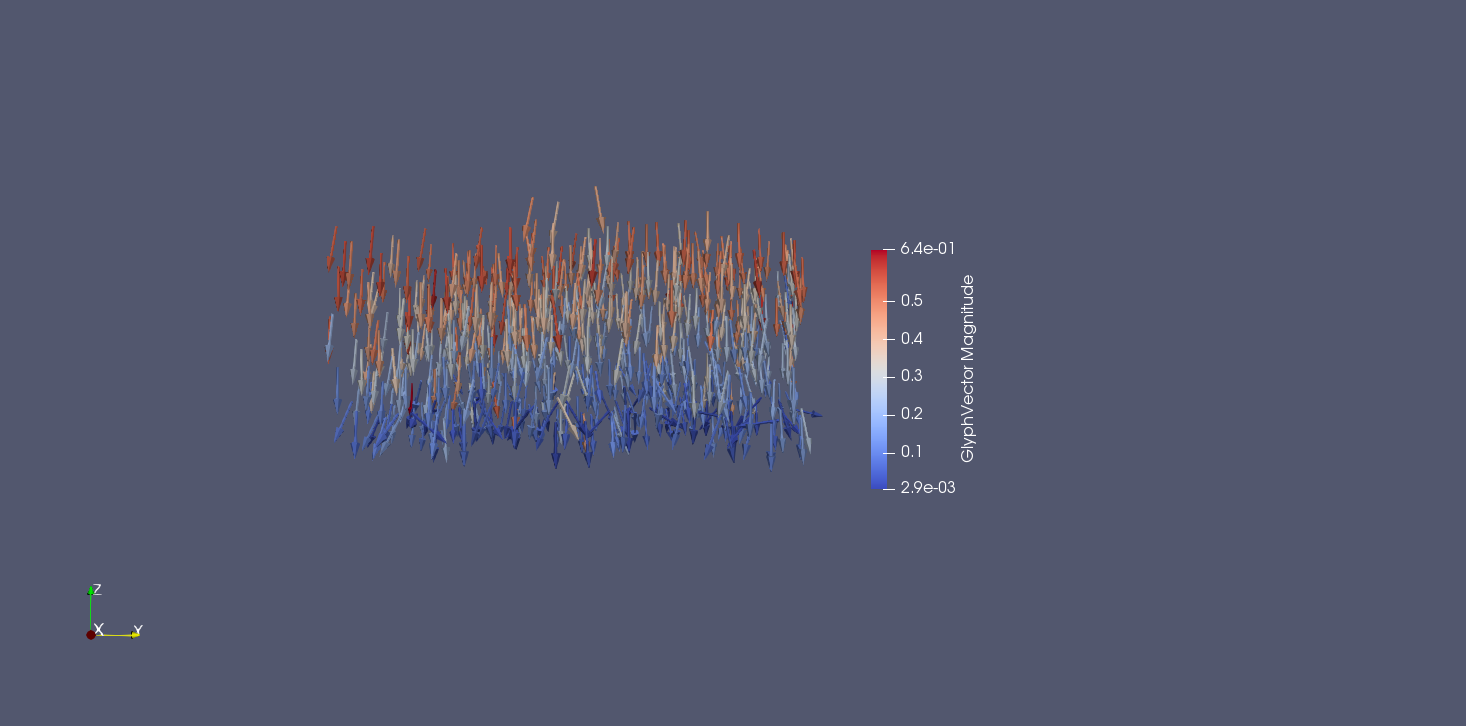
this picture shows the displacement field I’d like to generate.
I want to output as an SVG.file. then import it into Inkscape to crop this file so that I can use it for my journal publication.
Here is the picture I cropped.
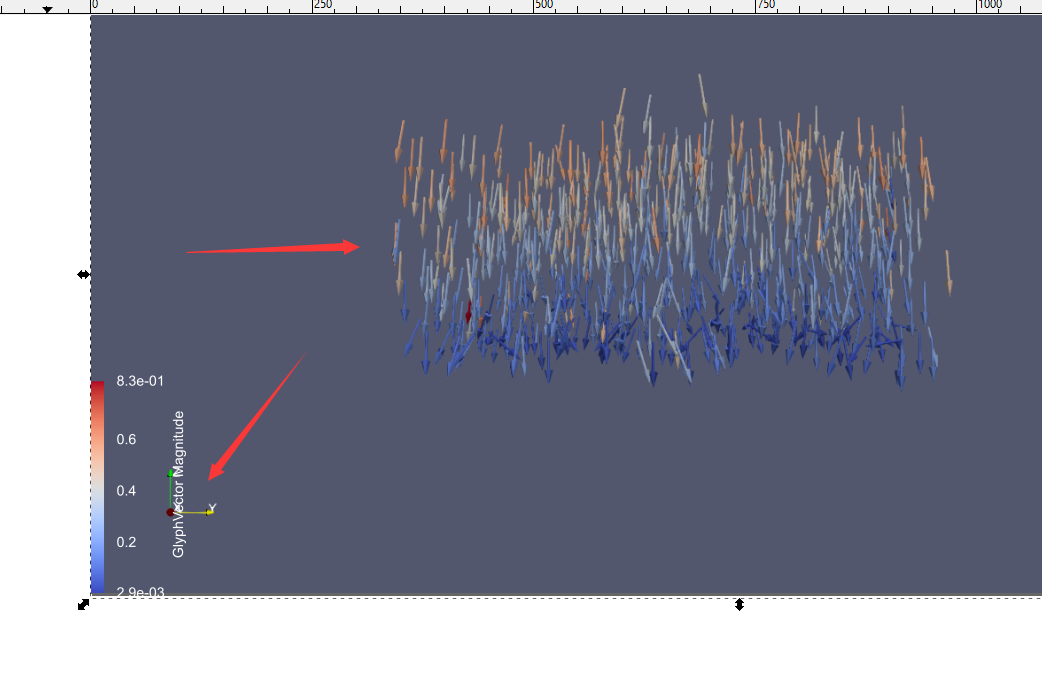
From the two red arrows, we can see that it seems the legend is in SVG format, while the displacement is very fuzzy.
since my post-process relies on Paraview, is there any way to solve this problem, I mean can we output the real SVG.file.
by the way, the version of my Paraview is 5.5.2.
best,
yong
---
### Author:  [@ben.boeckel](https://discourse.paraview.org/u/ben.boeckel)
#### Post date: [March 21, 2020, 1:51am UTC](https://discourse.paraview.org/t/svg-output/3738/2 "2020-03-21T01:51:20Z")
I don’t know how much we can do about 5.5 anymore, but does using a newer ParaView work here? I don’t know if it will…the `vtkSVGExporter` class hasn’t changed much since then. Thoughts @utkarsh.ayachit?
---
### Author:  [@danlipsa](https://discourse.paraview.org/u/danlipsa)
#### Post date: [March 23, 2020, 5:30pm UTC](https://discourse.paraview.org/t/svg-output/3738/3 "2020-03-23T17:30:14Z")
Since we upgraded rendering to modern OpenGL (ParaView 5.0) we can only save to vector graphics 2D scenes stored in a vtkContext2D. You can try an earlier version of ParaView to be able to save 3D scenes to vector graphics.
See some information about this in the first item in this blog
[https://blog.kitware.com/vtk-for-climate-science/](https://blog.kitware.com/vtk-for-climate-science/)