# Time marker options in plotDataOverTimeFilter
**URL:** https://discourse.paraview.org/t/time-marker-options-in-plotdataovertimefilter/6625
**Category:** ParaView Support
**Created:** [March 5, 2021, 10:44am UTC](https://discourse.paraview.org/t/time-marker-options-in-plotdataovertimefilter/6625 "2021-03-05T10:44:01Z")
**Posts on this page:** 7
**Page:** 1
### Author:  [@Captain\_Convergence](https://discourse.paraview.org/u/Captain_Convergence)
#### Post date: [March 5, 2021, 10:44am UTC](https://discourse.paraview.org/t/time-marker-options-in-plotdataovertimefilter/6625/1 "2021-03-05T10:44:01Z")
Hi all,
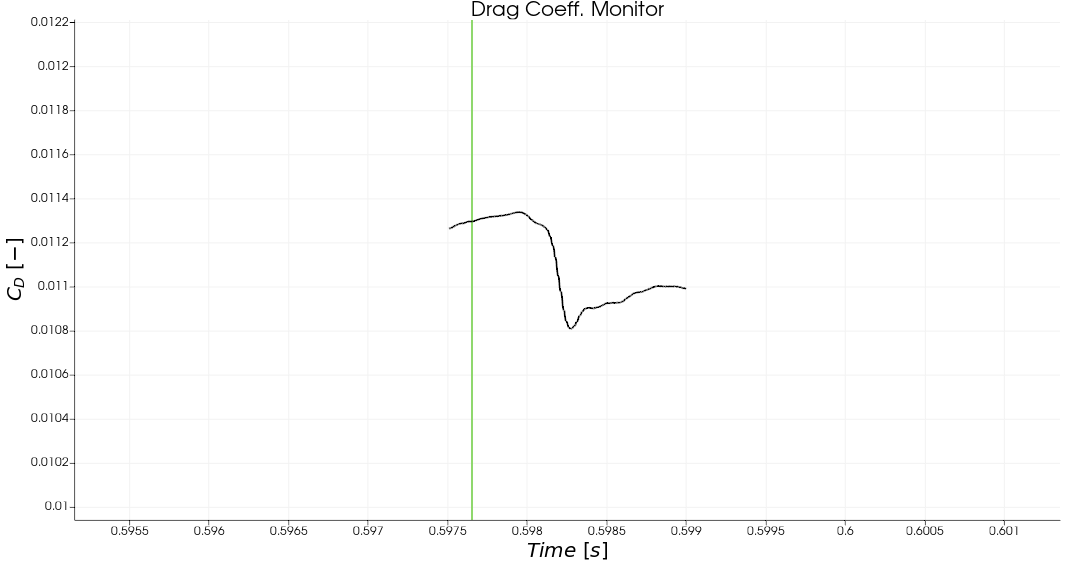
I ran into a quite strange problem in paraview, I am using the plotDataOverTime filter after a temporaryShiftedData filter and the time marker is not displayed during the animation:

Only if I zoom out I can see the time marker :
The only time marker control that I could find is to hide/show it :
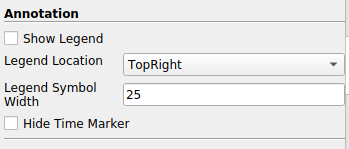
Is there any particular reason for why this is happening? Thank you in advance.
---
### Author:  [@mwestphal](https://discourse.paraview.org/u/mwestphal)
#### Post date: [March 5, 2021, 2:07pm UTC](https://discourse.paraview.org/t/time-marker-options-in-plotdataovertimefilter/6625/2 "2021-03-05T14:07:10Z")
Unable to reproduce.
---
### Author:  [@Captain\_Convergence](https://discourse.paraview.org/u/Captain_Convergence)
#### Post date: [March 5, 2021, 2:35pm UTC](https://discourse.paraview.org/t/time-marker-options-in-plotdataovertimefilter/6625/3 "2021-03-05T14:35:59Z")
Hi [Mathieu](https://discourse.paraview.org/u/mwestphal),
Thank you for your answer.
And is there way to fix this issue?
---
### Author:  [@mwestphal](https://discourse.paraview.org/u/mwestphal)
#### Post date: [March 5, 2021, 2:37pm UTC](https://discourse.paraview.org/t/time-marker-options-in-plotdataovertimefilter/6625/4 "2021-03-05T14:37:08Z")
As I said, I’m unable to reproduce here, you will here to provide specific steps to reproduce, try on another computer, etc.
---
### Author:  [@randomwangran](https://discourse.paraview.org/u/randomwangran)
#### Post date: [March 5, 2021, 6:11pm UTC](https://discourse.paraview.org/t/time-marker-options-in-plotdataovertimefilter/6625/5 "2021-03-05T18:11:57Z")
Using the `plotDataOverTime` filter after a `temporaryShiftedData` is
really cool to track the dynamic data.
I am not sure how the bug is triggered but can you output the drag
data into a file then use other tools to plot this?
---
### Author:  [@Captain\_Convergence](https://discourse.paraview.org/u/Captain_Convergence)
#### Post date: [March 5, 2021, 10:00pm UTC](https://discourse.paraview.org/t/time-marker-options-in-plotdataovertimefilter/6625/6 "2021-03-05T22:00:50Z")
Dear both,
I have uploaded a simplified version of my code where you can execute the python script (just make sure to modify the path where you are running it) that will load the monitors (from the Cx\_Cz\_Cm.plt file), it will generate 300 snapshots stored in the folder forces\_csv and will load them as temporary shifted data that I plot in 2 graphs at the bottom of the paraview layout. After you execute the code, you can play the animation but you will only be able to visualize the Time Marker if you zoom out (first post of this thread).
[for\_support.zip](https://discourse.paraview.org/uploads/short-url/mYzIK5HHvu9GaEDKI18oAXaIXh4.zip) (3.0 MB)
I need to use the `plotDataOverTime` filter after a `temporaryShiftedData` because I need to synchronize my force monitors and my flow snapshots that come from different sources.
---
### Author:  [@Captain\_Convergence](https://discourse.paraview.org/u/Captain_Convergence)
#### Post date: [March 9, 2021, 9:09am UTC](https://discourse.paraview.org/t/time-marker-options-in-plotdataovertimefilter/6625/7 "2021-03-09T09:09:54Z")
I spoke with the support from my HPC center and they are not aware of any extra module that should be loaded when running pvbatch in a slurm job.