# Transform: How to rotate stl about a given axis?
**URL:** https://discourse.paraview.org/t/transform-how-to-rotate-stl-about-a-given-axis/7765
**Category:** ParaView Support
**Created:** [August 5, 2021, 4:22am UTC](https://discourse.paraview.org/t/transform-how-to-rotate-stl-about-a-given-axis/7765 "2021-08-05T04:22:56Z")
**Posts on this page:** 4
**Page:** 1
### Author:  [@Rezaul\_Tharim](https://discourse.paraview.org/u/Rezaul_Tharim)
#### Post date: [August 5, 2021, 4:22am UTC](https://discourse.paraview.org/t/transform-how-to-rotate-stl-about-a-given-axis/7765/1 "2021-08-05T04:22:56Z")
I have a vtk showing a particle model of a screw being twisted. I tried to insert an stl file for a screwdriver in the correct position and tried rotating it at the same rate as my vtk file. I added a Filter-\>Transform-\>Rotation(2) about z-axis, and added the final angle on the animation panel. I assumed the rotation would occur about the center of the stl itself but the stl started spinning about an unknown axis instead.
1. How do I figure out which axis the stl is moving about?
2. How do I make it rotate about a specific axis?
---
### Author:  [@mwestphal](https://discourse.paraview.org/u/mwestphal)
#### Post date: [August 5, 2021, 8:34am UTC](https://discourse.paraview.org/t/transform-how-to-rotate-stl-about-a-given-axis/7765/2 "2021-08-05T08:34:22Z")
> [@Rezaul\_Tharim](#):
>
> How do I figure out which axis the stl is moving about?
It is rotating around the origin.
> How do I make it rotate about a specific axis?
You want to use RotateAroundPoint mode in Transfrom filter. Available in the nightlies.
---
### Author:  [@Rezaul\_Tharim](https://discourse.paraview.org/u/Rezaul_Tharim)
#### Post date: [August 25, 2021, 9:14am UTC](https://discourse.paraview.org/t/transform-how-to-rotate-stl-about-a-given-axis/7765/4 "2021-08-25T09:14:31Z")
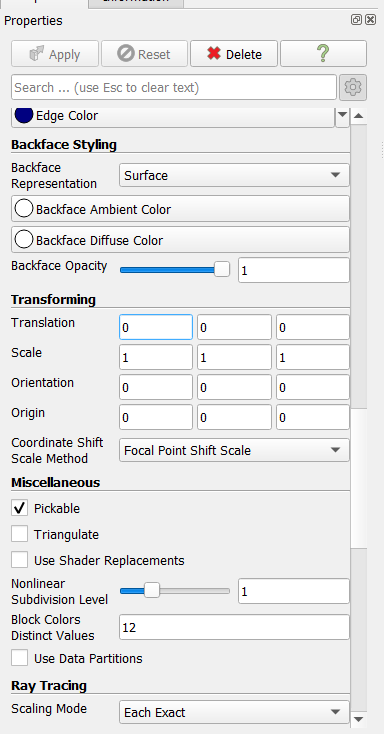
I tried to change the origin in the transform filter but it doesn’t seem to be working.
Could you perhaps send a screenshot to indicate how to use the RotateAroundPoint mode?
---
### Author:  [@mwestphal](https://discourse.paraview.org/u/mwestphal)
#### Post date: [August 25, 2021, 9:34am UTC](https://discourse.paraview.org/t/transform-how-to-rotate-stl-about-a-given-axis/7765/5 "2021-08-25T09:34:52Z")
Sorry, not in 5.9.1 but present in the nightly, you can download it here:
[https://www.paraview.org/download/](https://www.paraview.org/download/)
Filter → Transform
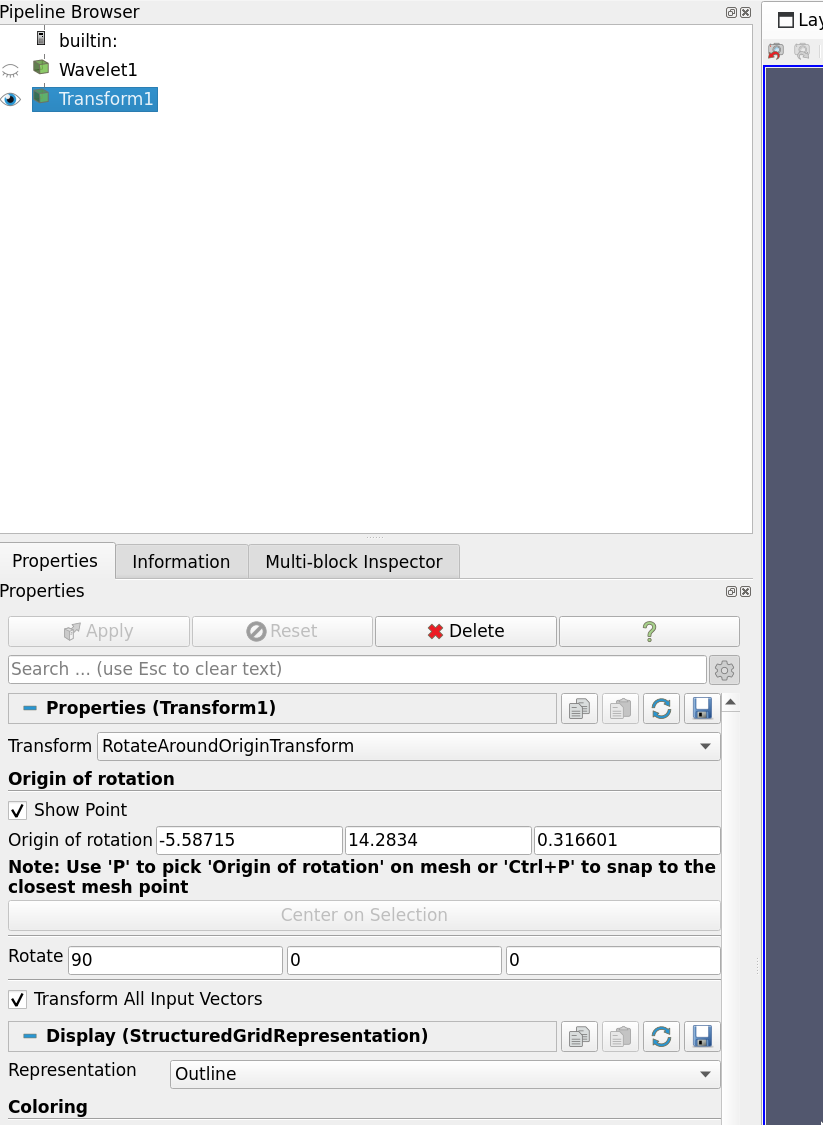
In the combo box, instead of transform choose RotateAroundOriginTransform