# Translation to display two files next to each other does not work
**URL:** https://discourse.paraview.org/t/translation-to-display-two-files-next-to-each-other-does-not-work/7795
**Category:** ParaView Support
**Created:** [August 10, 2021, 2:59pm UTC](https://discourse.paraview.org/t/translation-to-display-two-files-next-to-each-other-does-not-work/7795 "2021-08-10T14:59:26Z")
**Posts on this page:** 2
**Page:** 1
### Author:  [@yulia](https://discourse.paraview.org/u/yulia)
#### Post date: [August 10, 2021, 2:59pm UTC](https://discourse.paraview.org/t/translation-to-display-two-files-next-to-each-other-does-not-work/7795/1 "2021-08-10T14:59:26Z")
Hi,
I have two vtk files which I would like to display next to each other so that I can compare them. I have loaded both into paraview and under tranforming \> translation I changed for one file the first value to -2.1 (the other file is still 0) but nothing changes.
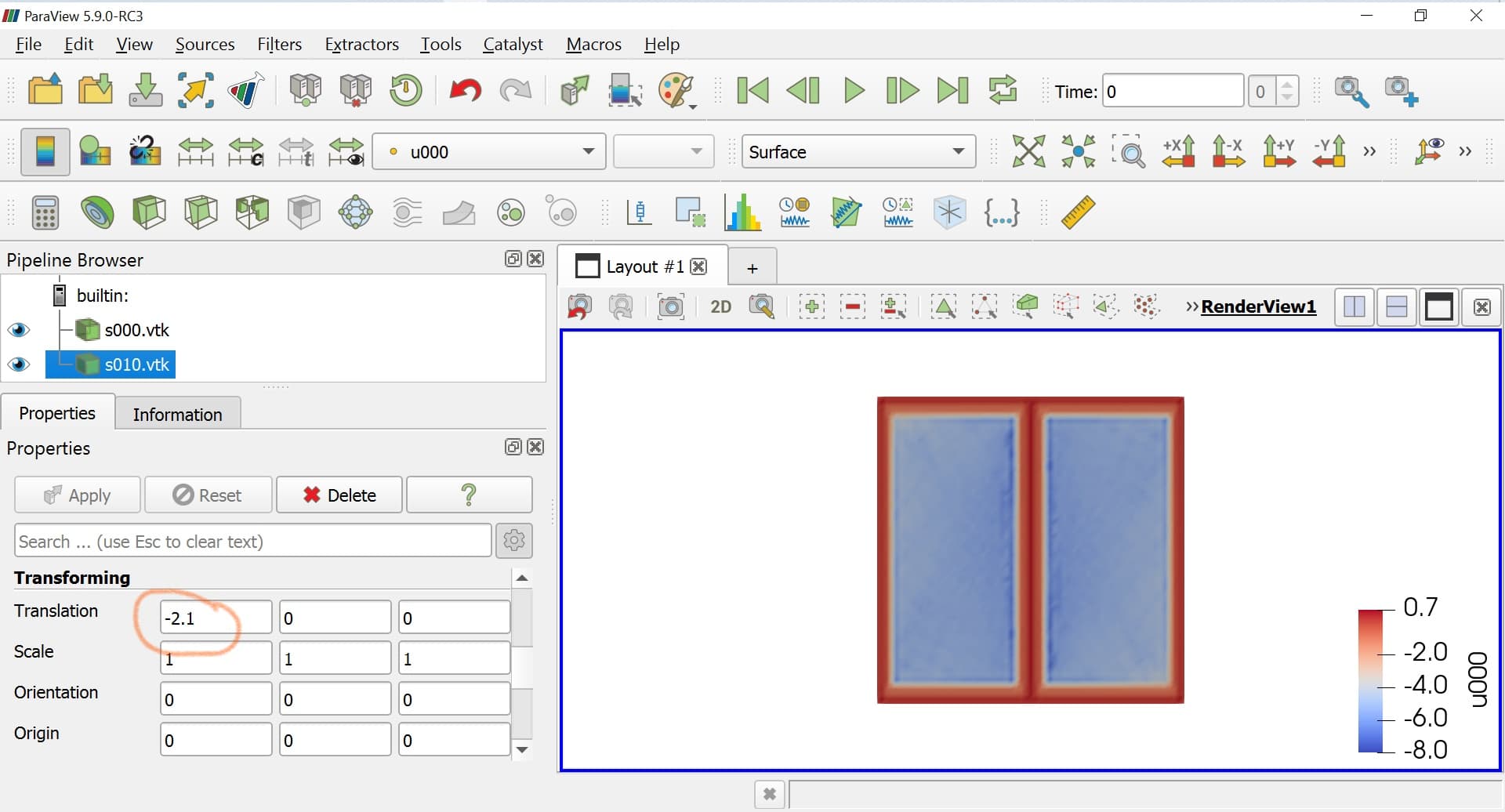
I also tried scaling and other translation values but sometimes the visualisation of my data vanishes and if I click on reset or zoom to data, I can only see one visualisation. What am I doing wrong?
Thanks!
---
### Author:  [@yulia](https://discourse.paraview.org/u/yulia)
#### Post date: [August 13, 2021, 2:31pm UTC](https://discourse.paraview.org/t/translation-to-display-two-files-next-to-each-other-does-not-work/7795/2 "2021-08-13T14:31:01Z")
I solved my problem: the thing I needed or was looking for without knowing is the [comparative visualization](https://docs.paraview.org/en/latest/ReferenceManual/comparativeViews.html#:~:text=3.1.-,Setting%20up%20a%20comparative%20view,a%202%20%C3%97%202%20grid.). Hopefully this helps someone else in the future 😊