# Transparent background animation problem.
**URL:** https://discourse.paraview.org/t/transparent-background-animation-problem/4325
**Category:** ParaView Support
**Created:** [May 13, 2020, 1:55pm UTC](https://discourse.paraview.org/t/transparent-background-animation-problem/4325 "2020-05-13T13:55:41Z")
**Posts on this page:** 6
**Page:** 1
### Author:  [@eurodev](https://discourse.paraview.org/u/eurodev)
#### Post date: [May 13, 2020, 1:55pm UTC](https://discourse.paraview.org/t/transparent-background-animation-problem/4325/1 "2020-05-13T13:55:41Z")
Hello everyone and thank you for reading me,
I am trying to render a video animation of some results using “save animation” in Paraview. The problem is that I’m needing a transparent background for this, but regardless of the format I choose (ogv or avi), the output file shows the weird behaviour displayed below. The result is supposed to be spheres in grayscale drifting from left to right, so the renderer somehow splits the glyphs in 3 sets or something (I don’t really understand what is going on).
I tested this on Ubuntu 18.04 and Windows 10. Unfortunately I have found nothing on the internet concerning this issue…
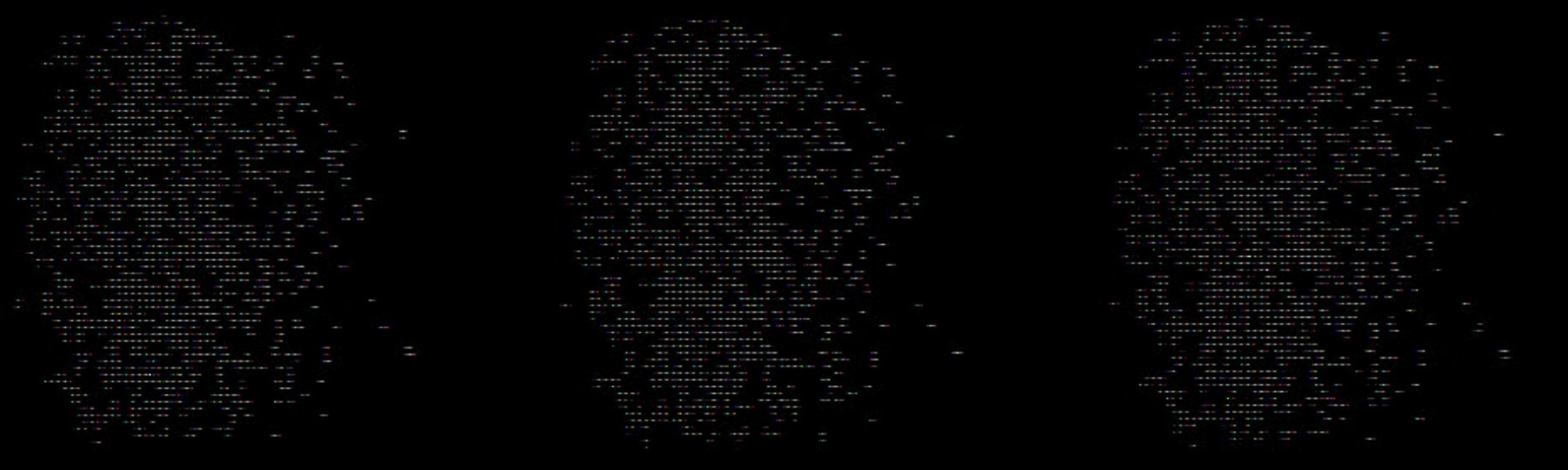
Thanks in advance and have a nice day.
---
### Author:  [@wascott](https://discourse.paraview.org/u/wascott)
#### Post date: [May 13, 2020, 6:33pm UTC](https://discourse.paraview.org/t/transparent-background-animation-problem/4325/2 "2020-05-13T18:33:42Z")
Drat. That’s a bug. I will write it up.
Thanks for reporting.
Alan
---
### Author:  [@wascott](https://discourse.paraview.org/u/wascott)
#### Post date: [May 13, 2020, 6:36pm UTC](https://discourse.paraview.org/t/transparent-background-animation-problem/4325/3 "2020-05-13T18:36:51Z")
The way around this issue is to save .png’s with a transparent background. After you are done making all of your frames, you should be able to post process them with a movie making program. One that I hear good things about (but have never used) is ffmpeg.
---
### Author:  [@wascott](https://discourse.paraview.org/u/wascott)
#### Post date: [May 13, 2020, 6:39pm UTC](https://discourse.paraview.org/t/transparent-background-animation-problem/4325/4 "2020-05-13T18:39:58Z")
By the way, I should have said - Hi, and welcome to the ParaView community!
It was written up here. I will give it a little nudge.
[https://gitlab.kitware.com/paraview/paraview/-/issues/18519](https://gitlab.kitware.com/paraview/paraview/-/issues/18519)
Alan
---
### Author:  [@eurodev](https://discourse.paraview.org/u/eurodev)
#### Post date: [May 19, 2020, 11:12am UTC](https://discourse.paraview.org/t/transparent-background-animation-problem/4325/5 "2020-05-19T11:12:24Z")
Hello and sorry for the late response.
Well I thank you very much for the quick reaction and the welcome.
This workaround is what I am currently considering, thanks for the suggestion.
Sorry I can’t be of any help with that bug, video encoding is way out of my area ^^
---
### Author:  [@Andrei](https://discourse.paraview.org/u/Andrei)
#### Post date: [October 23, 2020, 9:37am UTC](https://discourse.paraview.org/t/transparent-background-animation-problem/4325/6 "2020-10-23T09:37:11Z")
This issue still persists in version 5.8.1. The method for creating a series of frames from PNG images works. Quality levels also don’t work. The AVI video is huge.