# UI resolution very low
**URL:** https://discourse.paraview.org/t/ui-resolution-very-low/5774
**Category:** ParaView Support
**Created:** [November 12, 2020, 4:18am UTC](https://discourse.paraview.org/t/ui-resolution-very-low/5774 "2020-11-12T04:18:32Z")
**Posts on this page:** 6
**Page:** 1
### Author:  [@datathing](https://discourse.paraview.org/u/datathing)
#### Post date: [November 12, 2020, 4:18am UTC](https://discourse.paraview.org/t/ui-resolution-very-low/5774/1 "2020-11-12T04:18:32Z")
Hi,
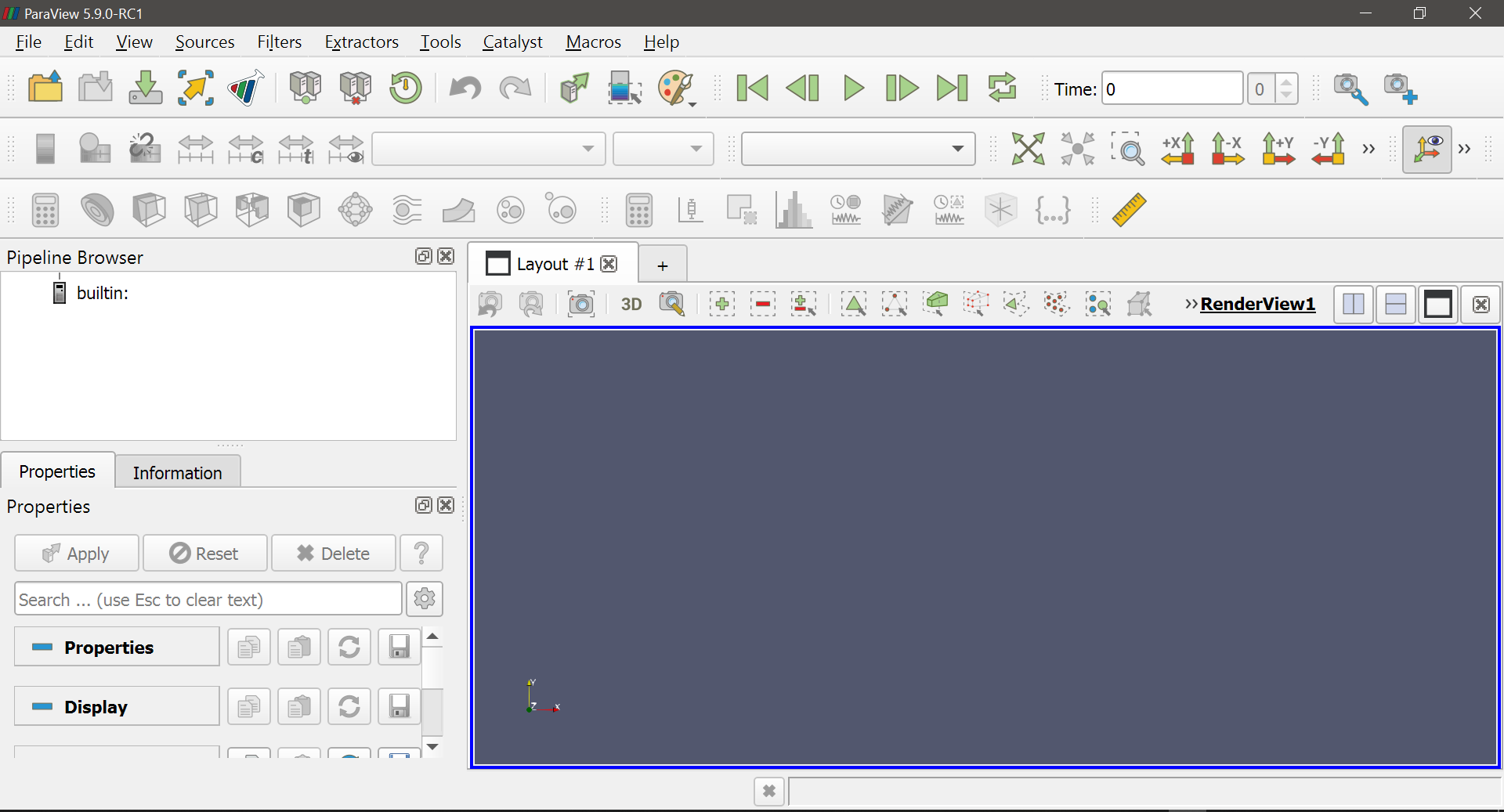
I’m a first time user today and just installed Paraview 5.9.0 on Windows 10. The UI seems to have a really low resolution and I can’t see any option to change it. I can see a few similar-ish posts about UI resolution issues in this forum but I couldn’t get any of the tips in those posts to work.
Any ideas on where to start troubleshooting this?
Thanks!!
---
### Author:  [@mwestphal](https://discourse.paraview.org/u/mwestphal)
#### Post date: [November 12, 2020, 8:42am UTC](https://discourse.paraview.org/t/ui-resolution-very-low/5774/2 "2020-11-12T08:42:12Z")
Can you maximize the window maybe ?
What is your native resolution and HiDPI settings ?
---
### Author:  [@aron.helser](https://discourse.paraview.org/u/aron.helser)
#### Post date: [November 12, 2020, 5:42pm UTC](https://discourse.paraview.org/t/ui-resolution-very-low/5774/3 "2020-11-12T17:42:21Z")
Seems like Windows 10 has decided that ParaView is an app that either should or shouldn’t have it’s DPI scaled. You can try changing the DPI scaling settings for ParaView, or for your whole computer/display. If you still have trouble, include some screenshots and your settings so we can see specifically what problem you are having.
HTH,
Aron
---
### Author:  [@datathing](https://discourse.paraview.org/u/datathing)
#### Post date: [January 28, 2021, 5:43pm UTC](https://discourse.paraview.org/t/ui-resolution-very-low/5774/4 "2021-01-28T17:43:04Z")
Hi Sorry for the very late reply, but it seems to have resolved itself. I’m not sure what has changed between when I originally tried this and now, but it’s working fine.
Cheers!
---
### Author:  [@mwestphal](https://discourse.paraview.org/u/mwestphal)
#### Post date: [February 2, 2021, 1:48pm UTC](https://discourse.paraview.org/t/ui-resolution-very-low/5774/5 "2021-02-02T13:48:20Z")
I can confirm this and the resolution. This should go into a FAQ topic.
---
### Author:  [@mwestphal](https://discourse.paraview.org/u/mwestphal)
#### Post date: [February 2, 2021, 1:49pm UTC](https://discourse.paraview.org/t/ui-resolution-very-low/5774/6 "2021-02-02T13:49:32Z")
> [@Support for high DPI displays](https://discourse.paraview.org/t/support-for-high-dpi-displays/1558/4):
>
> Hi, I use the recommended system settings, see screenshot.