# Use scaled png as texture
**URL:** https://discourse.paraview.org/t/use-scaled-png-as-texture/15197
**Category:** ParaView Support
**Created:** [August 8, 2024, 11:35pm UTC](https://discourse.paraview.org/t/use-scaled-png-as-texture/15197 "2024-08-08T23:35:45Z")
**Posts on this page:** 3
**Page:** 1
### Author:  [@jonny\_Bachman](https://discourse.paraview.org/u/jonny_Bachman)
#### Post date: [August 8, 2024, 11:35pm UTC](https://discourse.paraview.org/t/use-scaled-png-as-texture/15197/1 "2024-08-08T23:35:45Z")
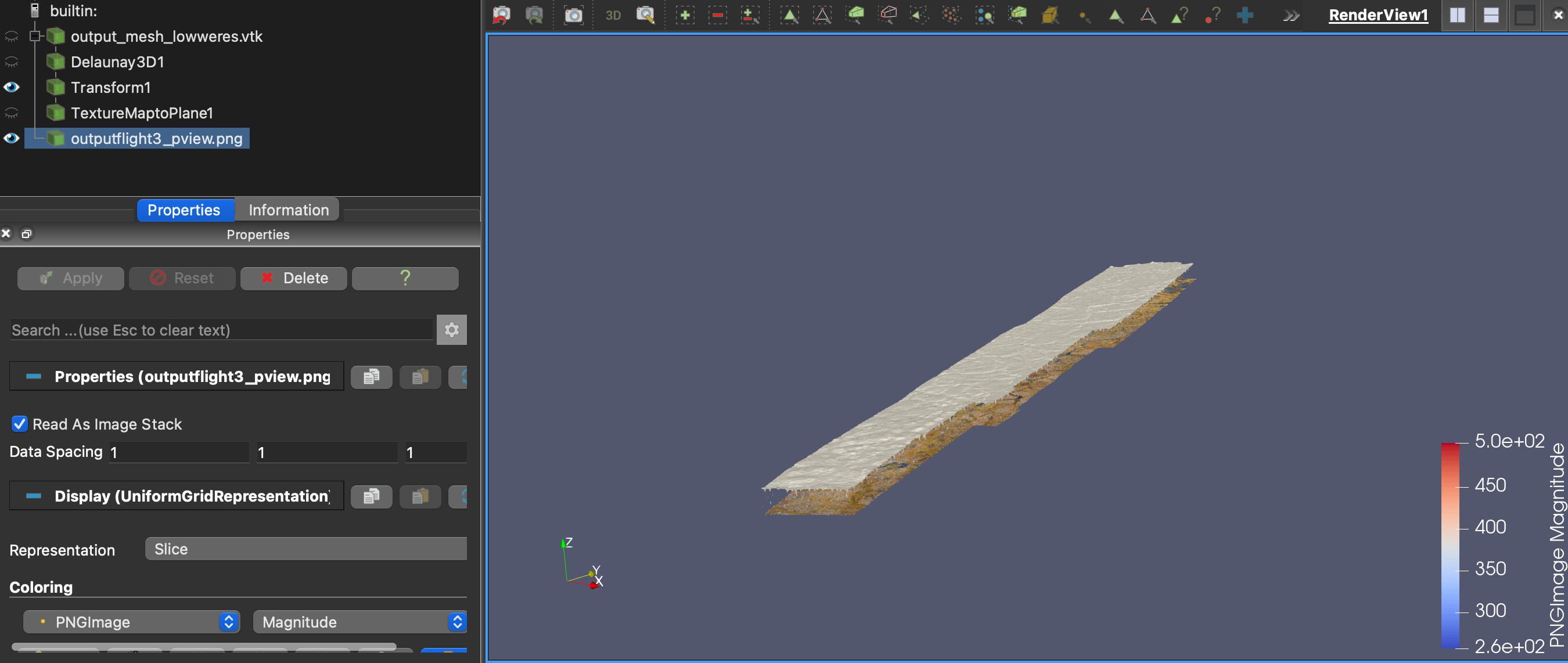
I have a mesh and a png perfectly scaled together. I want to use this png as the texture for the mesh. However when I map texture to plan e of the mesh, I cannot for the life of me get the distorted texture to properly fit. Is there any way to get my processed png to be the texture in its current form? Thank you
---
### Author:  [@mwestphal](https://discourse.paraview.org/u/mwestphal)
#### Post date: [August 9, 2024, 3:16pm UTC](https://discourse.paraview.org/t/use-scaled-png-as-texture/15197/2 "2024-08-09T15:16:54Z")
> [@jonny\_Bachman](#):
>
> Is there any way to get my processed png to be the texture in its current form? Thank you
Yes, you should not use TextureMapToPlane but your .vtk data should already have TextureCoordinates builtin.
---
### Author:  [@jonny\_Bachman](https://discourse.paraview.org/u/jonny_Bachman)
#### Post date: [August 9, 2024, 9:24pm UTC](https://discourse.paraview.org/t/use-scaled-png-as-texture/15197/3 "2024-08-09T21:24:24Z")
Hi Mathieu,
Thank you so much! I had created the mesh myself from a digital elevation model tiff file so I had forgotten to include the texture coordinates. Looks great and was super quick to fix.