# Using NRRD lable maps to isolate internal vtk data
**URL:** https://discourse.paraview.org/t/using-nrrd-lable-maps-to-isolate-internal-vtk-data/6969
**Category:** ParaView Support
**Tags:** vtk
**Created:** [April 15, 2021, 11:42pm UTC](https://discourse.paraview.org/t/using-nrrd-lable-maps-to-isolate-internal-vtk-data/6969 "2021-04-15T23:42:14Z")
**Posts on this page:** 8
**Page:** 1
### Author:  [@Douglas\_Todd](https://discourse.paraview.org/u/Douglas_Todd)
#### Post date: [April 15, 2021, 11:42pm UTC](https://discourse.paraview.org/t/using-nrrd-lable-maps-to-isolate-internal-vtk-data/6969/1 "2021-04-15T23:42:14Z")
Good Afternoon.
I am new to Paraview, and am looking for a suggestion on how to extract 3d data using an nrrd label map.
I have created an NRRD label map file that contains labels for the internal structures of an object that I have used to generate a FEM simulation. I want to extract certain internal features from the simulation results using a mask derived from the label map. Unfortunately, I am not seeing documentation that describes how to do this.
The regions that I wish to extract from the output vtk file are shown here.
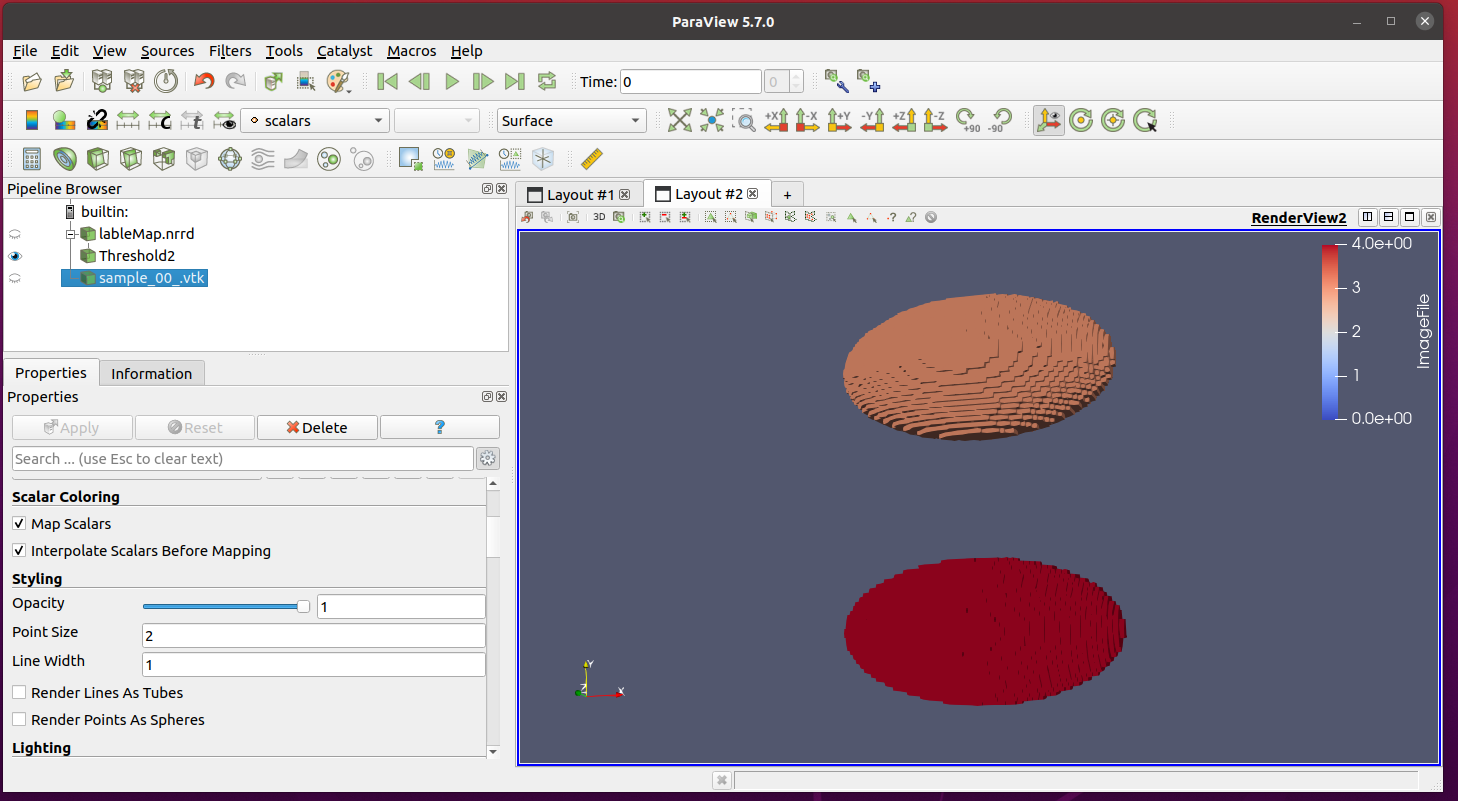
I wish to use the above regions as filters to extract data from the interior region of this object;
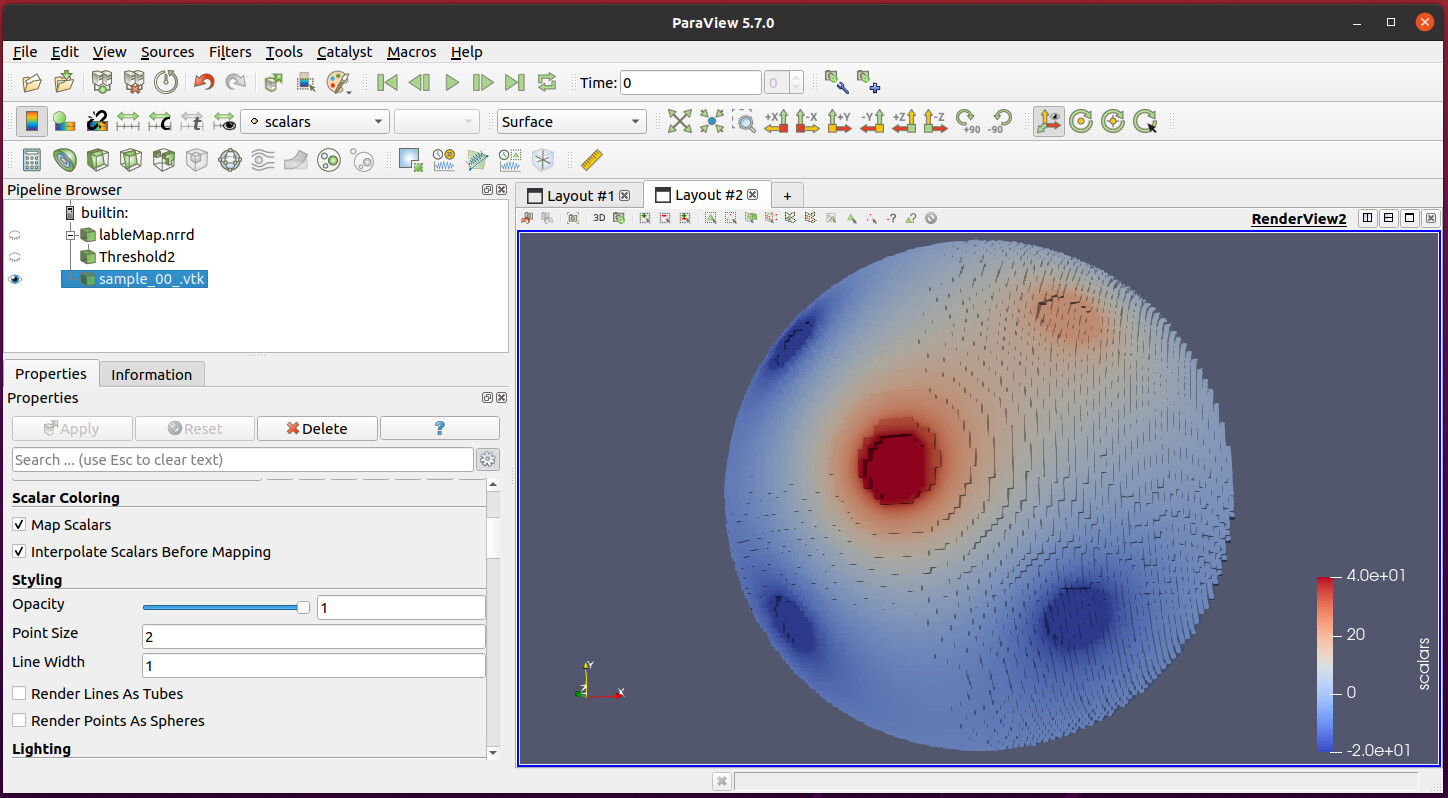
I look forward to your help and advice.
Doug
---
### Author:  [@Kenneth\_Moreland](https://discourse.paraview.org/u/Kenneth_Moreland)
#### Post date: [April 16, 2021, 1:00am UTC](https://discourse.paraview.org/t/using-nrrd-lable-maps-to-isolate-internal-vtk-data/6969/2 "2021-04-16T01:00:57Z")
If you can, posting example data helps us understand your problem better.
If `tableMap.nrrd` and `sample_00.vtk` have the same geometry (i.e. the same cells and the same points in the same order), then you can use the `Append Attributes` filter to combine the fields of both objects into one. Then you can threshold on the labels and see the scalars.
If the geometry is not different, then you can use the `Resample With Dataset` filter to map the labels onto your geometry with the scalar. Set the `Source Data Arrays` input to `labelMap.nrrd` and `Destination Mesh` to `sample_00.vtk`.
---
### Author:  [@Douglas\_Todd](https://discourse.paraview.org/u/Douglas_Todd)
#### Post date: [April 16, 2021, 1:25am UTC](https://discourse.paraview.org/t/using-nrrd-lable-maps-to-isolate-internal-vtk-data/6969/3 "2021-04-16T01:25:49Z")
Thank you so much for your kind and quick reply. One consideration is that sample\_00.vtk is one file in a set of time-series data. Eventually, I’ll want to select the same region from several hundreds of files.
I’ve included a copy of the data.
[zipLableMap.nrrd.zip](https://discourse.paraview.org/uploads/short-url/8m72kf9RhA3cPicUbSH2mr81Q5r.zip) (50.5 KB)
The sample\_00 file is rather large, I’ve compressed it with 7-zip, and uploaded it to google drive.
[https://drive.google.com/file/d/1DNY8d0qmncJlC5Uzcn2Voj8GB5tst09x/view?usp=sharing](https://drive.google.com/file/d/1DNY8d0qmncJlC5Uzcn2Voj8GB5tst09x/view?usp=sharing)
Thank you very much.
Doug
---
### Author:  [@Kenneth\_Moreland](https://discourse.paraview.org/u/Kenneth_Moreland)
#### Post date: [April 16, 2021, 1:33am UTC](https://discourse.paraview.org/t/using-nrrd-lable-maps-to-isolate-internal-vtk-data/6969/4 "2021-04-16T01:33:20Z")
The time series should not be an issue. When you hit play, ParaView will see that `sample_00.vtk` is a time series and step through it, but `labelMap.nrrd` is not a time series, so will keep that the same.
---
### Author:  [@Douglas\_Todd](https://discourse.paraview.org/u/Douglas_Todd)
#### Post date: [April 16, 2021, 1:49am UTC](https://discourse.paraview.org/t/using-nrrd-lable-maps-to-isolate-internal-vtk-data/6969/5 "2021-04-16T01:49:57Z")
Somehow, I was able to get your option 2 to work yesterday. I guess I let the smoke out. Here’s what I
I’m selecting:
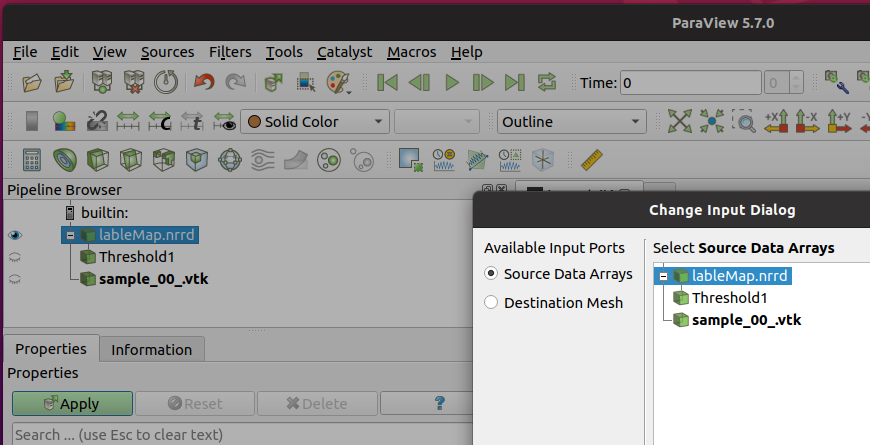
And I’m getting this error:
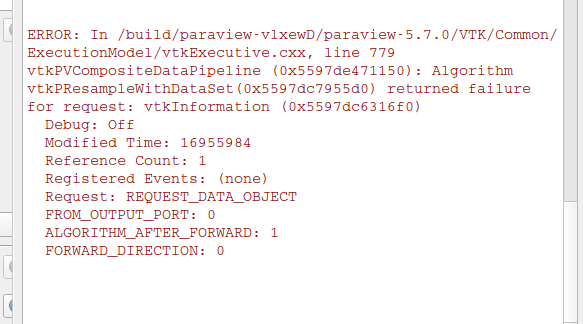
It doesn’t seem to matter the order that I’m applying the operations.
I’m using version 5.07, on Ubuntu.
Thank you for your help.
Doug
---
### Author:  [@Douglas\_Todd](https://discourse.paraview.org/u/Douglas_Todd)
#### Post date: [April 16, 2021, 1:03pm UTC](https://discourse.paraview.org/t/using-nrrd-lable-maps-to-isolate-internal-vtk-data/6969/6 "2021-04-16T13:03:39Z")
I’ve changed the permissions on the sample.vtk file, It should be accessible now. Thank you
Doug
---
### Author:  [@Kenneth\_Moreland](https://discourse.paraview.org/u/Kenneth_Moreland)
#### Post date: [April 16, 2021, 3:32pm UTC](https://discourse.paraview.org/t/using-nrrd-lable-maps-to-isolate-internal-vtk-data/6969/7 "2021-04-16T15:32:43Z")
I’m using ParaView 5.8, which is what I happen to have on my computer right now. Using `Resample With Dataset` is working fine with the data you posted. I’m not sure why you are getting that error. Are you sure you are setting both the `Source Data Arrays` and `Destination Mesh` input?
Also, in running this I realized that for `Resample With Datset` you have to hit the advanced properties toggle in the properties panel and turn on the `Pass Cell Arrays` and `Pass Point Arrays` options. But either way, I would not expect that error you are getting.
---
### Author:  [@Douglas\_Todd](https://discourse.paraview.org/u/Douglas_Todd)
#### Post date: [April 16, 2021, 4:18pm UTC](https://discourse.paraview.org/t/using-nrrd-lable-maps-to-isolate-internal-vtk-data/6969/8 "2021-04-16T16:18:44Z")
Kenneth,
Thank you very much for your inputs and hints. I now seem to have a recipe that gives me consistent results. Here’s the recipe:
1. Load the label map and the output data files into the pipeline browser.
2. Use a threshold filter to extract the geometry of the region of interest.
3. Select the output data files from the pipeline browser.
4. Select filters-\>resample with dataset
The source data arrays button and the input data set (vtk files) should be highlighted.
5. Click the “Destination mesh selection, and the Threshold filter”
6. Click OK. Under the vtk sample files, there will be a number of “resample with data set entries”
where each data set entry corresponds with entries in the label map file
7. Unselect everything, and select the “Resample With Dataset”
8. In the colors dialog, click the ‘use separate color map’ button
9. Select apply.
Hopefully, this will help others in the future.
Again, thank you
Doug