# Vectors
**URL:** https://discourse.paraview.org/t/vectors/8947
**Category:** ParaView Support
**Created:** [February 10, 2022, 4:45am UTC](https://discourse.paraview.org/t/vectors/8947 "2022-02-10T04:45:26Z")
**Posts on this page:** 13
**Page:** 1
### Author:  [@PALANI](https://discourse.paraview.org/u/PALANI)
#### Post date: [February 10, 2022, 4:45am UTC](https://discourse.paraview.org/t/vectors/8947/1 "2022-02-10T04:45:26Z")
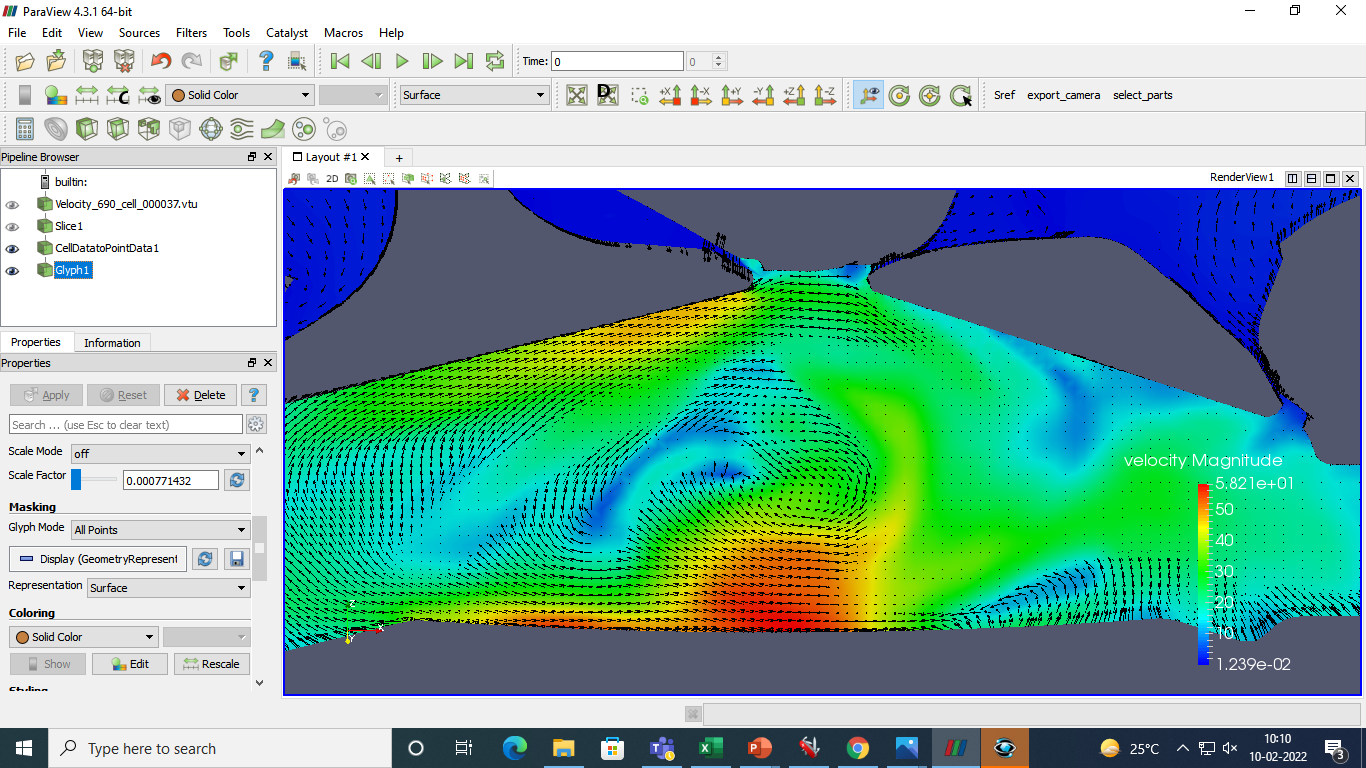
The vectors are in all directions in this 3 dimensional slice image. I want the vectors only in the plane, how do I do that ?
---
### Author:  [@mwestphal](https://discourse.paraview.org/u/mwestphal)
#### Post date: [February 10, 2022, 9:29am UTC](https://discourse.paraview.org/t/vectors/8947/2 "2022-02-10T09:29:41Z")
Calculator with an expression like:
`vec_x*iHat + vec_z*kHat`
---
### Author:  [@PALANI](https://discourse.paraview.org/u/PALANI)
#### Post date: [February 10, 2022, 11:14am UTC](https://discourse.paraview.org/t/vectors/8947/3 "2022-02-10T11:14:44Z")
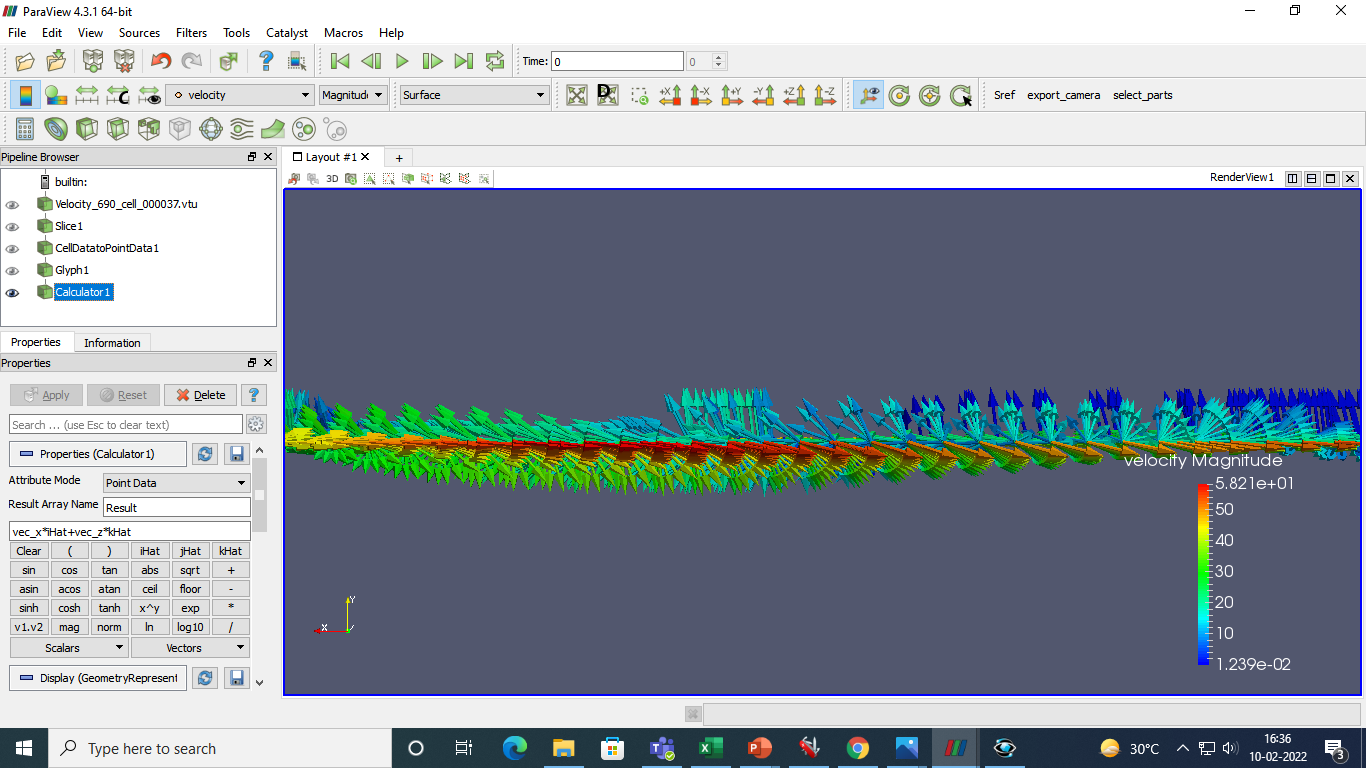
I tried an this is what I got It is still projecting out of the plane. I want it with the plane and nonw of them outside
, I am a beginner so help me out.
---
### Author:  [@mwestphal](https://discourse.paraview.org/u/mwestphal)
#### Post date: [February 10, 2022, 11:16am UTC](https://discourse.paraview.org/t/vectors/8947/4 "2022-02-10T11:16:09Z")
you vector is not named vec, it is named velocity,
the formula should be:
`velocity_x*iHat + velocity_z*kHat`
Also you should apply the glyph after the calculator.
Please read this excellent [ParaView Tutorial](https://www.paraview.org/Wiki/The_ParaView_Tutorial) that @Kenneth_Moreland has put together and updated throughout the years.
---
### Author:  [@PALANI](https://discourse.paraview.org/u/PALANI)
#### Post date: [February 10, 2022, 11:21am UTC](https://discourse.paraview.org/t/vectors/8947/5 "2022-02-10T11:21:00Z")
Okay thanks a lot.
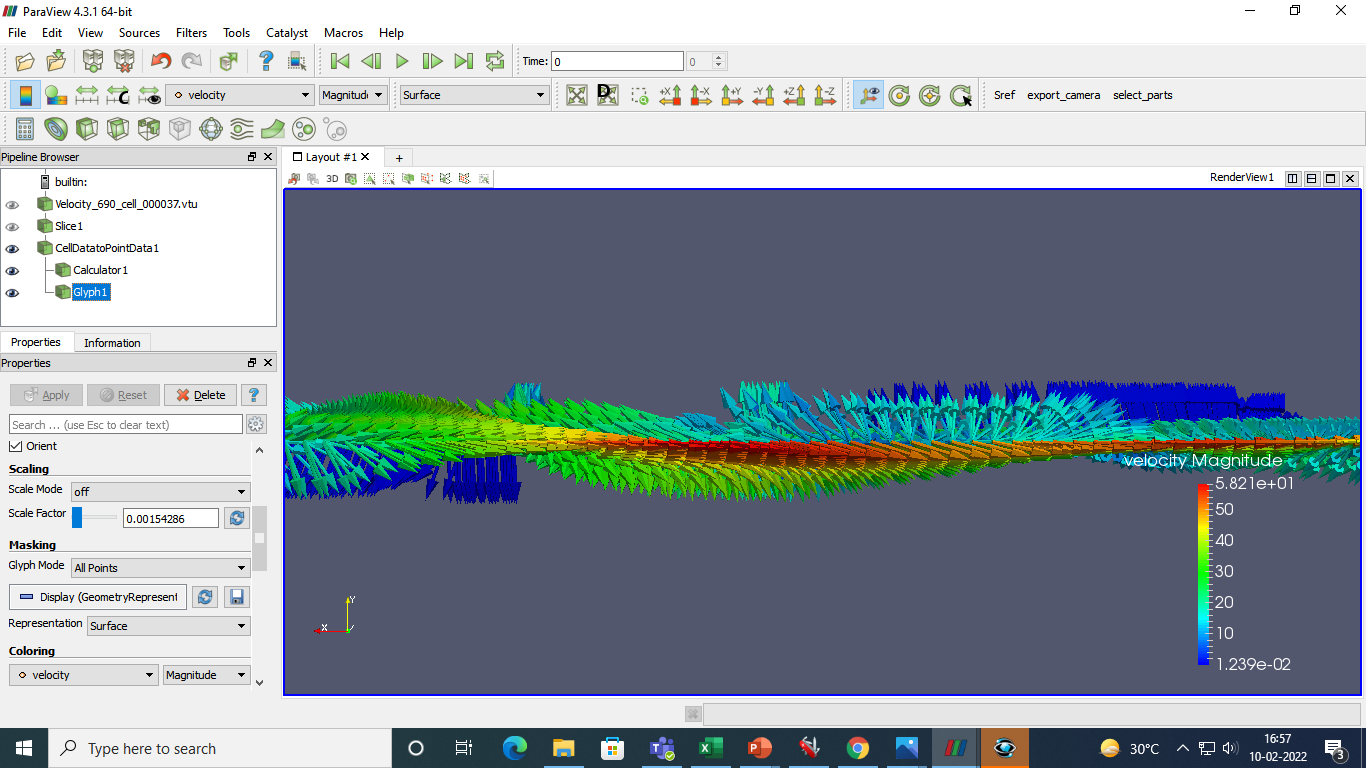
Even after that it seems to come out, I will try checking out the tutorials but I need help. Should I do it in 2D ? or how do I get the vectors in a plane for a slice in this 3D data file ?
---
### Author:  [@mwestphal](https://discourse.paraview.org/u/mwestphal)
#### Post date: [February 10, 2022, 11:32am UTC](https://discourse.paraview.org/t/vectors/8947/6 "2022-02-10T11:32:07Z")
put your glyph on the calculator, not the celldatatopointdata
---
### Author:  [@PALANI](https://discourse.paraview.org/u/PALANI)
#### Post date: [February 14, 2022, 4:13am UTC](https://discourse.paraview.org/t/vectors/8947/7 "2022-02-14T04:13:33Z")
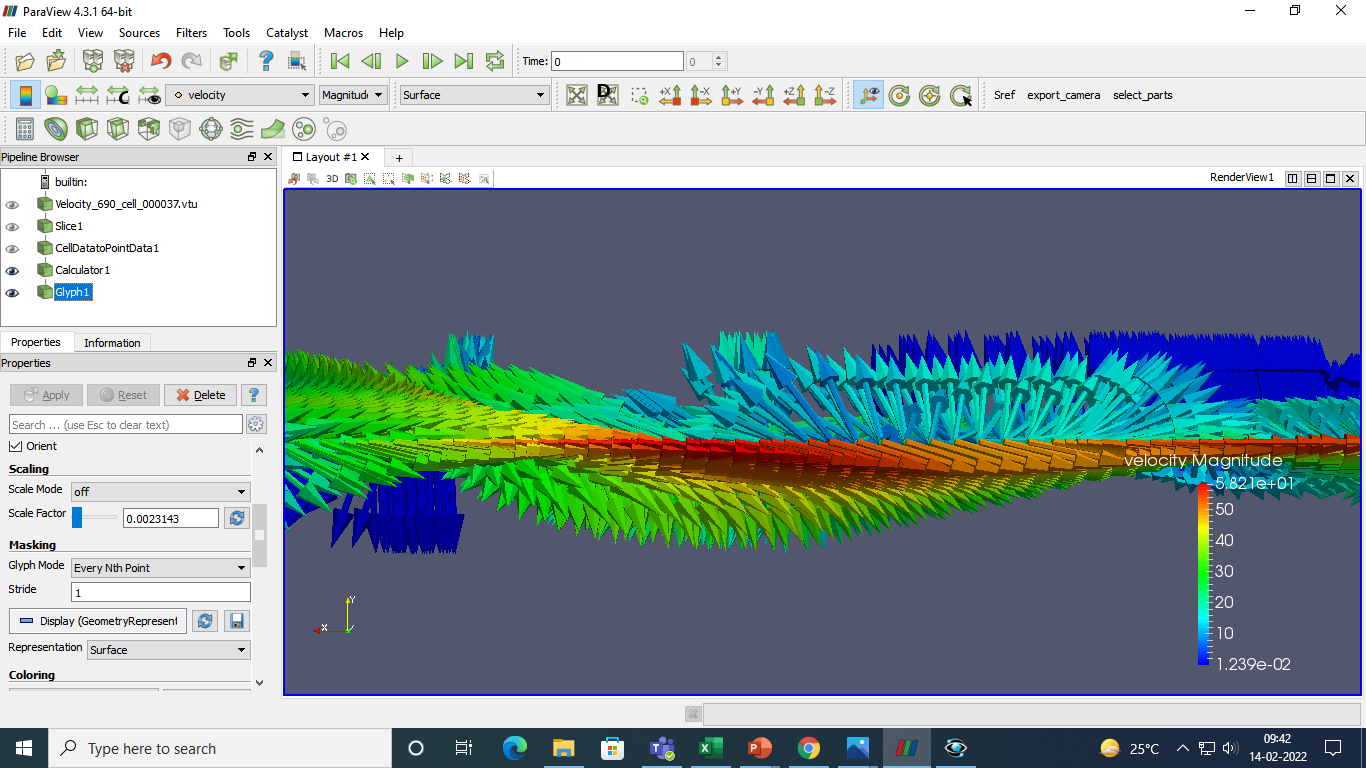
I tried that too, it is still the ssame, it comes out of the plane. What shall I do ?
---
### Author:  [@PALANI](https://discourse.paraview.org/u/PALANI)
#### Post date: [February 14, 2022, 4:14am UTC](https://discourse.paraview.org/t/vectors/8947/8 "2022-02-14T04:14:05Z")
---
### Author:  [@mwestphal](https://discourse.paraview.org/u/mwestphal)
#### Post date: [February 14, 2022, 9:26am UTC](https://discourse.paraview.org/t/vectors/8947/9 "2022-02-14T09:26:09Z")
Orient with “Results”, not with velocity.
---
### Author:  [@PALANI](https://discourse.paraview.org/u/PALANI)
#### Post date: [February 18, 2022, 4:08am UTC](https://discourse.paraview.org/t/vectors/8947/10 "2022-02-18T04:08:21Z")

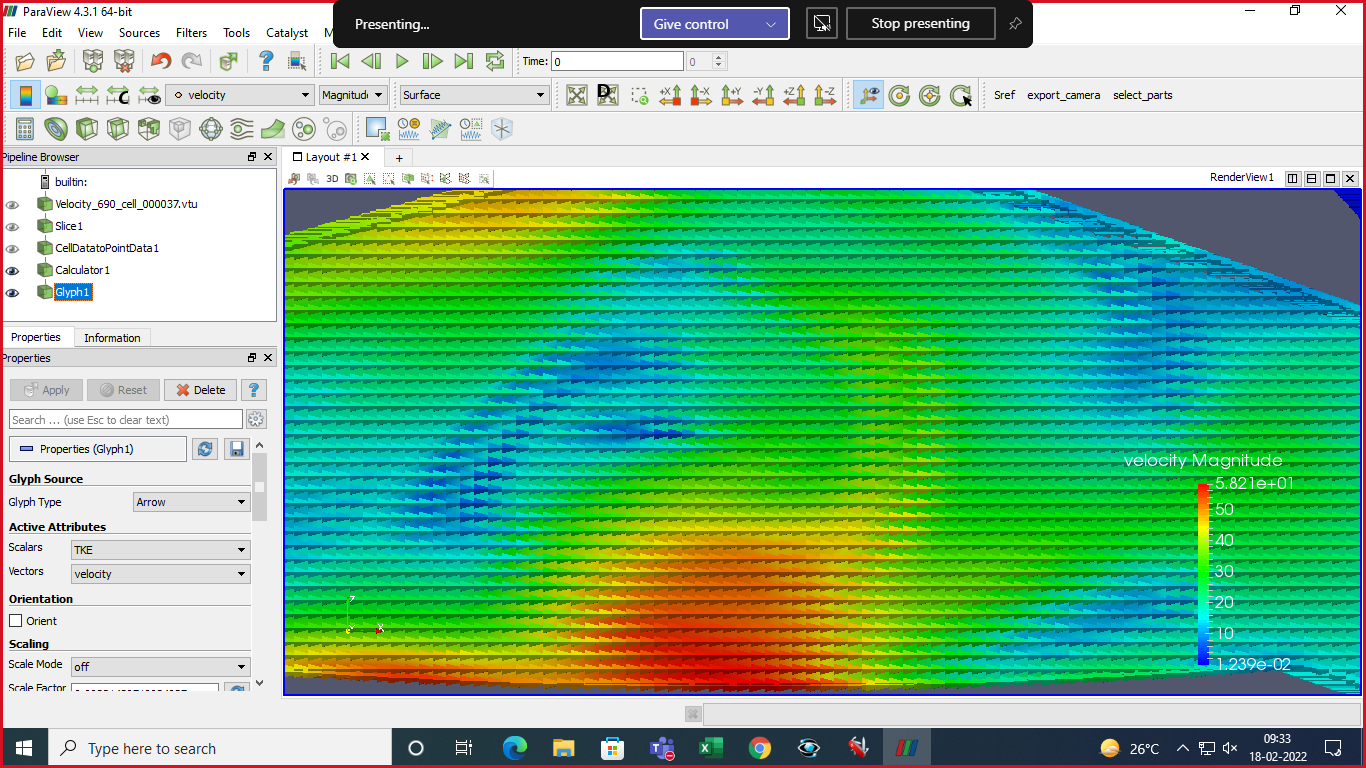
Yeah I have tried that thanks but this isn’t what I wanted, they are all in one direction now. I want the previous image without the projections but the same direction. Thanks for helping me out but as I am a beginner I need help.
---
### Author:  [@Kenneth\_Moreland](https://discourse.paraview.org/u/Kenneth_Moreland)
#### Post date: [February 18, 2022, 1:20pm UTC](https://discourse.paraview.org/t/vectors/8947/11 "2022-02-18T13:20:41Z")
You’re still not orienting with `Results`. Instead, you have turned off orientation (which is why the arrows are no longer pointing in different directions).
In the `Properties` panel, change the `Vectors` combobox (under `Active Attributes`) to `Results` (right now they are still set to `velocity`), and click on the `Orient` checkbox (right below it under `Orientation`).
---
### Author:  [@PALANI](https://discourse.paraview.org/u/PALANI)
#### Post date: [February 21, 2022, 5:52am UTC](https://discourse.paraview.org/t/vectors/8947/12 "2022-02-21T05:52:50Z")
There is only velocity in the vectors combobox
not an like u said, There was no results in the active
---
### Author:  [@PALANI](https://discourse.paraview.org/u/PALANI)
#### Post date: [April 7, 2022, 7:05am UTC](https://discourse.paraview.org/t/vectors/8947/13 "2022-04-07T07:05:27Z")
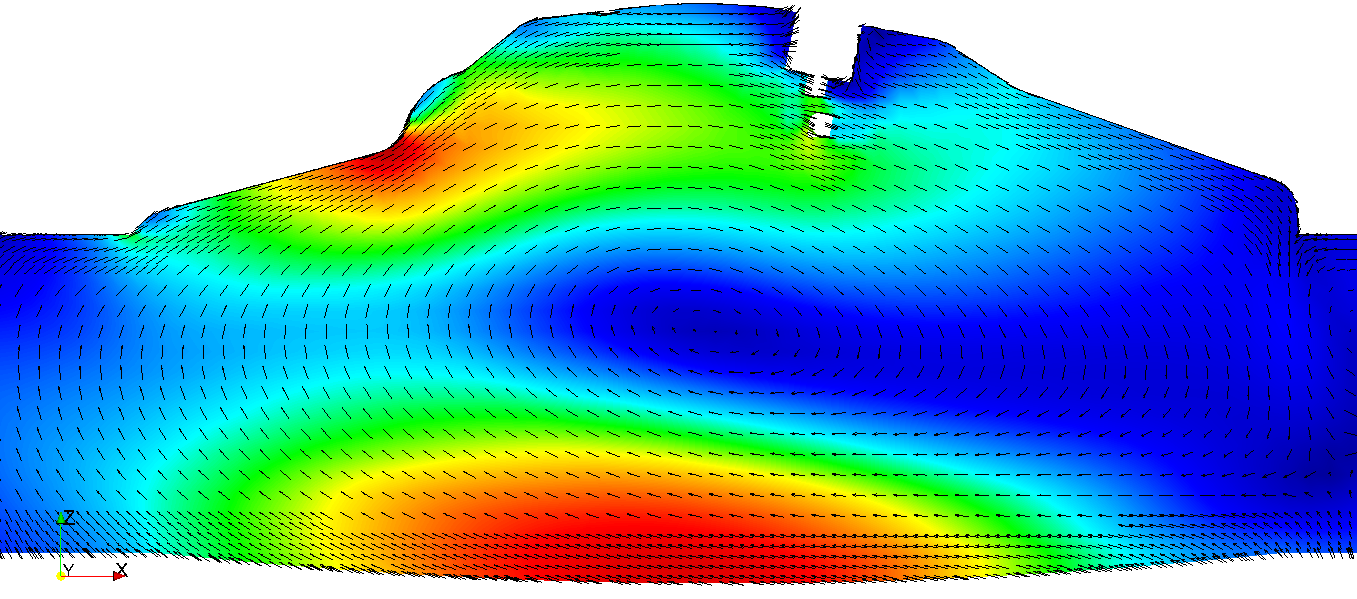
I am using 2Dglyphs. I want the arrows to show better, as you can see some arrows are represented like usual lines and not arrows. I want to change the thickness and appearance. I tried 3D glyphs but they seems to go out of the plane. I want the same image with bette appearance of arrows. Help me with it.