# Visualising thickness of plate/shell elements
**URL:** https://discourse.paraview.org/t/visualising-thickness-of-plate-shell-elements/17413
**Category:** ParaView Support
**Tags:** python, vtk
**Created:** [January 28, 2026, 12:38am UTC](https://discourse.paraview.org/t/visualising-thickness-of-plate-shell-elements/17413 "2026-01-28T00:38:30Z")
**Posts on this page:** 4
**Page:** 1
### Author:  [@SFox](https://discourse.paraview.org/u/SFox)
#### Post date: [January 28, 2026, 12:38am UTC](https://discourse.paraview.org/t/visualising-thickness-of-plate-shell-elements/17413/1 "2026-01-28T00:38:30Z")
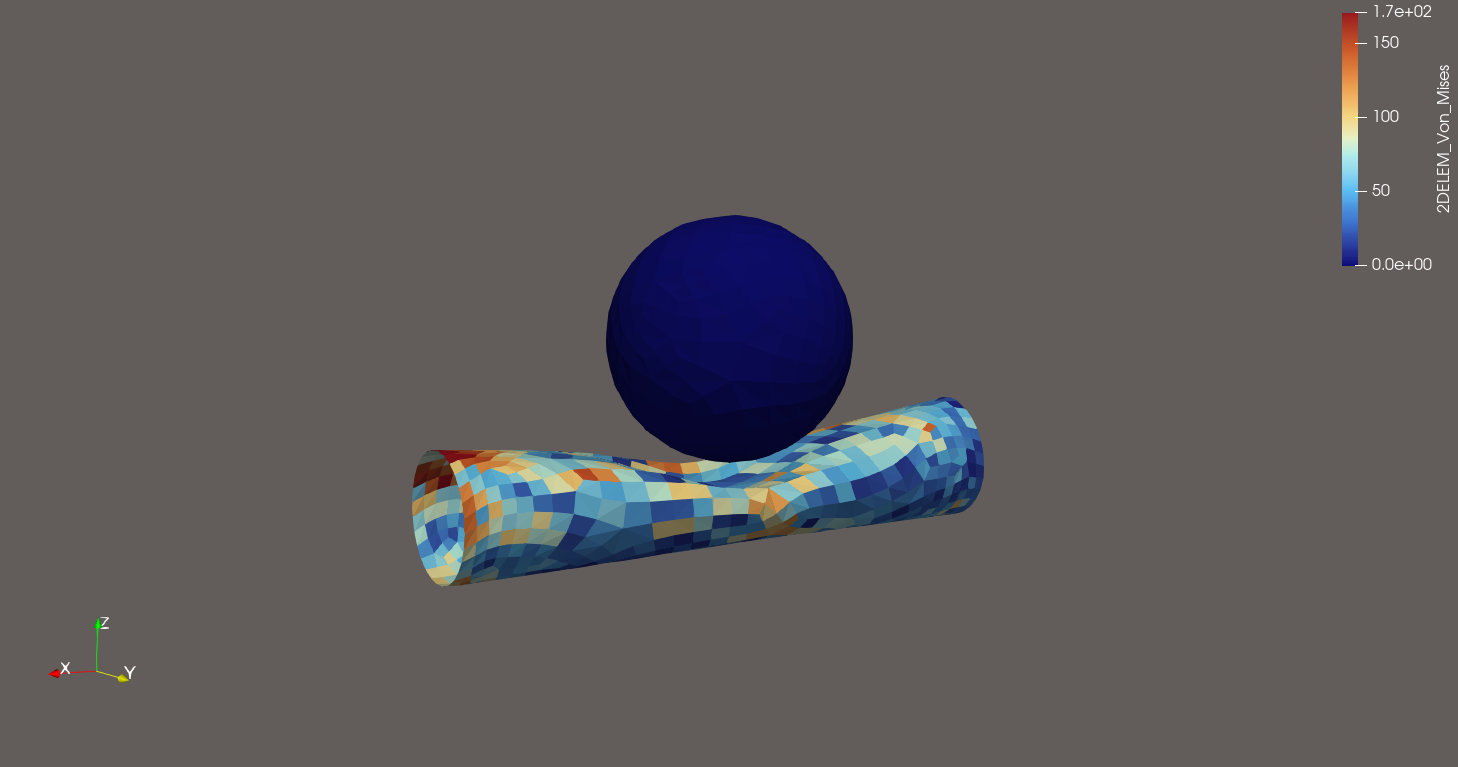
I am interested in visualising the thickness of 2D shell elements. I have a toy problem of a collision between a cantilever supported tube, and a rigid sphere. I would like to add some thickness to the shell elements that make up the tube to better represent the physical object it is supposed to represent.
I have attempted to use the ProgrammableFilter script in [this thread](https://discourse.paraview.org/t/adding-thickness-to-a-surface-mesh/6568), but I get some Python errors, and I don’t even know where to begin with debugging and developing within ParaView.
Is there another way to add some thickness to these elements? Barring that, what is the best way to go about developing these scripts? Due to some unavoidable factors, the ParaView UI is a bit buggy and I can’t interact with the Output Messages window.
I have attached my state and geometry here:
[tubeimpact.zip](https://discourse.paraview.org/uploads/short-url/nTU2wrTe1IxZoPnfl5AdYTz80m3.zip) (4.6 MB)
[Tube Sphere Impact.pvsm](https://discourse.paraview.org/uploads/short-url/rd2ddKJ8Z8M5TH3iZ4Mt5tchMSI.pvsm) (443.2 KB)
---
### Author:  [@mwestphal](https://discourse.paraview.org/u/mwestphal)
#### Post date: [January 28, 2026, 8:42am UTC](https://discourse.paraview.org/t/visualising-thickness-of-plate-shell-elements/17413/2 "2026-01-28T08:42:07Z")
> [@SFox](#):
>
> Due to some unavoidable factors, the ParaView UI is a bit buggy and I can’t interact with the Output Messages window.
WSL ?
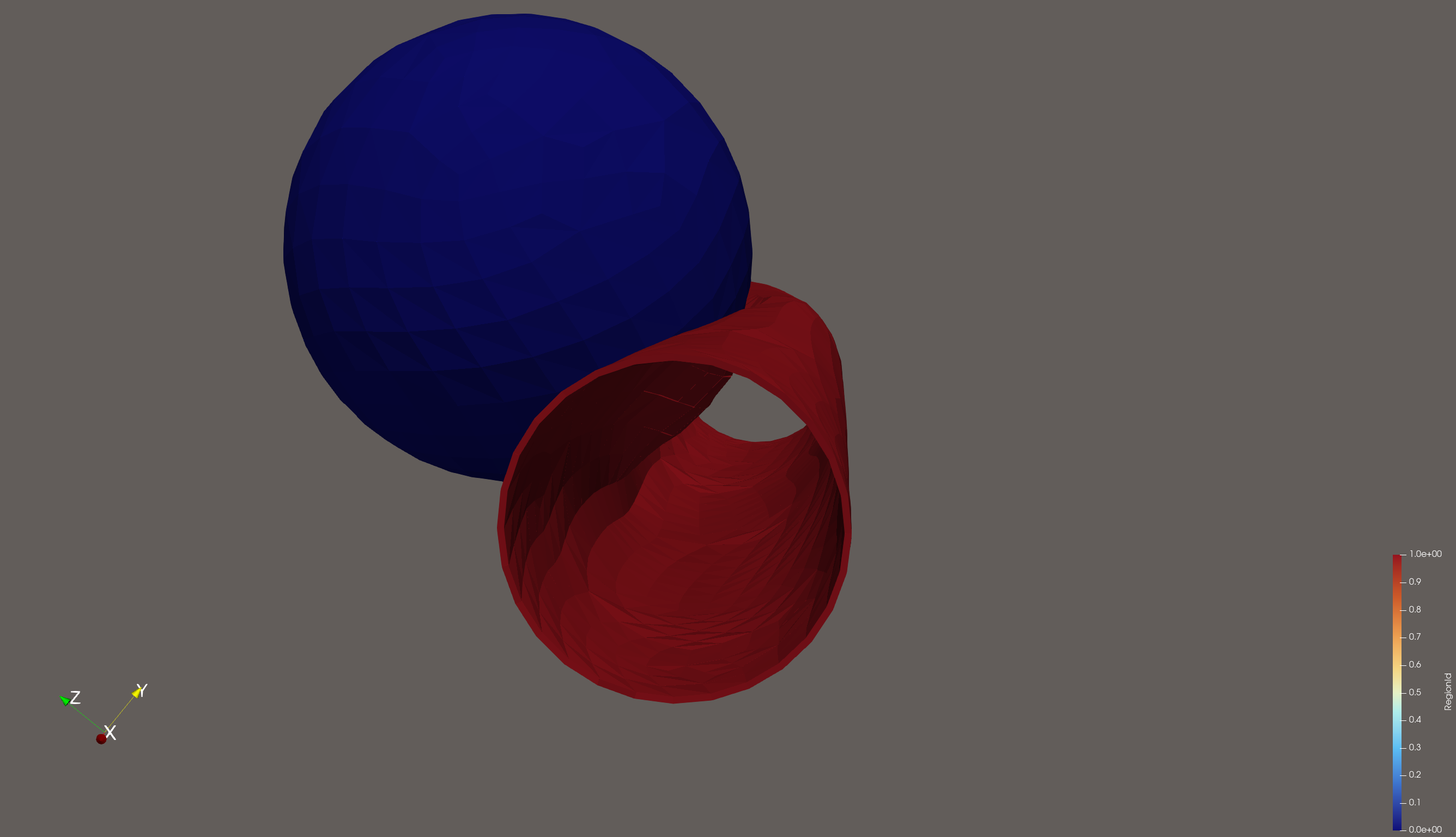
> some thickness to the shell elements
Like that ?
State file:
[thick.pvsm](https://discourse.paraview.org/uploads/short-url/bvzSCrHl3FpB5Kj7WHlLUcyVpz6.pvsm) (866.8 KB)
---
### Author:  [@SFox](https://discourse.paraview.org/u/SFox)
#### Post date: [January 29, 2026, 1:10am UTC](https://discourse.paraview.org/t/visualising-thickness-of-plate-shell-elements/17413/3 "2026-01-29T01:10:34Z")
> WSL?
Yes. Common issue?
> Like that ?
Exactly like that, thank you! Can these results be converted to a STL or other mesh file? I had a look at [this thread](https://discourse.paraview.org/t/how-to-extrude-a-surface-in-paraview-and-export-stl-format/14843), but when I try to save the data from the linear extrusion, STL is not an option, and saving the extracted surface does not capture the thickness.
---
### Author:  [@mwestphal](https://discourse.paraview.org/u/mwestphal)
#### Post date: [January 29, 2026, 8:55am UTC](https://discourse.paraview.org/t/visualising-thickness-of-plate-shell-elements/17413/4 "2026-01-29T08:55:37Z")
> [@SFox](#):
>
> Yes. Common issue?
Yes, but WSL is not officially supported.
> Can these results be converted to a STL or other mesh file?
Of course, first add an “ExtractSurface” filter, then File-\>SaveData