# Volume Rendering with original image colors; removing the black fill
**URL:** https://discourse.paraview.org/t/volume-rendering-with-original-image-colors-removing-the-black-fill/5192
**Category:** ParaView Support
**Created:** [August 27, 2020, 12:39pm UTC](https://discourse.paraview.org/t/volume-rendering-with-original-image-colors-removing-the-black-fill/5192 "2020-08-27T12:39:19Z")
**Posts on this page:** 5
**Page:** 1
### Author:  [@Davincible](https://discourse.paraview.org/u/Davincible)
#### Post date: [August 27, 2020, 12:39pm UTC](https://discourse.paraview.org/t/volume-rendering-with-original-image-colors-removing-the-black-fill/5192/1 "2020-08-27T12:39:19Z")
I have a bunch of images like this:
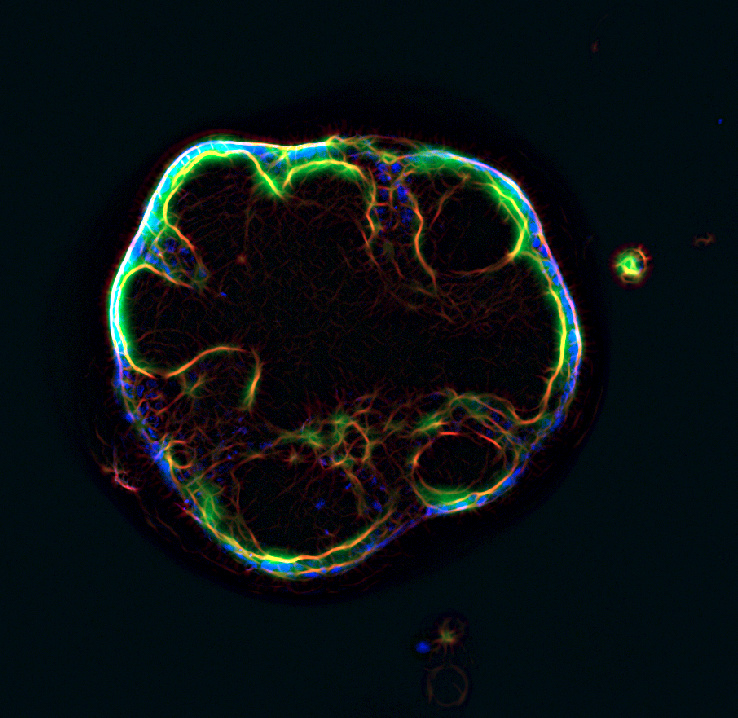
And I am looking to reconstruct them in a 3D model. Loading the data into Paraview, I am able to do so if I use a color map (enable Map Scalars & Ray Tracing), resulting in:
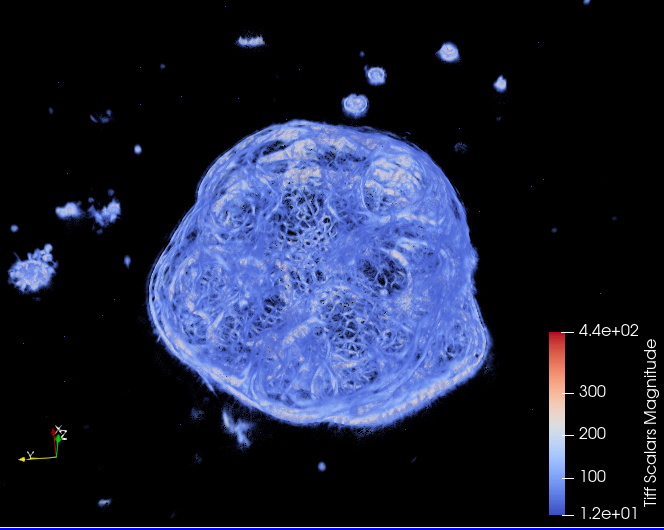
However, the color data is important. If I uncheck the Map Scalars on my original dataset, I get an error that I only have 3 channels, not 4 (RGB vs RGBA), when I append it with `convert -alpha on` or `convert -alpha set`, I don’t see anything. Finally I manged to get the original colors in by removing the black color with `convert -alpha copy`, which results in images like:
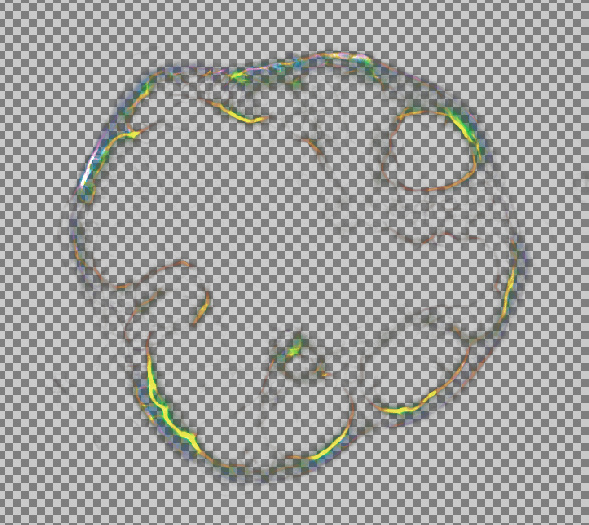
But, when I load them into paraview, my volume rendering looks like this (cropped volume in half to illustrate):
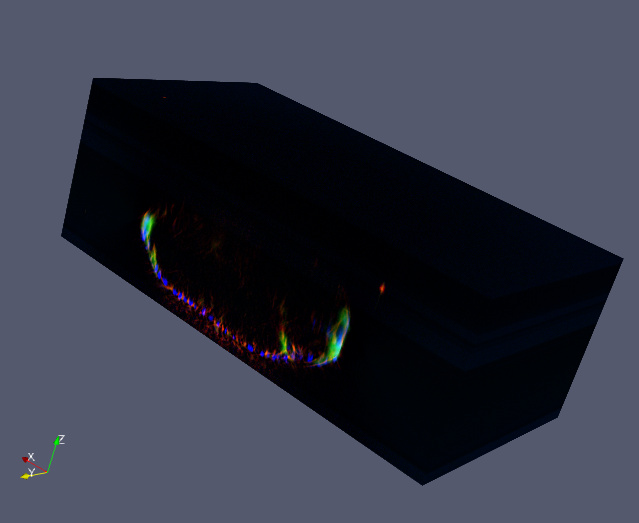
Even though there should be no black anymore as its removed from the image data, its showing up in the volume.
My Questions:
1. (How) can I disable the black filling? Is there somethings as threshhold I can use here?
2. If not with Paraview, how could this be done with VTK?
My endgoal is to load into blender with BVTK
---
### Author:  [@wascott](https://discourse.paraview.org/u/wascott)
#### Post date: [August 27, 2020, 4:18pm UTC](https://discourse.paraview.org/t/volume-rendering-with-original-image-colors-removing-the-black-fill/5192/2 "2020-08-27T16:18:23Z")
Welcome to the ParaView community!
I assume you are volume rendering your last image (as you state). The. This is unexpected behavior. Here is an (old) tutorial I wrote up on controlling the opacity for volume rendering: [https://www.paraview.org/Wiki/Volume\_rendering\_-\_Fire](https://www.paraview.org/Wiki/Volume_rendering_-_Fire). If that doesn’t work, try using Clip/ by Scalar, and remove all of your cells that are black. Then post another picture.
---
### Author:  [@Davincible](https://discourse.paraview.org/u/Davincible)
#### Post date: [August 27, 2020, 7:23pm UTC](https://discourse.paraview.org/t/volume-rendering-with-original-image-colors-removing-the-black-fill/5192/3 "2020-08-27T19:23:35Z")
Thanks for the help Walter!
By playing with the color map points there does seem to change a bit, but either only the colors themselves, or the whole things disappears all together around one threshold.
The Clip with Scalar I applied, but I am not sure if it works as Paraview crashes before it shows anything ☹
---
### Author:  [@wascott](https://discourse.paraview.org/u/wascott)
#### Post date: [August 27, 2020, 7:39pm UTC](https://discourse.paraview.org/t/volume-rendering-with-original-image-colors-removing-the-black-fill/5192/4 "2020-08-27T19:39:28Z")
Can you give us a file that we can try? Oh, and good directions what you are trying to do?
---
### Author:  [@Davincible](https://discourse.paraview.org/u/Davincible)
#### Post date: [August 27, 2020, 7:55pm UTC](https://discourse.paraview.org/t/volume-rendering-with-original-image-colors-removing-the-black-fill/5192/5 "2020-08-27T19:55:07Z")
[Here](https://drive.google.com/drive/folders/1cIc1oRddJs3qlc-5R1p55Vqj9rpJXFyX?usp=sharing) you can find the dataset. The AlphaMask is the one I used.
Workflow:
- Import
- Show dataset
- Unselect Map Scalars
- Show Volume Projection