# Wrong aspect ratio with onscreen pvpython
**URL:** https://discourse.paraview.org/t/wrong-aspect-ratio-with-onscreen-pvpython/4620
**Category:** ParaView Support
**Tags:** python
**Created:** [June 18, 2020, 4:25pm UTC](https://discourse.paraview.org/t/wrong-aspect-ratio-with-onscreen-pvpython/4620 "2020-06-18T16:25:32Z")
**Posts on this page:** 5
**Page:** 1
### Author:  [@idcbris](https://discourse.paraview.org/u/idcbris)
#### Post date: [June 18, 2020, 4:25pm UTC](https://discourse.paraview.org/t/wrong-aspect-ratio-with-onscreen-pvpython/4620/1 "2020-06-18T16:25:32Z")
Hello,
I use paraview.simple and pvpython to generate bunch of pictures using a preset stored in a pvsm file. However I realised that the resolution of the pictures was not what I choose even after using
> renderView1.ViewSize = [1080, 1080]
I expect to obtain a square picture/movie but I obtain a 1080x1016 pixels picture, the pictures is then wider than what I see using paraview.
This is the one using paraview and saving a screenshot

And that what’s pvpython windows that pops shows (same as pictures, the sides are more visible)
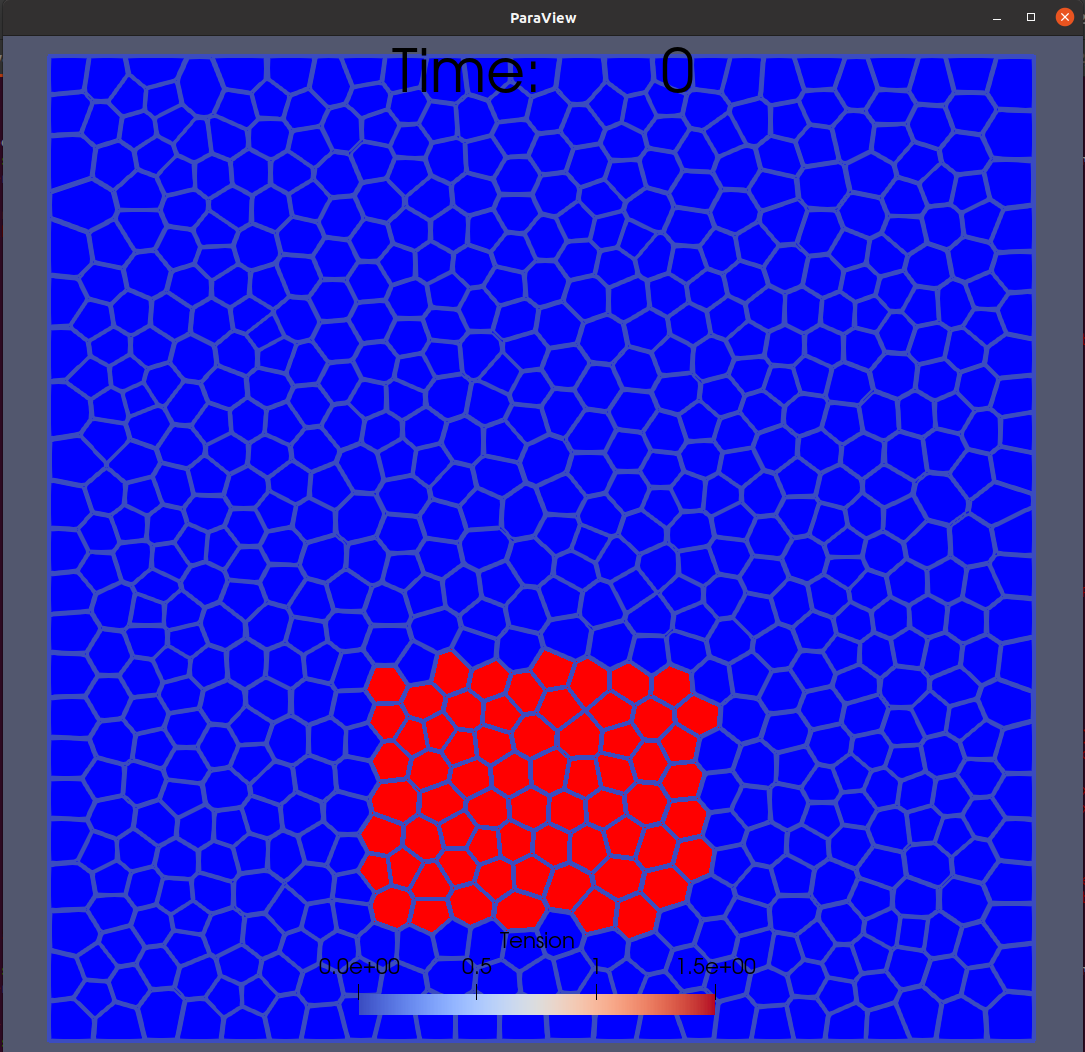
If I use the offscreen rendering I successfully get what I want, a 1080x1080 picture
I suspect the window decoration mess up things but I didn’t test much this assumption.
---
### Author:  [@mwestphal](https://discourse.paraview.org/u/mwestphal)
#### Post date: [June 19, 2020, 1:28am UTC](https://discourse.paraview.org/t/wrong-aspect-ratio-with-onscreen-pvpython/4620/2 "2020-06-19T01:28:21Z")
Which command do you use to save the screenshot ?
---
### Author:  [@idcbris](https://discourse.paraview.org/u/idcbris)
#### Post date: [June 19, 2020, 6:20am UTC](https://discourse.paraview.org/t/wrong-aspect-ratio-with-onscreen-pvpython/4620/3 "2020-06-19T06:20:03Z")
I am saving the images as jpeg
> SaveAnimation(xxx.jpeg, renderView1, ImageResolution=[1080, 1080],Quality=100)
The same applies to the SaveScreenshot function which gives the same (wrong) aspect ratio
> SaveScreenshot(‘xxx.png’, renderView1, ImageResolution=[1080, 1080],
> FontScaling=‘Scale fonts proportionally’,
> OverrideColorPalette=‘’,
> StereoMode=‘No change’,
> TransparentBackground=0,
> CompressionLevel=‘5’)
---
### Author:  [@mwestphal](https://discourse.paraview.org/u/mwestphal)
#### Post date: [June 19, 2020, 9:25am UTC](https://discourse.paraview.org/t/wrong-aspect-ratio-with-onscreen-pvpython/4620/4 "2020-06-19T09:25:28Z")
What is your window manager ?
---
### Author:  [@idcbris](https://discourse.paraview.org/u/idcbris)
#### Post date: [June 19, 2020, 9:31am UTC](https://discourse.paraview.org/t/wrong-aspect-ratio-with-onscreen-pvpython/4620/5 "2020-06-19T09:31:59Z")
I use native ubuntu 20.04
So it’s GNOME 3.36.2 at the moment.
I should probably mention that my screen is full hd hence 1080 pixels is the max displayable height. So I wonder if this is just a restriction of the onscreen rendering about the resolution of the display.
However Paraview produces proper images even for higher resolution.