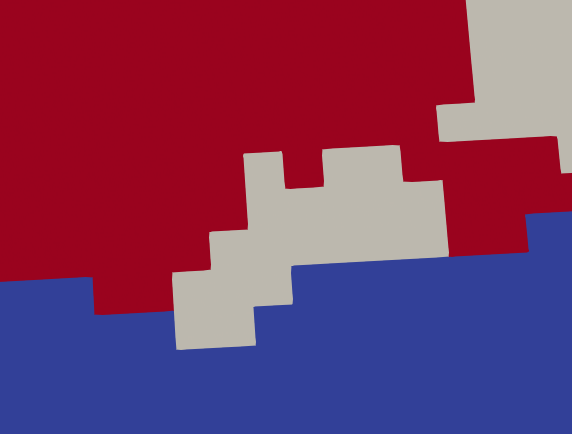
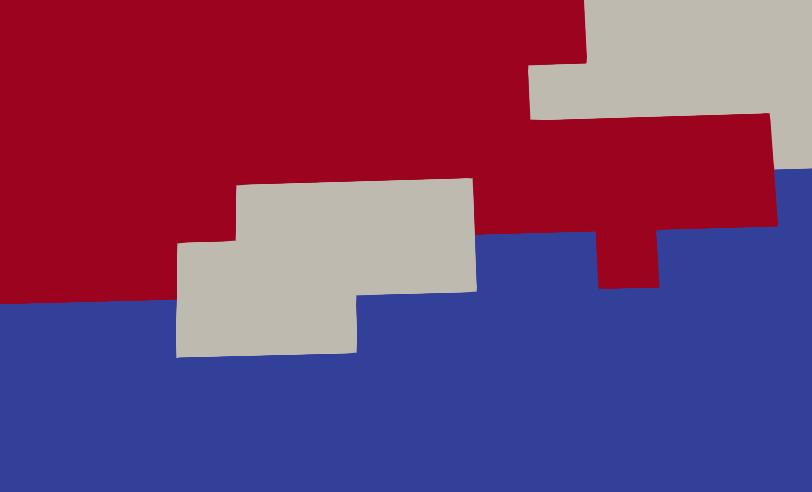
When reading a tiff stack, Paraview reads it as point data and the voxel values are interpolated based on vertices’ values. When reading categorical data, such convention leads to visual artifacts. Is it possible to read the tiff file directly into cell data, assuming that the values are voxel-centered?
So when I have a tiff file with dimensions 10x20x30, bounds would be 0-10, 0-20 and 0-30 (instead of 0-9,0-19,0-29), and each voxel would have value assigned from the corresponding tiff pixel.
Point Data to Cell Data filter with “Categorical Data” option does not solve the problem.
Below the difference when the same data is read from binary file (with xdmf) and from the tiff file without and with PD to CD filter.
I confirm the tiff reader reads data at the points, which lead to interpolation between cells. You may be able to convert to cell centers but this require some coding.
I think for now a good option is to convert the file into .vti for the visualization purpose. Here is a simple Python script for anyone who will end up here with the same problem.