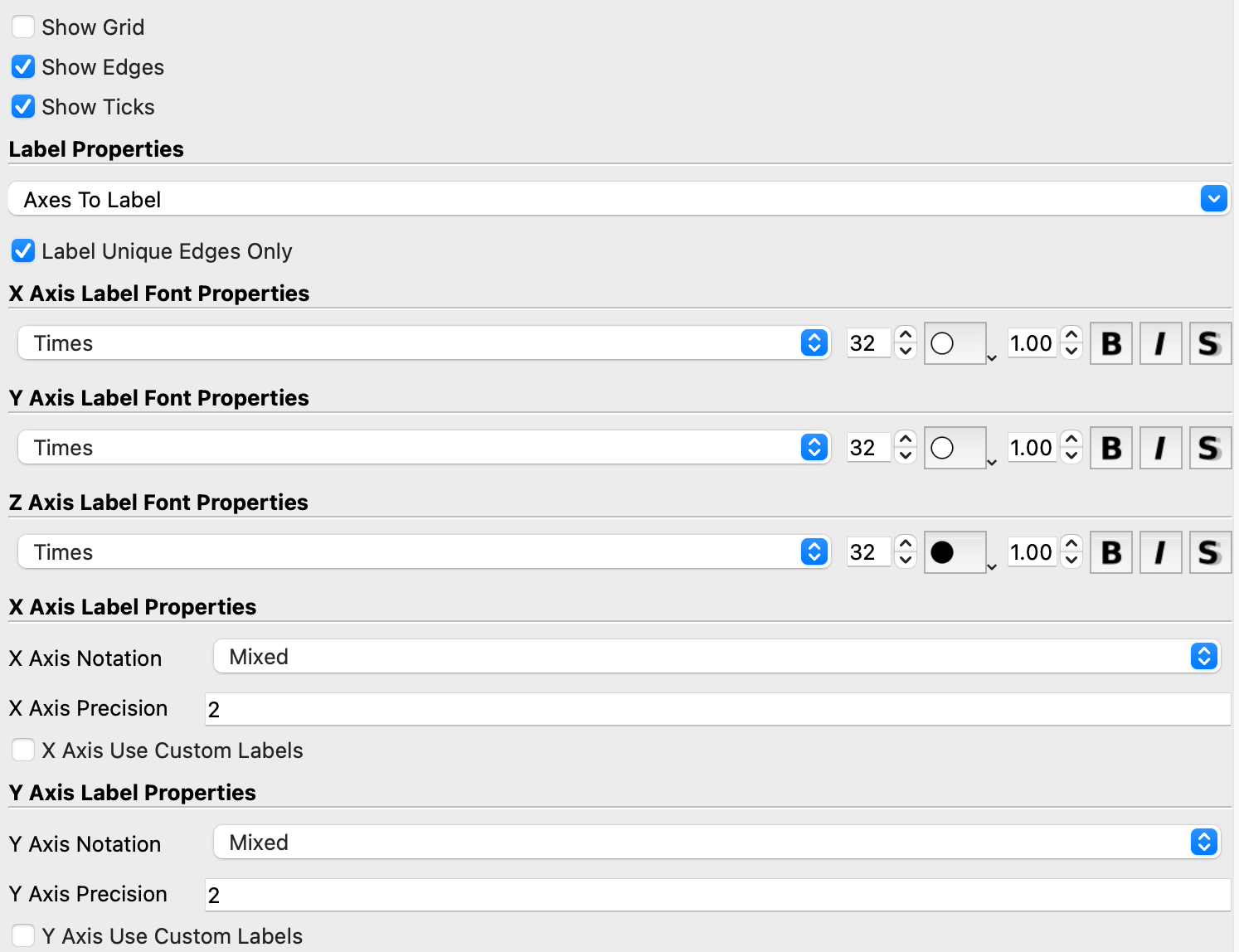
Fairly straightforward question… how can I remove the numbers from the axes but retain the ticks? In this example, I want to remove the numbers.
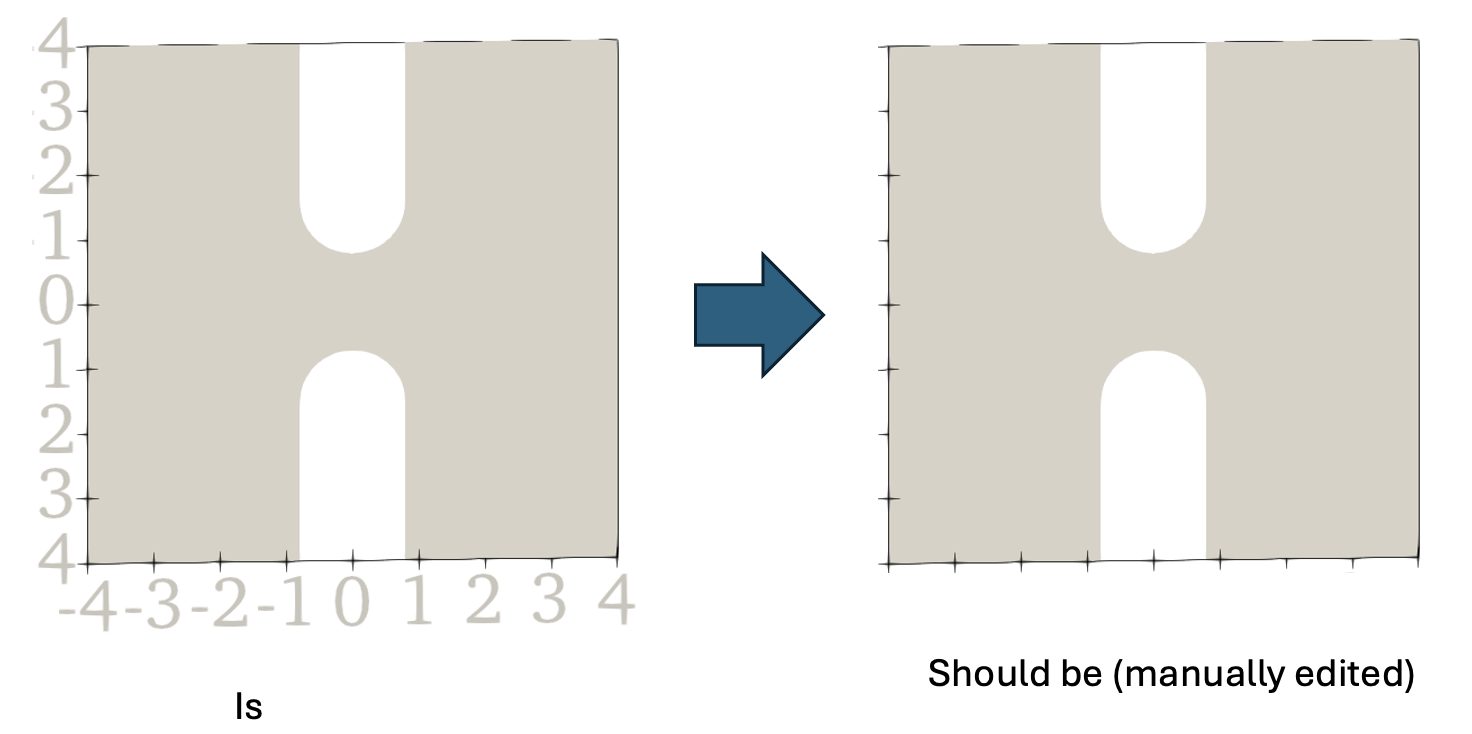
Things I’ve tried:
- Making the tick number text white (see above) – doesn’t work. This works for text annotations but not for axis numbers. I’m not sure why “white” is rendered as this eggshell color.
- Looked for a setting to change the text opacity but can not find one
- Tried turning on/off the “axes to label” but this removes the edges and ticks in addition to the tick labels. I want to retain the edges and labels but remove the tick numbers.
Is there an option I’m missing or is this not possible? There is a check box to “Show Ticks” but nothing for the axis numbers. Thanks!