Hello, perhaps this question is better suited to a vtk forum, but I thought I’d start here: I generate vector field data with an ab initio code, and I have been able to convert it to a vtkStrucuturedGrid and visualize it in Paraview. However, I would like at the same time to add to the view a molecule, located on the grid–it would be sufficient to show the molecule as spheres, but including bonds also would be nice. I am unclear if I should be trying to generate a vtkMultiBlock object, with one block for the vector field and another for the spheres, or something else. Any suggestions or examples would be most welcome. Thanks!
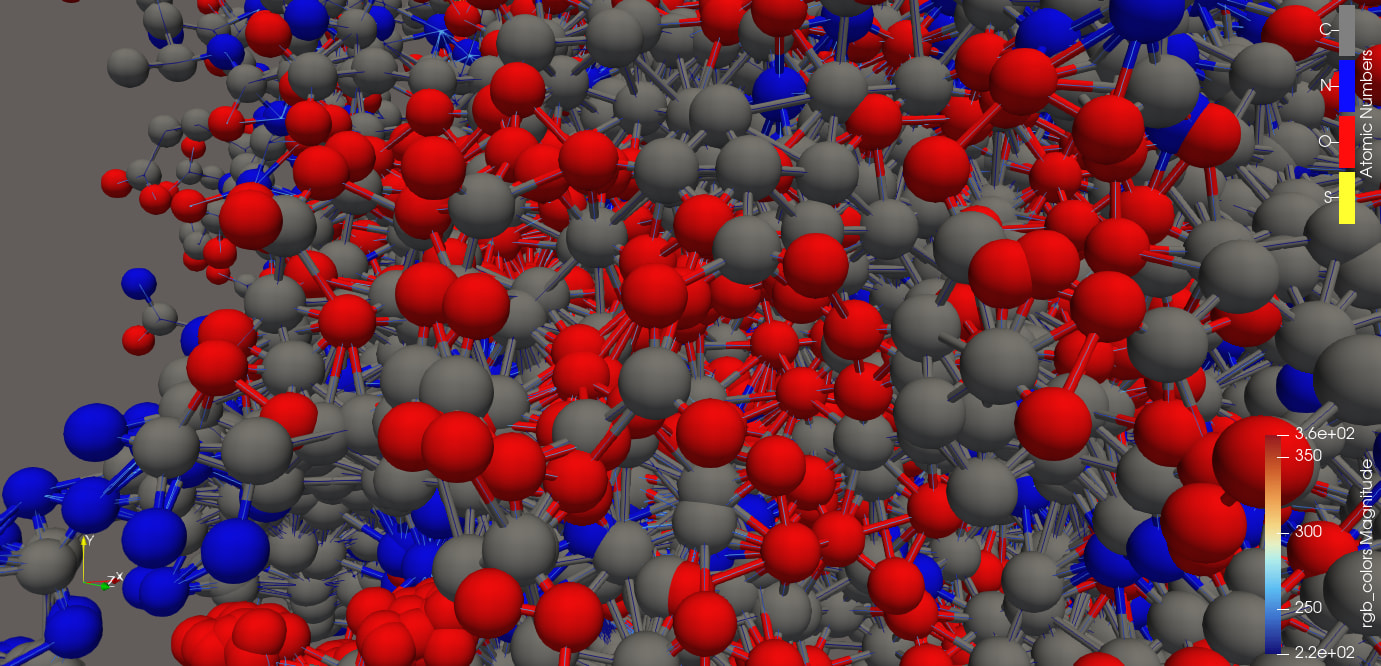
Hi, and thanks for your response. However, my trouble is presenting a molecule and a vector field simulataneously. I can generate a molecule with vtk and display it, and I can generate a vector field in vtk and display that, but i’m having trouble making both and displaying the vector field overlaid on the molecule.
Can you elaborate on your trouble? What have you tried? Is your problem that you want to show the dataset two different ways?
thank you, Cory. Currently I generate a vector field on a StructuredGrid, and add it as block 0 of a MultiBlock set. Then I make a molecule, convert to polydata with MoleculeToAtomBallFilter, and add to MultiBlock index 1. Then I output to a file with the XMLMultiBlockDataWriter. Then I read into ParaView, and use the ExtractBlock filter to make two different blocks. Each one displays fine. But if both are activated, I get a Viskores error: Invalid associate for field error from the molecule block. I don’t think I am creating the second block (the molecule) in the right format, and perhaps it’s not even necessary. What I am trying to get a single image, of a molecule with the vector field lines coming out of and around the atoms (it’s a magnetic effect I’m studying, so like magnetic field lines emanating from a source). thanks!!
Thanks for sharing details about your dataset and the error. Is it possible to share a small example dataset that shows this error here?
Another avenue to consider - can ParaView read your molecule format? It has a PDB reader, for instance. If so, then you could get your molecule format into that format and ingest it directly into ParaView. That would let you skip the multiblock complication altogether.
OK my scheme is working up to a point. In trying to make a minimal dataset, things were looking good, everything was working. Then when I go back to my big dataset, it fails. But if I make my big dataset only draw say 1000 vectors, it works great. The error on drawing many vectors, is “Viskores error: Invalid association for field:”. I think I need to figure out how to filter my big vector field set on magnitude first. Random sampling them gives a picture but not so helpful.
Is there more to the error message? A file and line number, for example?
Hi Cory, yes there is:
ERROR: In vtkmLevelOfDetail.cxx, line 141
DecimationFilterType (0x10b855c0): Viskores error: Invalid association for field:
This occurs on Linux when I increase the number of vectors plotted to say 50,000. At 5,000, it’s fine. And it only occurs when I display simultaneously a polydata object from MultiBlock(2) with the StructuredGrid vector field in MultiBlock(1). If I save ONLY the vector field, this doesn’t occur, and if I use the MultiBlock case but don’t display Block 2 along with Block 1, it doesn’t occur (I can plot as many vectors as I want).
Also, this error does not occur at all on my Macbook Air running on an ARM cpu (Apple Silicon or whatever they brand it as).
thanks for your help!
Ah, I see, ParaView’s level-of-detail mechanism that reduces the rendered geometry while you are interacting is kicking in. My recommendation for that is to change the LOD settings to essentially disable this feature. Go to ParaView Settings, Render View tab, and set the LOD Threshold setting to a very large number. If you do that, do both the molecule and vector glyphs show?
Are you able to render both molecule and vector glyphs on this laptop?
It might be easier to share a dataset so I can answer some of these questions myself and see what the underlying cause is.
thanks, that helps a lot. With LOD set to max, I occasionally set a warning but not an error of the same type as before, but everything renders. More importantly I can set the number of vectors to a large but still intermediate value, to get a good picture.
On the Mac, everything worked (both molecule and glyph).
Happy to share data, what do you want? The python script and netcdf file that generates the multiblock vtm file, or just the vtm file(s)? And how do I get it to you? The vtm files make a tar ball of size 18 MB, while the netcdf file is 55 MB.