Does ParaView support defining a layout based local coordinate system that applies to all datasets in a pipeline, with the ability to toggle between global and local coordinates by changing layout tabs or a simple toggle. I’d like to avoid transforming multiple elements in the pipeline. For context, I’m looking at survey data in MGA94 (coordinates ~1e6–1e7 m).
What would it change to transform all dataset in the pipeline ? Wouldnt they appear on the same relative location one related to another ?
Yes, everything would remain in the same location relative to each other. Applying a single transform to the entire pipeline only changes the coordinate system, not the geometry. This is useful because surveyors and designers work in different coordinate systems. Survey data must use a system tied to the real world, while design and analysis often use a local coordinate system tied to the asset. Being able to switch between frames makes the same data meaningful across disciplines.
So is this about labelling, like axes grid, coordinates display and such ?
I’m trying to understand the finality here, apart just the transforming of the pipeline itself.
The end goal is not the transform itself. It’s about speed, error checking, communication, and enabling fast context switching. The end goal is to be able to work with data near the origin with sensible numbers, while still being able to communicate results back in the original survey coordinate system. One moment I’m on the phone to the surveyor, next the engineer.
What does that mean ? What does clicking on that “switch context” button change visually in ParaView ?
Nothing changes visually. The idea is basically applying a transform to the entire pipeline. The same point might be displayed as (564517.134, 6977788.960, 404.208) m in survey context, and as (2134, −960, 0) mm in engineering context. The geometry is identical. Only the reference frame and units change.
Ok, but how do you see that in ParaView ? If there an actual effect in ParaView ?
Let me rephrase this, if this button was just a fake button that did not do anything, how would you notice that it doesnt do anything ?
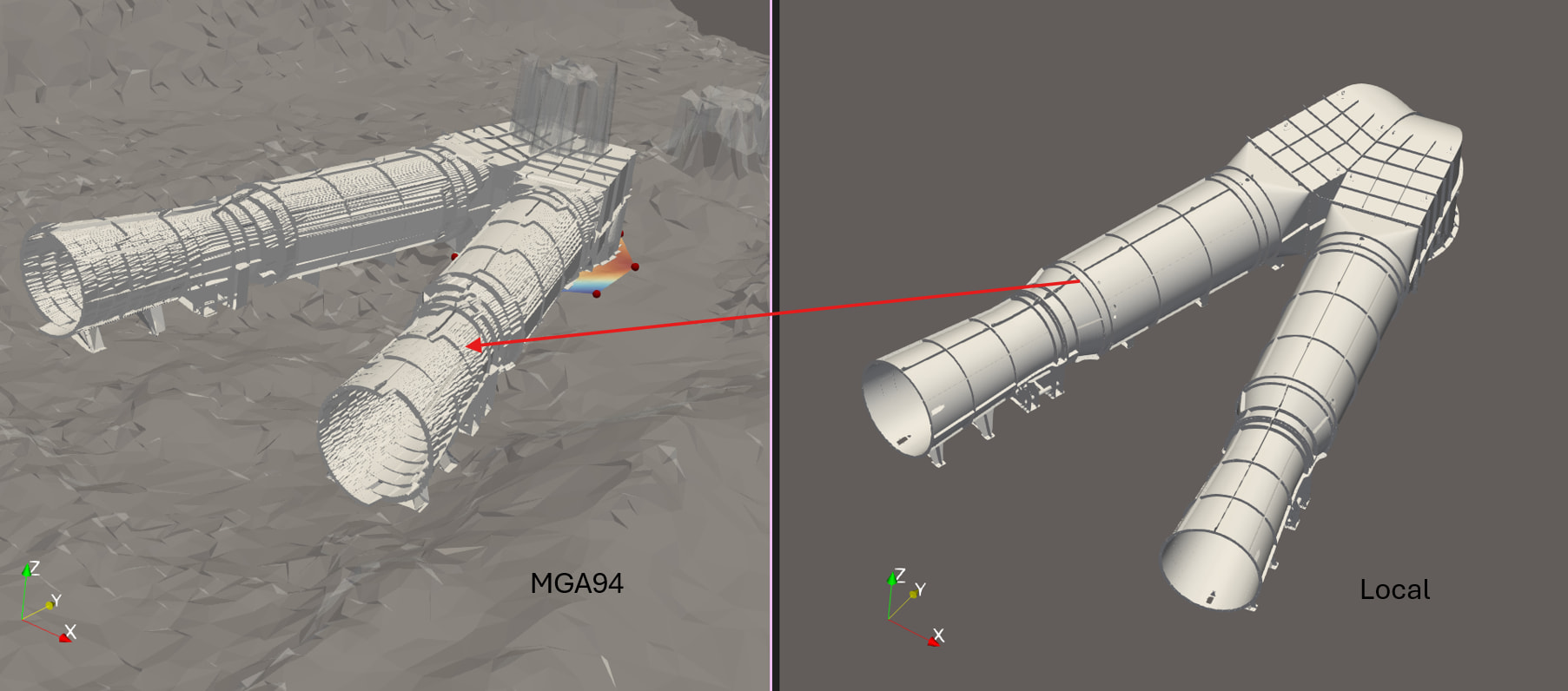
Which numbers exactly ? Spreadsheet ? Information tab ?
So there is a visual effect. It’s not desirable though.
Indeed, this can happen when transforming and that why you actually dont want to transform, I mean not in the classical sense.
Usually you want to transform far away data close to the origin and then tricks the number where they should be tricked.
Point data and coordinates.
Yeah, the classical transform forces which coordinate system is ‘correct’. For my use case both remain valid simultaneously, with the ability to switch the active frame used for interaction and reporting.
In the spreadsheet, point data wont get transformed, coordinates indeed would.
Anyway, not possible, but being able to “fake” a transform for textual display purpose would be an interesting feature, or, in a more generic way, change the coordinate system.
I’ll transform close to the origin for now.
Yeah, I don’t know if there would be many people in the user base that would benefit from the feature, but maybe it’s one of those things that people don’t realise how useful it is until it’s available.