I use ParaView6.2.0 on RedHat-9,
And using the binary release version of the software.
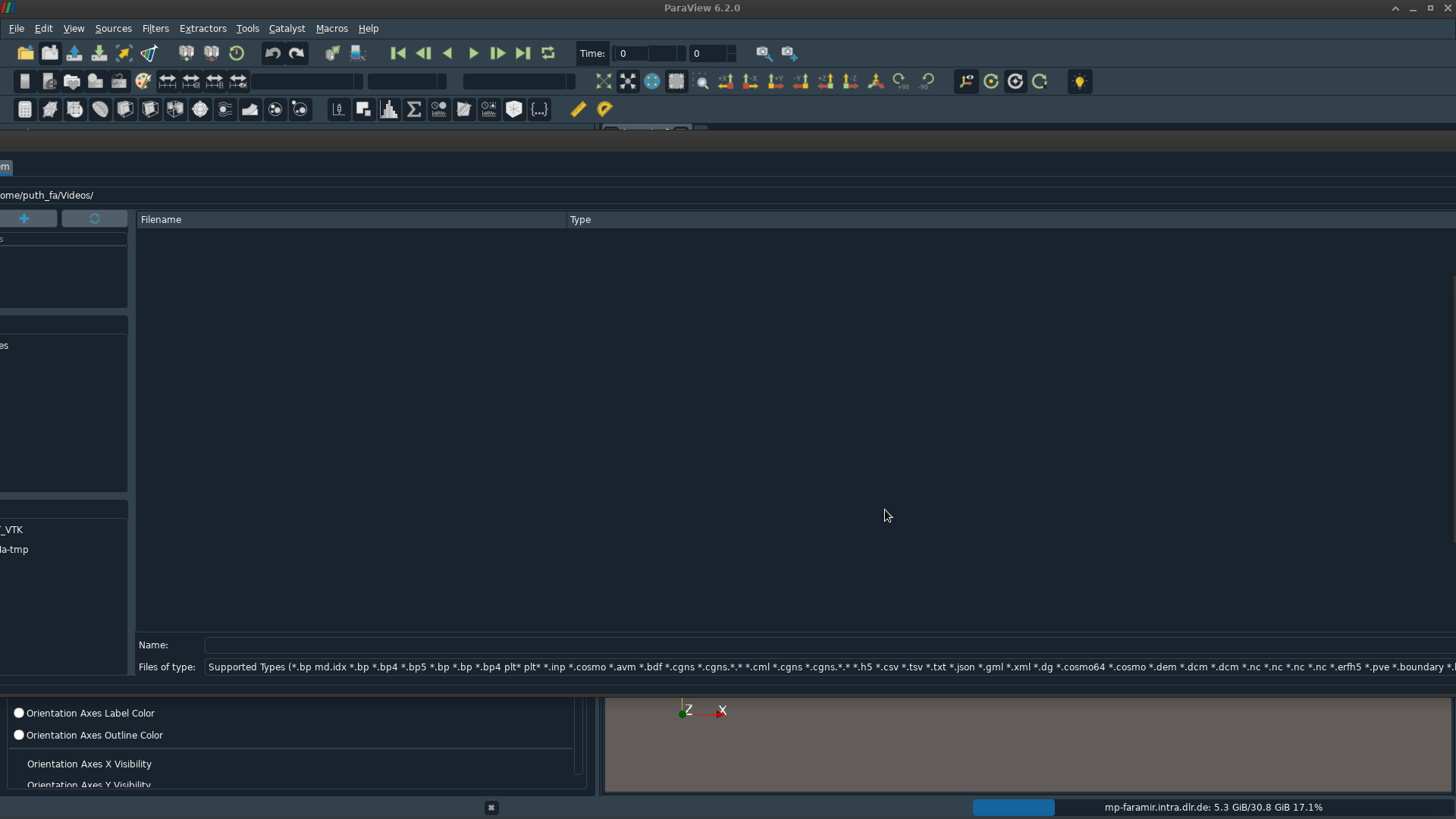
When I open “File->Open”, a long window opens - which I have to draf towards left utill I can see the button to click.
I thought it was some bug in the early release, so waited for final release - but I still have the problem. See a screenshot below.
I have tried not using the dark theme, but it doesn’t solve problem. This does not exist for older version(5.11.1) I have installed from my institute’s DNF repository.
Is this because downloading binary is not the way to use ParaView, but better build it myself on my system?
I had tried building it locally, but I sticked to binary version as it gave me less issues
Any help to solve this will be appreciated, otherwise it is so annoying.
Hi, Thank you - it fixes it in the normal ParaView (without additional theme).
However, once I run it with dark-theme, It goes back to same error again. And it remains even if I run without theme. Using dark theme also hides the clickable buttons, see example below:
This (buttons not visible) happens even with ParaView 5.11.1. But with ParaView 5.11.1, using theme does not make windows wider. Could it be due to some compatibility issue with my OS? I am using RedHat 9 where I am facing this problem.
p.s:
When running ParaView with dark-theme paraview -style=default -stylesheet=/absolute/path/to/style.qss, it also gives a warning saying
QApplication: invalid style override 'default' passed, ignoring it.
	Available styles: Windows, Fusion
in version6.2.0, and the following in version 5.11.1:
QApplication: invalid style override 'default' passed, ignoring it.
	Available styles: HighContrastInverse, HighContrast, Adwaita-HighContrastInverse, Adwaita-HighContrast, Adwaita-Dark, Adwaita, Windows, Fusion