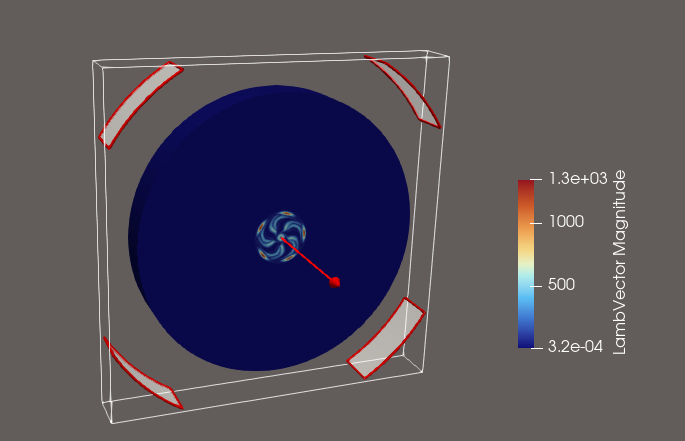
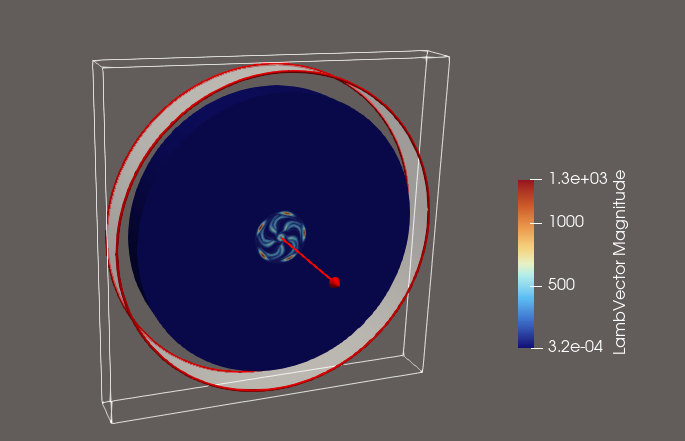
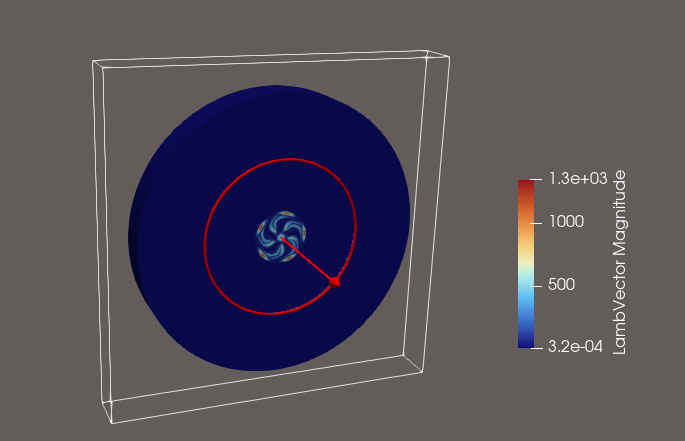
in newer versions of ParaView (currently I use version 6.1.1), the slice filter only shows partially or not at all the implicit surface handles (the red edges and white transparent surface in the screenshot below).
This behaviour was not present in older ParaView versions.
It is very annoying (at least for me), especially if the initial radius is outside the bounding box, causing the implicit surface to not be rendered at all.
I would like to suggest to revert this change back to the old behaviour in which the implicit surface of a cylinder (at least the radial extent) was always rendered. Otherwise it is confusing and cumbersome to adjust the slice parameters interactively if the slice surface is not/partially rendered.
Otherwise, keep up the fantastic work with vtk/paraview!
It looks like a bug when we automatically compute the radius from the bounds of the source.
First you said you didn’t have such problem in prior ParaView version, which one did you refer here?
Also, is it possible for you to share this data ? Or at least some step to reproduce, slice is always rendered correctly when I try it on some dummy data (like the wavelet).
attached you’ll find a 2D slice of the dataset (otherwise the dataset is too large).
Apply again a cylindrical slice with normal in x direction and drag the red handle outside the bounding box. In my case the handle will disappear. Then I am forced to use the input widgets to make the cylinder radius smaller again.
I do not know the exact version when this behavior first occurred. Maybe it happened at around version 5.11.0 !? Maybe this slice behavior was always there and I just noticed it back then.
I see, indeed with his “recent” behavior, there are some setup where you can’t select the red circle of the cylinder widget (for example if you drag it to the limit of the bounds) which it was not the case in 5.11.
However the behavior in 5.11 was not really good too (although I understand that it was convenient in your case), the cylinder radius has no limit which doesn’t make sense because if it was outside of the bounding box of the dataset, the result of the slice will be an empty dataset. Also it doesn’t preserve the bounds of the original dataset.
IMO the best solution would be to keep the behavior as is but if you set or drag the cylinder to the limit of the bound, we should still render the widget (a red point/line in your case?) so that user can still drag it in the render view.
I am not sure if I understood the second paragraph “the cylinder radius has no limit”. Do you mean as the limit the radius of the intersected cells by the implicit cylinder surface with the input dataset with respect to the cylinder center?
What I thought of is to render always the entire implicit cylinder surface (red edges with white slightly transparent surface) independent if it cuts any dataset cells or not. The only question would be to how long the cylinder axial extent should be rendered.
The implicit plane surface is rendered always even if not cutting any dataset cells. Although if I drag it far enough away it is suddenly only partially rendered until it disappears - depending on the camera angle (see screencast).
So the rendering behavior of implicit cylinder surface and implicit plane surface is inconsistent in my opinion.
this could be controlled by the bb in that direction of the data set
I agree that we should be able to continue see the implicit cutting surface even outside of the bb for the radial direction.