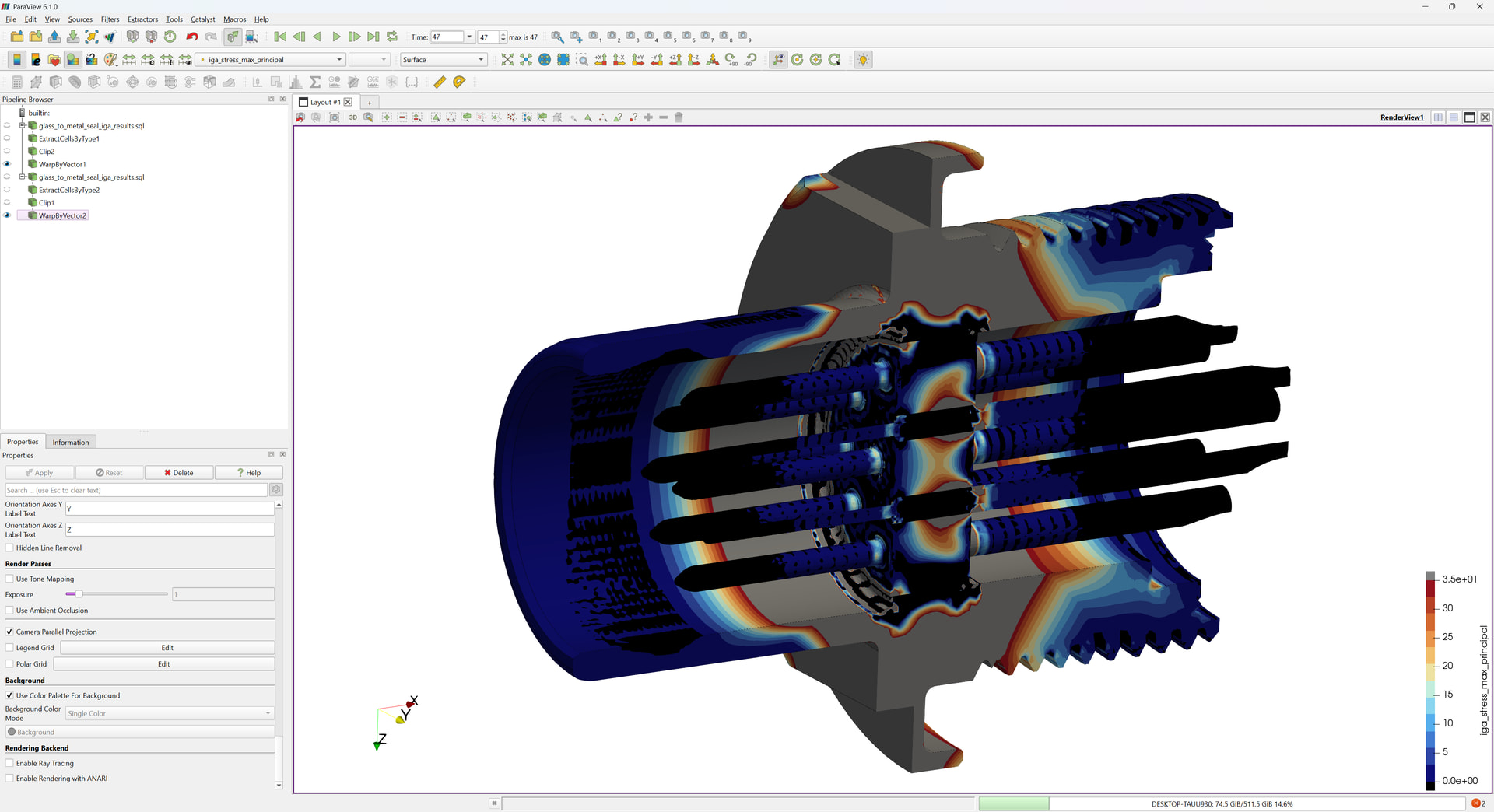
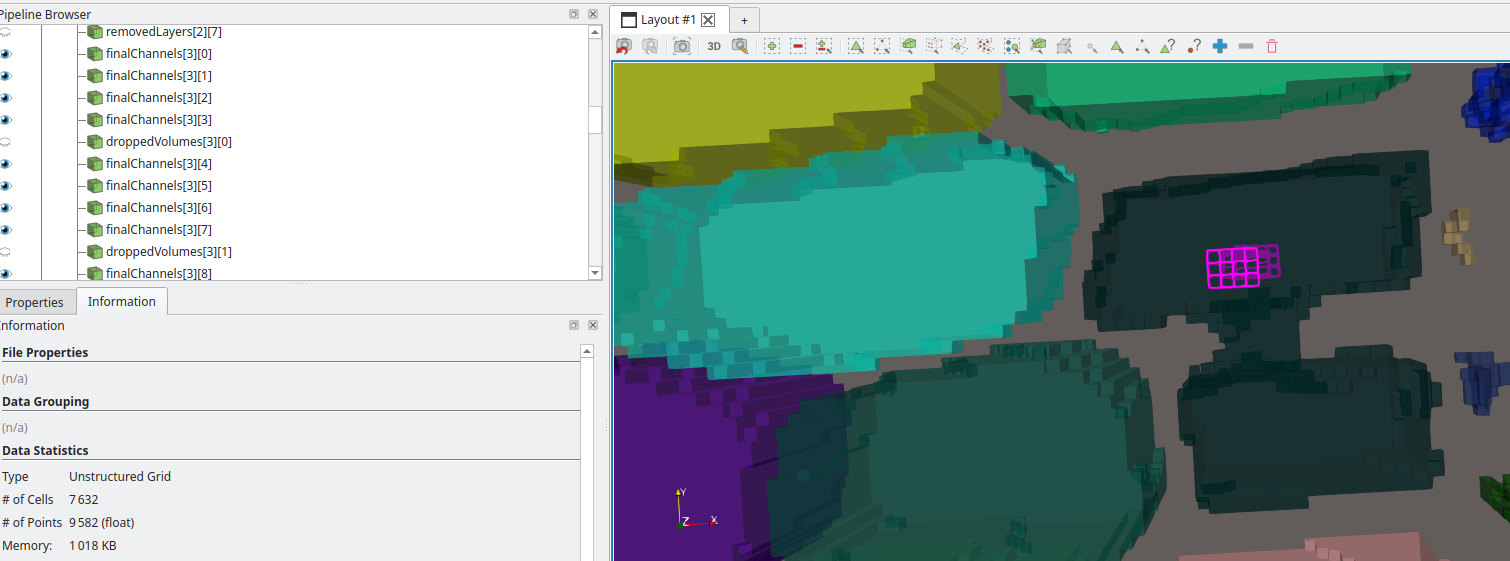
I need to spend some time using it to be sure, but I think this pretty much all I need.
What I am using ParaView for
CFD with OpenFOAM, mostly for visualization (post-processing is done as much as possible directly in OpenFOAM)
Since OpenFOAM has no GUI, I use ParaView at different steps of the workflow: visualizing the input geometries (STL/OBJ), mesh, results
Mostly locally, sometimes connecting to remote paraview servers if I’m too short on memory locally
How I use ParaView
I always use the quick search menu (ctrl+space) to select filters, never the toolbars (which I removed) I find everything I need this way.
Main controls toolbar could be useful but I never know which button I should click on and it’s just easier for me to click on File > and select what I need as it is explicitly written. It’s pretty close to the toolbar so I don’t feel like it’s an extra effort to click on File instead of hovering each button one by one to find the one I’m looking for (which I would probably end up remembering if I was using it more often)
I use almost all the buttons on the toolbars in my screenshot on a regular basis. There are only a few I seldom use
What I am missing / What annoys me
Scrolling through properties is annoying and I struggle to find what I look for (I am using the Separate panels for each type of properties mode)
I don’t use the search menu which is odd since I love the search menu for filters. I’m not sure why I don’t use it
I toggle advanced properties everywhere and I wish there was an option to toggle it by default (sorry if there is one, I couldn’t find it!)
I realize some things don’t really make sense but that’s how I experience it!
I don’t know if this is the right place for it but I’d be curious to have such general feedback from other users about their own habits with the UI.
Hopefully it could help to identify some patterns or find more ideas for improvements!
Software development support (e.g., debugging our IGA software via looking at results)
Producing technical-marketing material
Usually local, but very large files I do remote ParaView sessions… since I have 512 GB RAM locally the decision point for me is usually file-transfer from the HPC. If I’m just needing a quick look at current state of results, remote session. If I need interactivity, local.
And Lord help me if I mis-move my mouse and the dialog disappears… (e.g., accurate mouse movement required).
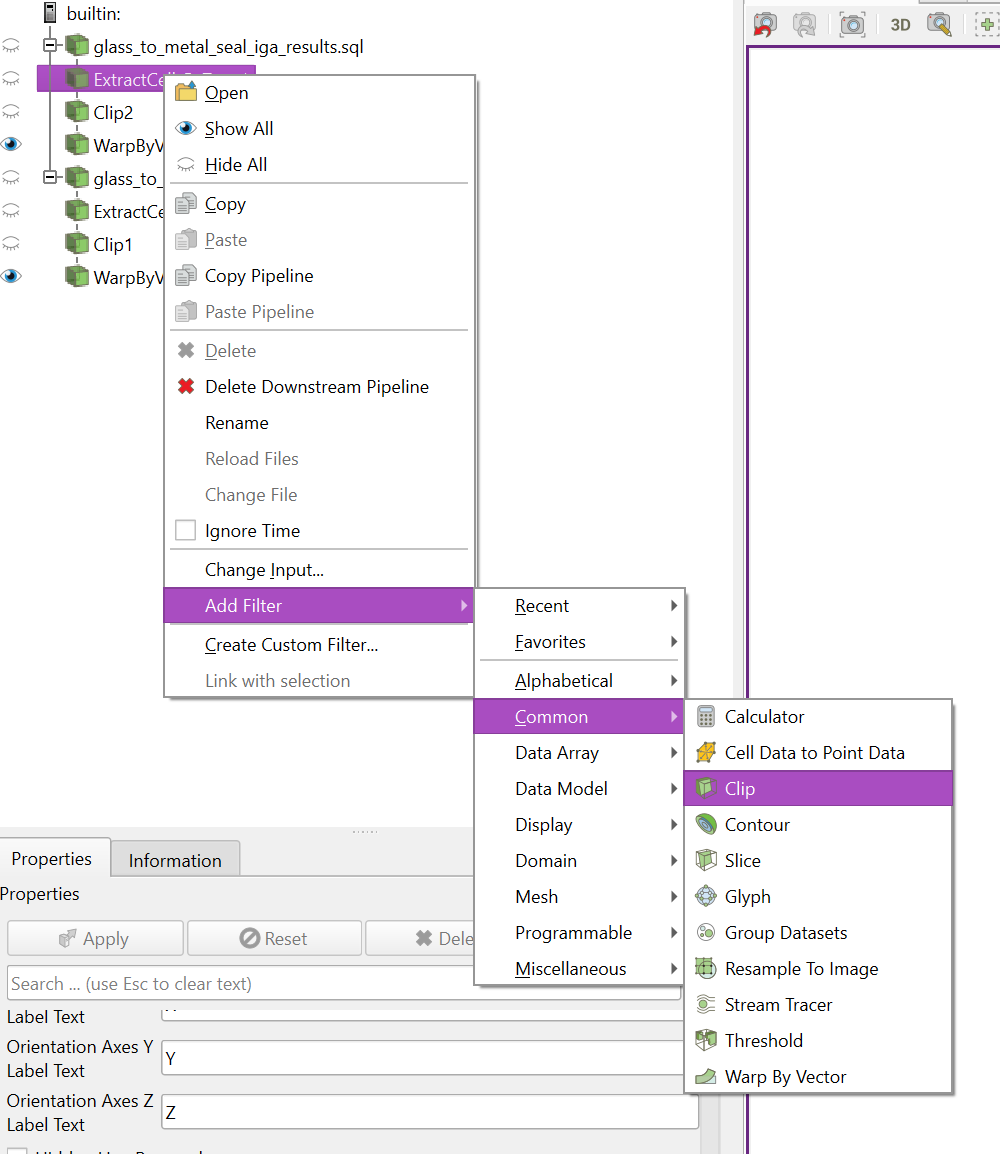
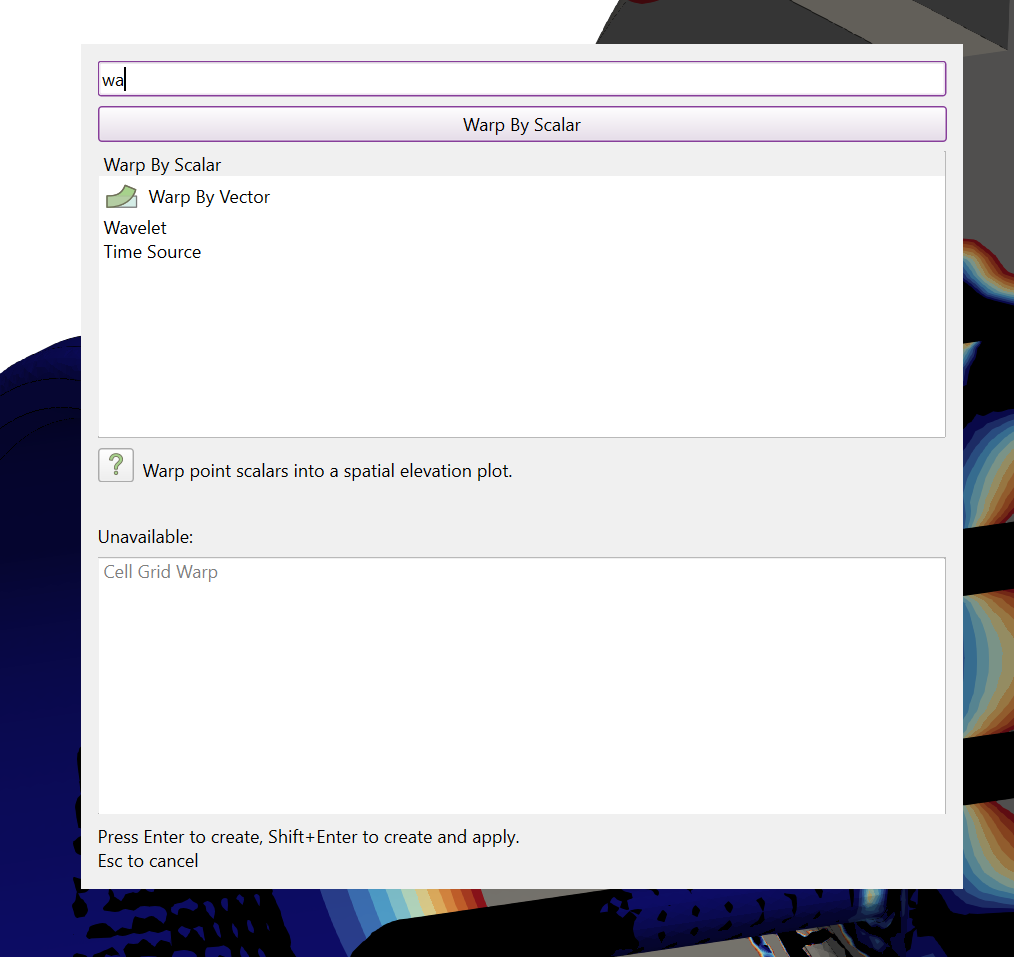
I rarely use the quick search menu, as that then often requires two hands on the keyboard + moving hand back to mouse to make the final selection. For example, here I’ve used my left hand to Ctrl - Space and type wa so that I can Warp by Vector… but the default / first option is Warp by Scalar – if I hit Enter now, it’ll be the wrong filter. And typing vec has Merge Vector Components as the first item. Sure I could remember that I can type wa v but this is my general issue with this - have to type cli to get Clip (which isn’t natural with one hand), ext ce ty for Extract Cells by Type… I can’t remember all these “shortcuts” well enough to avoid the “hand to keyboard & back to mouse” workflow… so I prefer “just keep hand on mouse” workflows.
I keep all my properties in a single tab, because again I like to minimize mouse movement. I just move my mouse over the Properties tab and spin my wheel – all the way to the bottom for ray-tracing, parallel perspective, or orientation axes; all the way to the top for filter properties and basic display properties, mid-way for nonlinear subdivision levels… muscle memory to me at this point.
I agree that I wish that there was a global setting to toggle all Advanced Options buttons.
I also keep the Apply changes automatically on to avoid always clicking Apply.
I turn off all LOD settings when running locally (NVIDIA RTX A2000 12GB, 512GB RAM)
I do wish I could either set “Remote” vs “Local” session properties (maybe I can already?) so that when I’m doing remote sessions I would have LOD to a reasonable setting.
I aggressively utilize the Custom Viewpoint toolbar - very valuable for creating consistent visualizations over a several-day-long session.
I also keep the Apply changes automatically on to avoid always clicking Apply.
That only works for small data, but its good that it works for you.
I do wish I could either set “Remote” vs “Local” session properties (maybe I can already?) so that when I’m doing remote sessions I would have LOD to a reasonable setting.
These settings exists I think ?
I can’t remember all these “shortcuts” well enough to avoid the “hand to keyboard & back to mouse” workflow… so I prefer “just keep hand on mouse” workflows.
You can use the keyboard to select in the list instead of the mouse.
Oh nice idea,
here I go!
I use paraview for 3 quite different applications:
CFD, simulations using OpenFOAM:
In this case, I just use some of the buttons for some filters, like slice, clip and threshold, the other ones i dont use, and it would be great to be able to remove them, and furthemore be able to add some others. in case of CFD, the workflow is quite repetitive and ‘more or less’ the same each time (at least for my cases), so the number of filters used is limited to 10 or 15 max, outside of them my workflow never goes out of that. I actually, finished making a ‘base python script’ that i instead of doing this steps each time, i have a command that makes a copy of this base script and from there i change small things, comment some uncomment other… and then run this to make the complete workflow.
Mesh analyze:
I work on my own code for mesh generation, and i troubleshoot a lot with paraview. to check specific parts of a mesh, identify elements etc.
Image processing :
In this case, i work with tomograph imagery, trying to analyse and extract information from it.
What I am missing / What annoys me:
due to use most of the time the base script, a hot key/shortcut for ‘run script’ button and also ‘run custom script’ (so linked directly to specific script) on the interface or have access from the ctr+space would be awesome. this is related directly with the feature request i made here
there are some annoyances from paraview that i counter with python functions, for example, in OpenFOAM, we describe a box element, by min and max points, so, one describes the XYZ min and XYZ max, and OF will create a axis aligned box connecting this two points, where paraview instead requires a center and a delta XYZ, which is suuuuuuper annoying (specially when you have a bunch), so i created my functions that takes as input ‘pMin, pMax’ does some calculations to find the center, delta XYZ, and then it creates the specific box filter, with the requirements of paraview. This is a super simple function, but i have a bunch of them which are more interesting and which god that economize time, another dumb example, create cylinders by two points and a radius, so in this case, it will create a cylinder and then transform it to give the correct direction. currently i have more than 50+ functions for this small annoyances that i encounter around, obviously some quite specific, some general. This is the reasoning behind my feature request for being able to create custom filters with python scripts contained where one would have different filters into one with some calculations, and a bunch of filters and condensate them into a custom filter. for example, ‘customCylinder’ filter, which will take the pMin,pMax,r and then do everything inside, and to be able to define it with a small python script. similar to a macro but have it condensate into a single custom filter.
be able to define a variable on the pipeline, maybe this is already feisable? the only way i see i can currently do it is defining a calculator, with a field name, and set it to a constant value, i might be wrong but this looks wrong. but would like to be able to use variable → viscosity=3 and then be able to use it in another calculation or even in a input in another filter, such as a coordinate of a clip filter. so define z=3, and after in the pipeline have clip over [0,0,z] and if i change the value of z the clip will change positions.
would love that the OpenFOAM reader, ‘realize’ by itself, if the case is decomposed or not and in function of that change automatically to the desired option. a simple logic, if there is the processor* folders then by default i read it as decomposed if there is not, then i read it as non decomposed simulation.
I would like a way to create a presset of coloring that will have a single color for a single value, similar to the vtkCompositIndex or how the “… Step” pressets works, where you have a single color for a single value or range. I miss a way to create this easily for a field that has ints. so i can for example color by a custom index or things like that. again, i finished doing this by creating a custom python function. but having the possibility to do it directly from the interface would be great, and I dont think I am the only one to have this kind of requirement, for example make 5 contours, and give 5 different colors, (when one has more than the number of the “… step” pressets, they do not work anymore. having a ‘generate step presset for current data’ button would be great.
I already discussed about this in other threads, but sometimes we can not use a specific filter on a source due to incompatibility of type, such as with vtkMultiblock, where the filter when we want to use it with the ctr+space, will say ‘requires vtkSingleblock’ would love that as it is grey out and it mentions this, in funciton of the type input, it would suggest us how to convert it to the desired type. such as, ‘requires vtkSingleBlock, input is vtkMultiBlock, please use merge blocks before to use this filter’ or even be able to use it and that it will automatically apply in the pipeline in the middle the required filters to transform the data correctly.
Other general things to paraview UI usage that i REALLY dont like:
i would make the ‘delete downstream pipeline’ the default behavior of the ‘suppr’ keyboard, we all welcomed this addition on the recent features added to paraview, for the number of times we misstype suppr button i would prefer to take the risk and be able to remove all at same time as i want instead of doing right click-> search ‘delete downstream pipeline’ and click it.
by default, switching from 3D to 2D camera view, it changes the controls of the view from pan to rotate, this is super annoying (i know i can change the defaults, but do not ask me why, this keeps resetting all the time…)
be able to set the default of the clipping/slicing to hide the plane, i can not count the number of times that i click to move the camera and move the plane of the slice by error. this is one of the most frustrating things that happens to me in paraview.
This is automatic when opening a 2D data, but I agree, there should be a setting for this, please open an issue.
to set the default of the clipping/slicing to hide the plane, i can not count the number of times that i click to move the camera and move the plane of the slice by error
Hard agree on this, the current behavior is either faulty or incomprehensible, please open an issue.
true, did not thought about it, but would be nice to have it as default in paraview, no? when i was configuring it right now i saw that Del was not assigned either to delete so, nothing missing there.
This is automatic when opening a 2D data, but I agree, there should be a setting for this, please open an issue.
I was not talinkg about 2D data (eventhought it also applies as one is used to 3D data) but when one has 3D data and wants to change between perspective and not perspective view of the 3D data. if you have 3D data and hit the 2D, the controls will change automatically (to the 2D defaults that are not the same as the ones of 3D such as the scroll wheel button).
we discussed about this already here
Hard agree on this, the current behavior is either faulty or incomprehensible, please open an issue.
Definitely could be done, open a feature request ?
if you have 3D data and hit the 2D, the controls will change automatically (to the 2D defaults that are not the same as the ones of 3D such as the scroll wheel button).
we discussed about this already here
For me, “small data” can usually be ~10GB and it works pretty well locally :). Mostly wanted to bring this up because I really do find a lot of use out of the “auto apply” – I usually know exactly what filters I want to apply “back-to-back-to-back-to-back” so this saves me a lot of mouse movement and button clicking. Even when working with “big data” on remote systems I like “Auto Apply” for large portions of my workflows. But I certainly like the ease with which I can toggle this setting - a great feature!
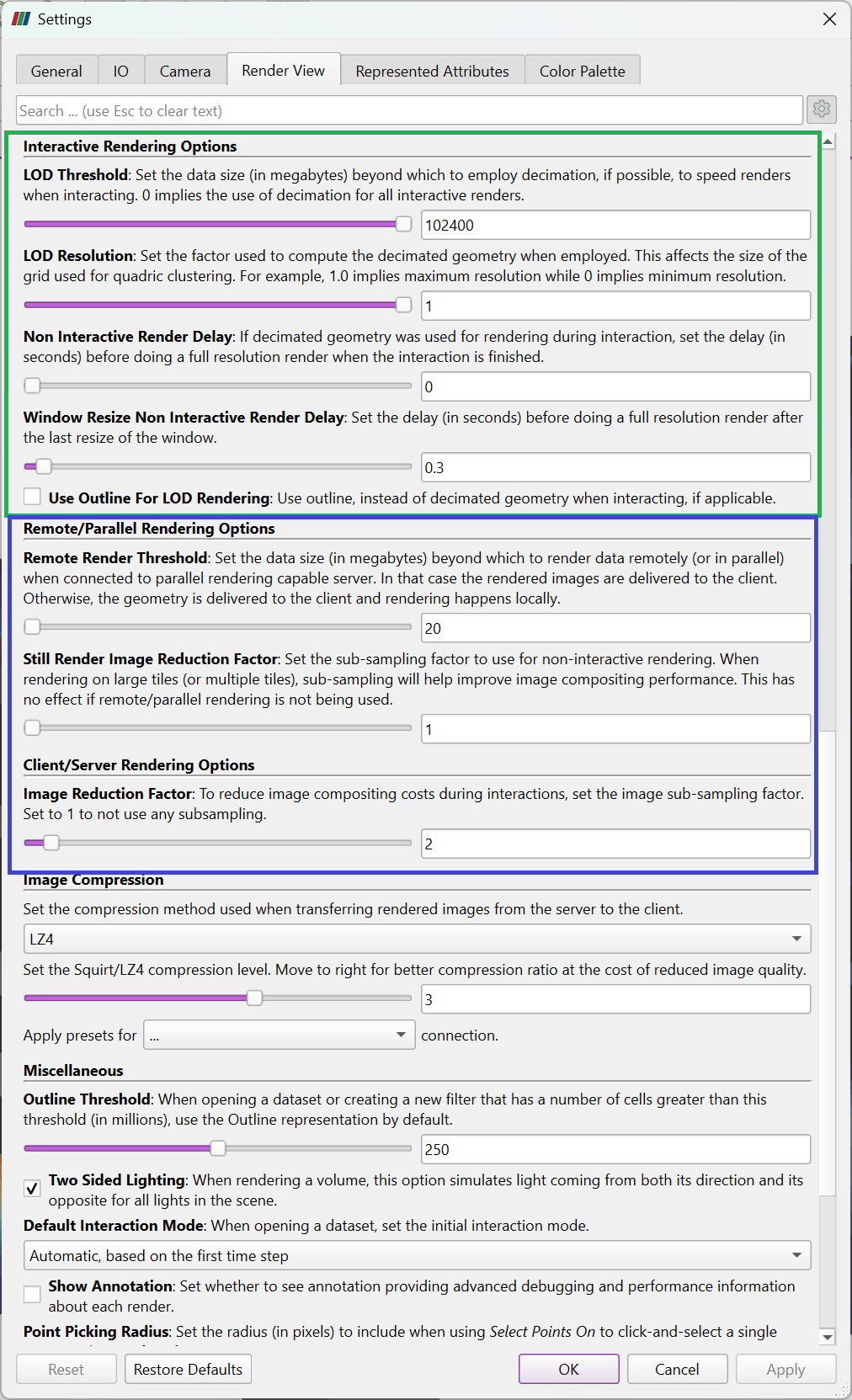
I’m referring to the Interactive Rendering Options in the Settings dialog (green box in image below). I believe these are different than the Remote/Parallel Rendering Options in that dialog (blue box)? What I’d like is to effectively turn off LOD rendering when running locally (have one set of settings), and using LOD rendering (another set of settings) when connected to a remote server.
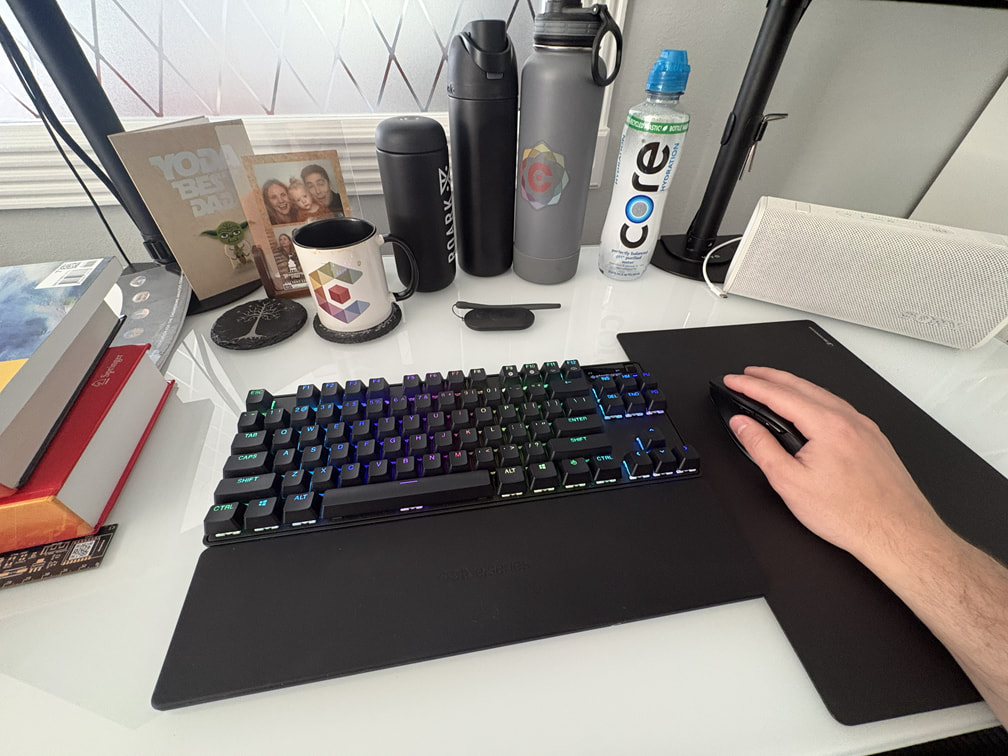
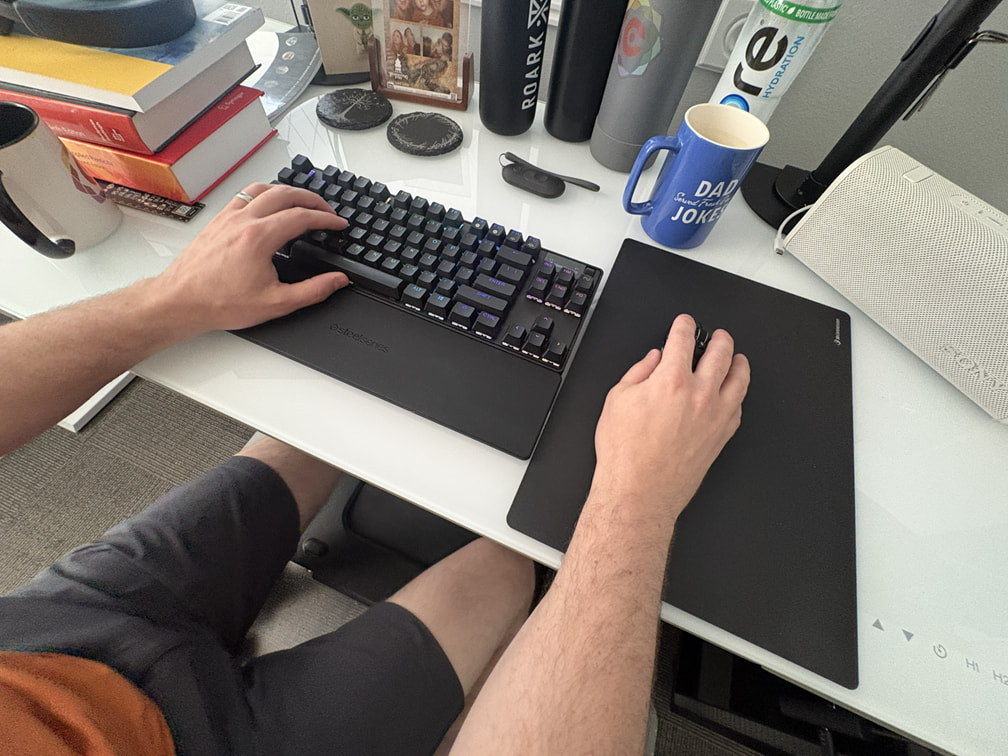
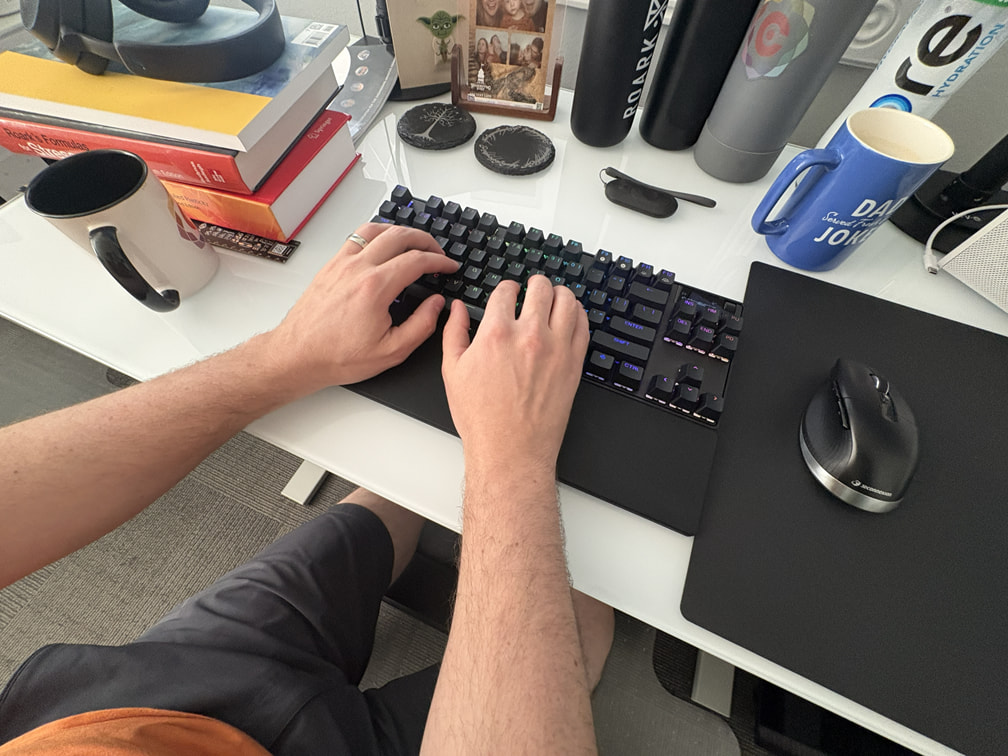
Mostly what I’m saying is that I try to minimize certain movements in my workflows. Given that ParaView is a visualization tool and I’m often interacting with the model, I find myself in this physical configuration:
I personnaly use a keyboard shortcut to apply, no mouse mouvement required. But of course everyone as different workflow.
What I’d like is to effectively turn off LOD rendering when running locally (have one set of settings), and using LOD rendering (another set of settings) when connected to a remote server.
Indeed, a setting is missing to be able to do this, open an issue ?
I use PV for displaying geophysical data. File sizes vary from a few kB to a few Gb but generally there are a lot of them - many pages of scrolling in the pipeline browser. I use a mix of keyboard shortcuts and mouse and have no complaints with that.
Things I’d like to see are;
ability to clean up the pipeline browser - shrink or expand all parent object trees, reorder parent objects and their children, group parent objects and shrink them - similar functionality to QGis
Option to save more things as defaults. e.g I have a non-standard colour file I’ve added to favourites but have to select it each time I add a new object, I always turn on parallel projection. I nearly always increase lines thickness to 2 rather than the default of 1.
For a given project I may have half a dozen state files for different parts of the project. I save these in a directory called 3D. When I go to save the state I have to stop and think which state am I working on now? If the last loaded state was loaded to the top bar to replace the PV version number it would be easy to look at that and not overwrite the wrong state. PV can append states by loading multiple states in sequence so showing the last opened state would allow one to keep track of the files being used.
This morning while working on paraview GUI, i found two things that i forgot to put before and would highly improve my workflow when using GUI (and specially for those using GUI with states/python scripts)
that when we select a specific cells that corresponds to a filter, and the corresponding filter will be automatically selected on the pipeline, current behavior. I would love that the scrolling of the pipeline would positionned correctly to the correct location. This will look more interesting as one reads the example. eg. as I created the objects by python i am not sure which is which even if i chaged their names, lets say that I want to select a specific one from what i am seeing in the render. I selected cells of this specific filter, so the specific filter is selected on the pipeline. Issue/improvement over this? as it can be seen the pipeline browser keeps going up and down from the current position, i genuenly dont know if the selected filter is higher or lower on the browser, therefore would be quite nice if the scroll bar would ‘go up or down’ so the desired filter is on the middle of the pipeline browser.
Hide/show only this comes from being used to so much cad modeling, i all the time for this kind of clotured pipelines, miss the contextual menu of Hide/Show only, what it would like is we can select a bunch of filters of the pipeline with the mouse, and currently we have two options, Show all and Hide all, this is annoying, i dont want to show some middle level filters (such as transformations or things like that), i want to show/hide some that I selected intentionally. yes i know that there is the option to select the filter 1 and 3 and then click on the eye, and this will do the trick, but it feels wrong and limited. Limitation: currently if you selected multiples (some hiden some shown) that are not on current viewing section of the pipelinebrowser and there is only one you can seen if the one you can see is being shown (with eye open), you will be able only to hide all selected filters, on the opposite, if the filter you see is not being shown (without the eye) you can only click to open the eye and show them. personally i would be soooooo keen to add to the contextual menu of the right click, next to Show all/Hide all/Hide/Show. This will resolve the limitation as it will enable to show all selected when you are currently clicking on one that is already show (or opposit for hide). Feels wrong: one neverknows or needs to do two times for to get the desired result, furthemore, it is something that is correctly placed in context menues, in Salome(funny part salome, has the opposit only Hide/show and i find myself missing sometimes the Show all/hide all of paraview), Onshape, they have it in that menu. Feature request
also be able to undo/redo things that we did on the renderviewer not only the camera but all the different things we modified, at least the show/hide but ideally the changement of perspective, opacity, change representation etc.
PS. in this image one can see one of the functions i created to help my everyday use of paraview, colorByRegion(filters,colors=None,transparency=0) and this takes all selected filters, color each of them randomly or with a fixed color, and a specific transparency/transparencies. I am posting this as i breafelly mention this functions i use everyday on the original post and also i mentionned about being able to create a presset of discret colors for each region, in this case what i do is that i add an extra layer, where i separate the filters by regions and then color them. for visualization porpuses it is quite nice.
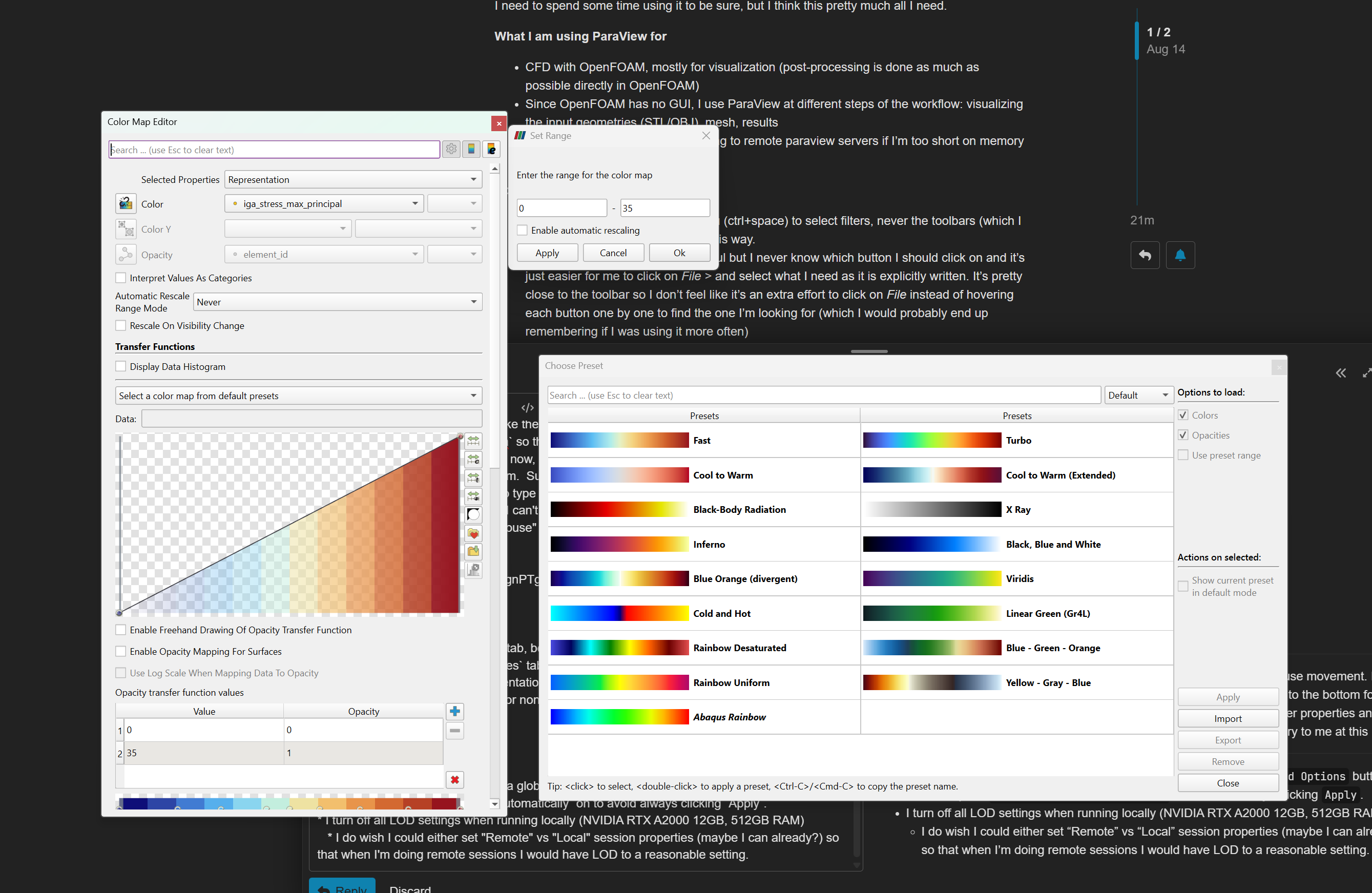
at the bottom of the color map editor, choose “Save current color map settings values as default for all arrays”
for parallel projection or thickness, right click and choose “Use as default”
This should be fine indeed. Also, IMO our current “save state” is a “save state as …”: we should have a “save state” that just overwrite the last opened state.
Not sure if it’s worth, specially with large data, this might take way more time than simply closing paraview and opening a new window. i do this currently by hitting ‘Disconnect’ button and it will basically clean up paraview when it is in local, but as I mentioned, this takes way more time than simply closing paraview and re opening it.
I would argue that the larger the project (as measured by number of objects and filters) the more useful an ability to organise the Pipeline browser becomes. If you have to scroll though 3 or 4 screens of objects to find the one you want then productivity is reduced.
Likewise because the browser for the most part reflects the chronology of added objects, objects which are related may be in very different parts of the browser and moving between them becomes cumbersome. As an example, on a typical project we might run an inversion (simulation) on a dataset then add drilling information, surface layers including satellite imageary and then do some more inversions, perhaps on different datasets over the project, Then the drilling information gets added to and so on. If we then want to look at a sectional view through the different inversions and drilling in order to interrogate it we need to copy the slice or clip filter to half a dozen different objects scattered almost randomly throughout the browser. Being able to cluster like objects together would really speed up our workflow.
oh I am with you 100%, what i was saying was about instead of cleanning the pipeline (i understood it as remove everything that is there), is way better just to re start paraview. I agree with you i made an issue specially for this, to be able to ‘condensate’ several filters that i do in chain when using python into one.
I can see that a right click allows me to lock in a line thickness of 2 and a parallel projection as defaults but can’t see how I can set my colour file as the default. At the base of the colour editor window are two save buttons - save for similar data and save for all data. As I read it that will save all of the colour editor settings, including the selected colour file but also including the data ranges. I want to use the same colour file across many different data types, each with different data ranges. At the moment the default colour file is Cool to Warm, all I want to do is change it to my colour file. Is that doable or do we leave it on the wish list.